







This topic provides instructions on how to view and modify session variables.
Background information
A connection between an application and a database is referred to as a session. In the SQL Console, you can query detailed information about all sessions connected to the current database on the session variable page. The SQL Console provides a visual interface on the session variable page, allowing users to easily and intuitively query the session variables supported by the current database.
This topic uses the database oceanbase as an example to demonstrate how to query and modify the session variable interactive_timeout.
Prerequisites
You need to have the database account and password for the current tenant to log in to the SQL Console.
Procedure
Log in to the SQL Console and click
 > Set Session Variables in the SQL window.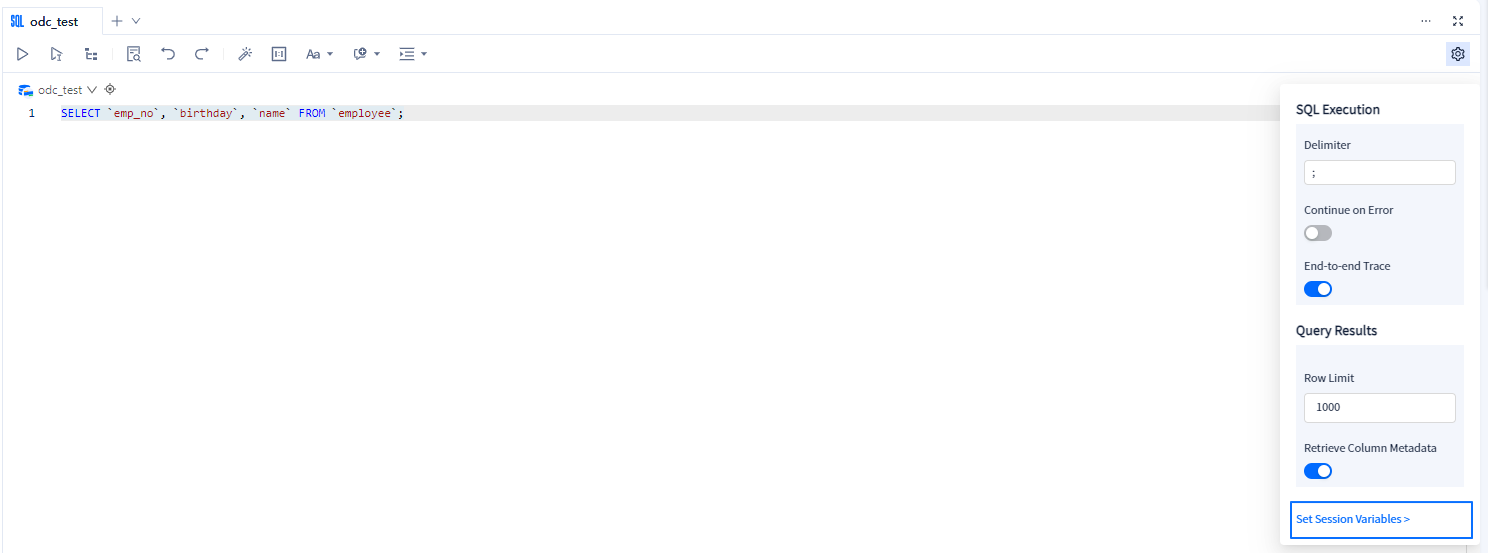
On the Session Variable page, you can query all session information supported by the current database
oceanbase. Search for the session variableinteractive_timeoutin the search box.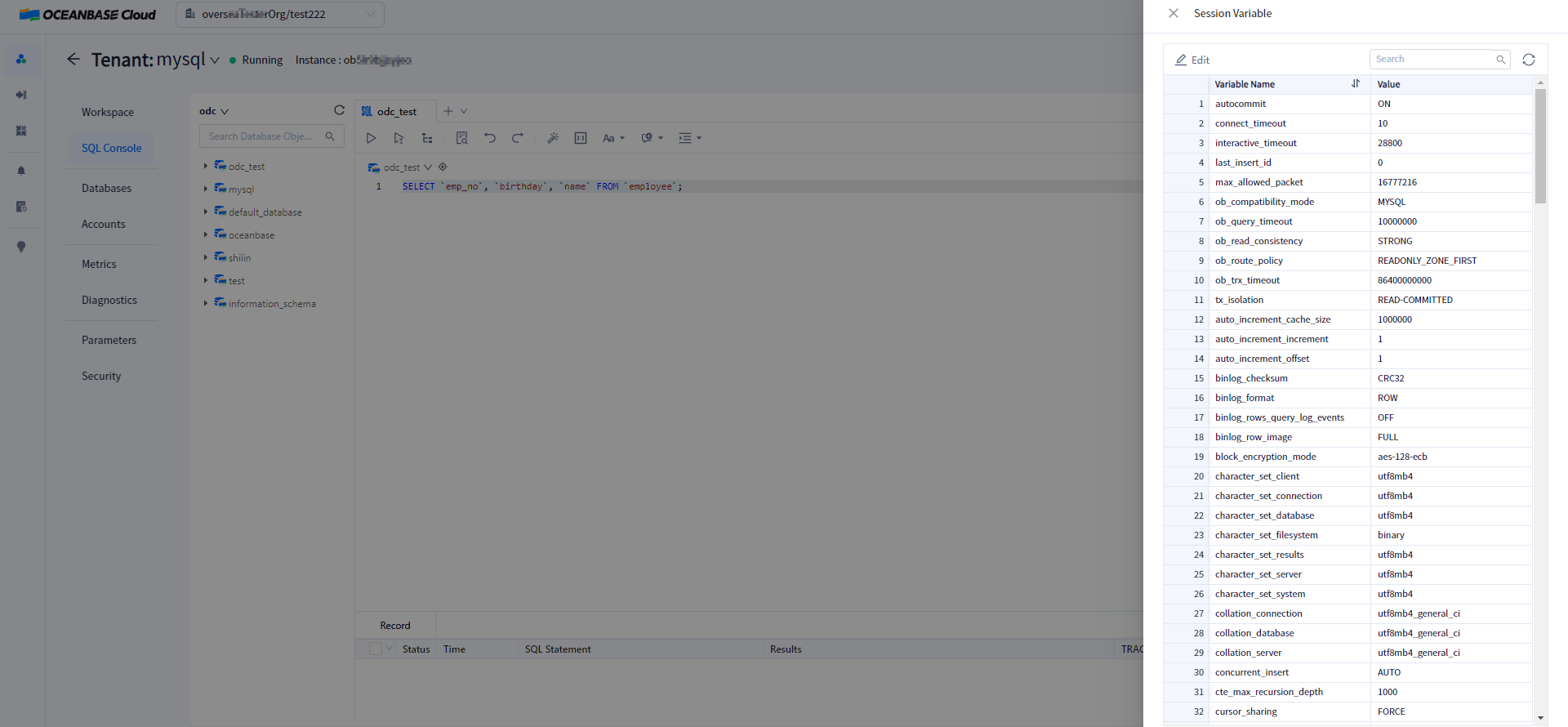
As shown above, click
 to modify the value of
 interactive_timeout.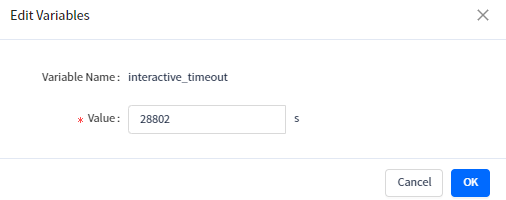
Notice
- Setting
ob_trx_idle_timeouttoo large may cause the session to occupy memory that cannot be released in time. Proceed with caution when setting it. - In manual transaction commit mode,
ob_trx_idle_timeoutmust be set greater than or equal to the SQL query timeout set. Otherwise, if the execution interval between two SQL statements in a transaction exceeds theob_trx_idle_timeoutsetting, the connection will terminate.
- Setting