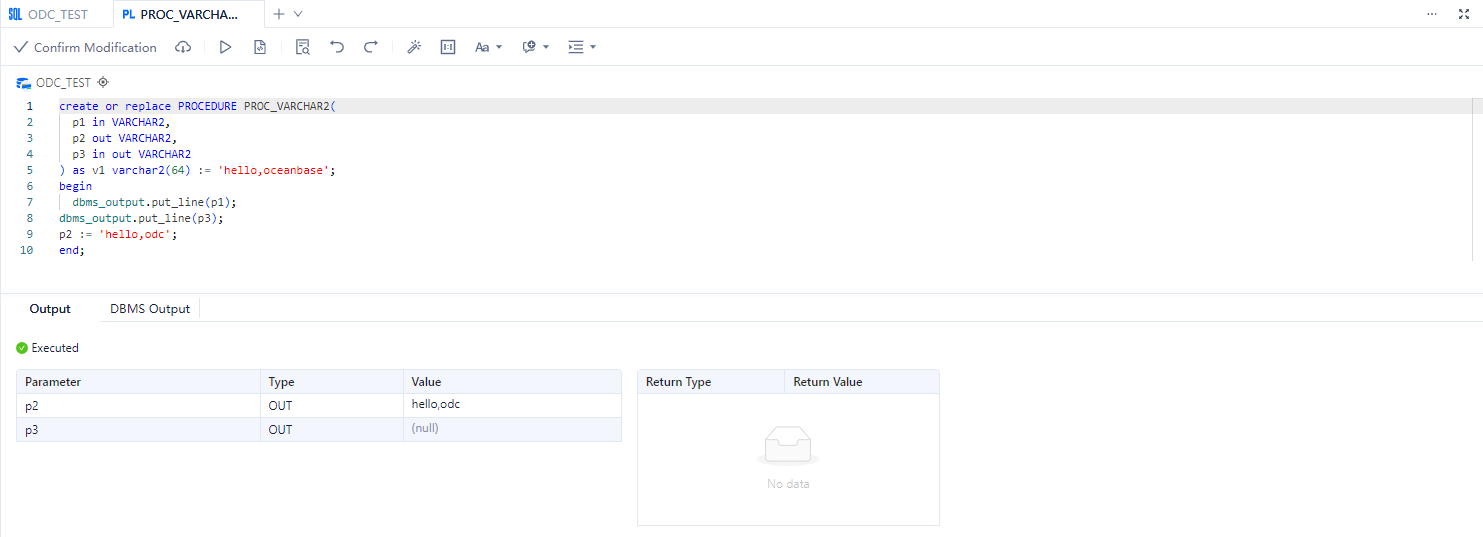
This topic aims to explain how to compile PL (Procedural Language) statements in the SQL window.
Background information
PL (Procedural Language) is a procedural programming language that extends SQL statements. PL adds programming language features to regular SQL statements, organizing data operations and query statements into procedural code in PL, enabling complex functionalities through logical judgments, loops, and other operations.
Using PL, you can write programs with advanced functionalities, encapsulate business logic within the database, providing better abstraction and security, while reducing network interactions, resulting in faster execution and improved overall performance.
The development of PL programs is an essential daily task for database service developers. Similar to the support modules for SQL statements, the debugging module for PL is also a crucial feature. Therefore, during the programming process, developers need a PL development area and debugging functionality.
PL statements can be used to write functions, stored procedures, program units, and triggers, among other database objects.
The SQL Console supports functions, stored procedures, program units, and triggers' creation, compilation, execution, and debugging functionalities. Users can compile PL statements in the editing area of the anonymous block window and perform operations such as editing and debugging on already created PL objects.
This topic uses the creation of a stored procedure named PROC_VARCHAR2 in the Oracle compatible mode in OceanBase Cloud as an example to demonstrate how to create a stored procedure in the ODC_TEST database.
Prerequisites
Have the database account and password for the current tenant to log in to the SQL Console.
SQL Console supports PL compilation for functions/stored procedures/program units. Ensure that the version of your OceanBase Cloud in the Oracle compatible mode is V2.2.7x, V3.0.0 and later.
SQL Console supports PL execution for functions/stored procedures/program units/anonymous blocks:
When running PL functions/stored procedures, ensure that the version of your OceanBase Cloud in the Oracle compatible mode/OceanBase Cloud in the MySQL compatible mode is V2.0.x and later, MySQL version is V5.7.
When running program units/anonymous blocks, ensure that the version of your OceanBase Cloud in the Oracle compatible mode is V2.0.x and later.
Notice
- If the data source is OceanBase type, it can only be connected via OBProxy, and debugging will not be supported for this instance.
- The anonymous block window is only available for OceanBase Cloud Oracle data sources.
Procedure
Log in to the SQL Console and input the following statement in the SQL window to create the stored procedure
PROC_VARCHAR2.CREATE OR REPLACE PROCEDURE PROC_VARCHAR2(p1 in VARCHAR2, p2 out VARCHAR2, p3 in out VARCHAR2) as v1 varchar2(64) := 'hello,oceanbase'; begin dbms_output.put_line(p1); dbms_output.put_line(p3); p2 := 'hello,odc'; end;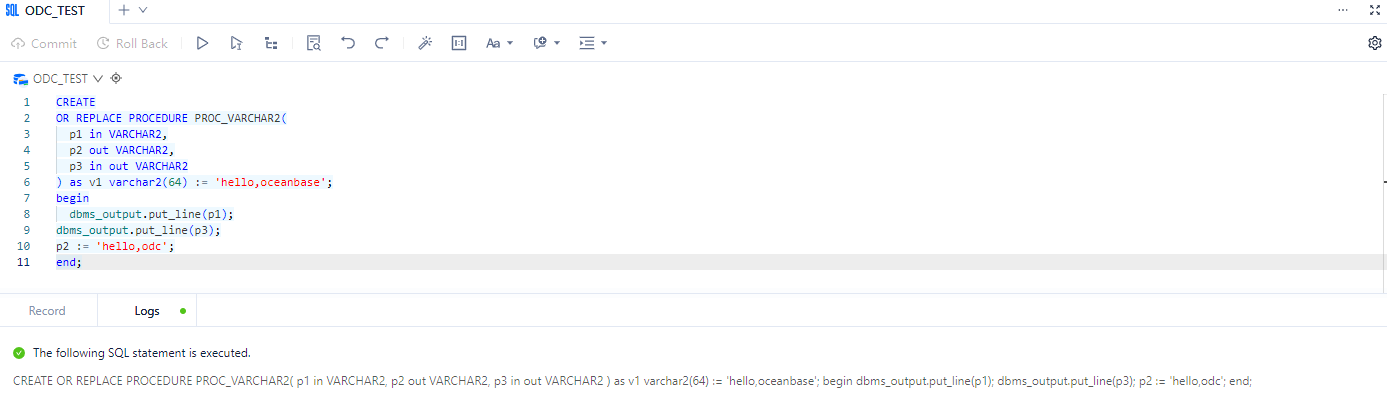
In the left navigation bar of the SQL window, query the created stored procedure
PROC_VARCHAR2, select > Compile.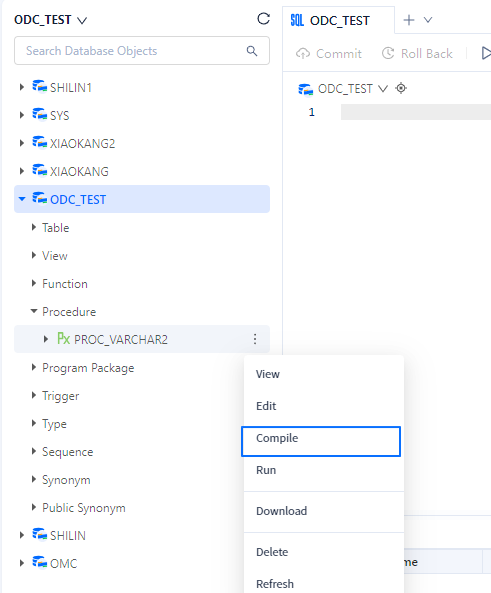
Compile the PL statement and view the compilation result.