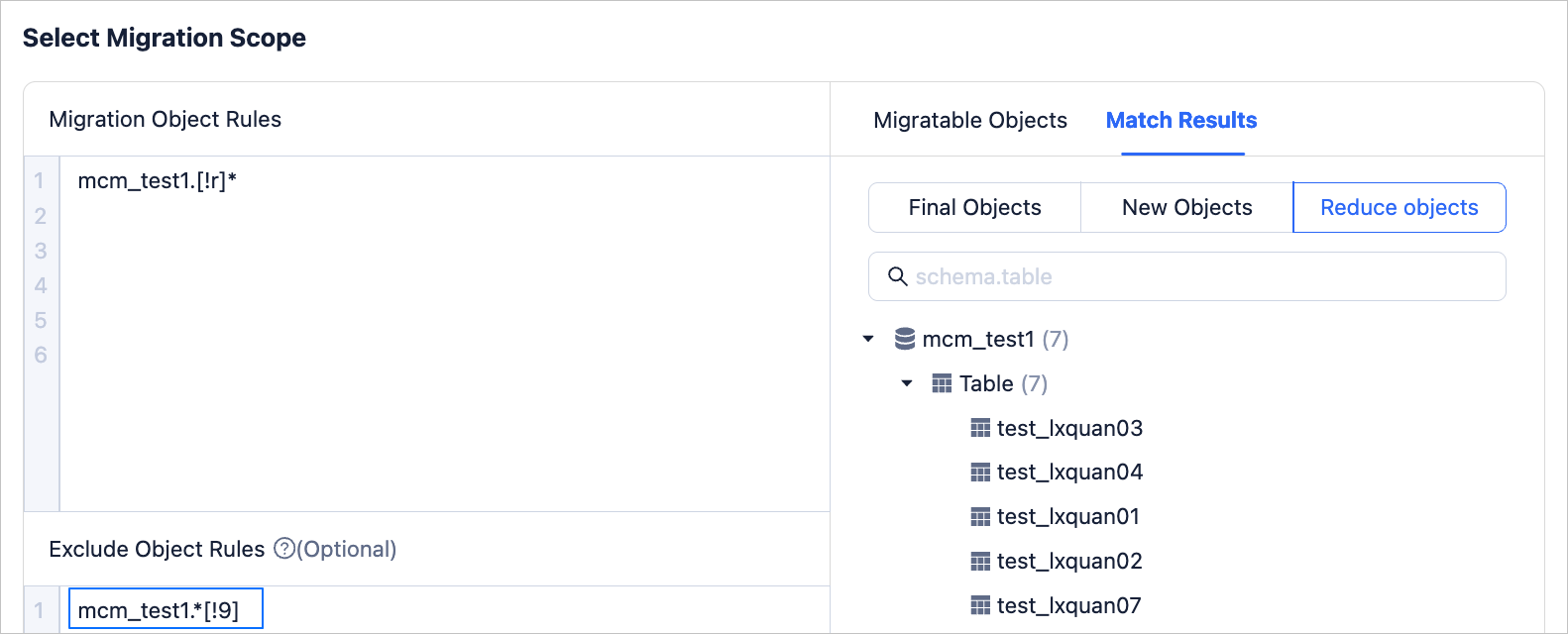
This topic introduces the wildcard rules supported by Migrations.
Background information
Wildcard rules use a regex-like format.Migrations supports wildcard rules including "*", "?", "[]", and "[!]". At the same time, Migrations supports schema names written in wildcard rule format, such as schema*.*. When you set migration object rules and exclusion object rules, pay attention to case sensitivity. If the case of the matching rule does not match the source object name, the database object cannot be matched.
When you configure migration object rules and exclusion object rules, if you create a new table the source, as long as its table name matches the migration object rule and does not match the exclusion object rule, it can be synchronized in real-time by the data migration service.
Character "*"
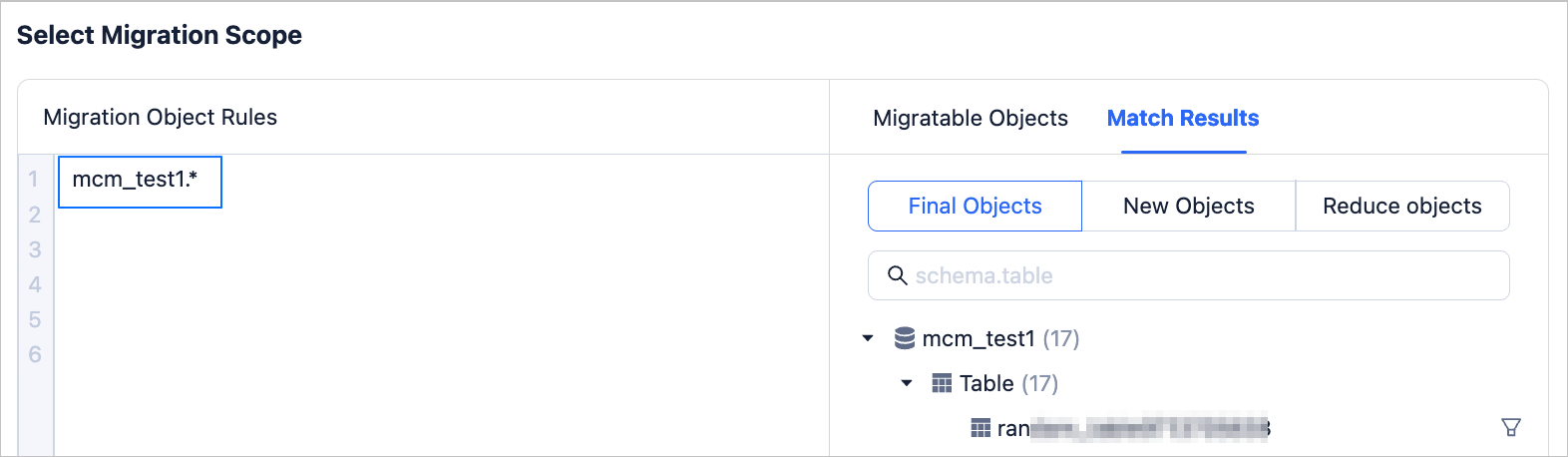
The character "*" can match any length of characters, including empty characters. You can use "*" to select all objects in a library or schema. For example, setting the Migration Object Rule to <Schema>.* will display all tables and views under that schema in the Matching Results on the right.
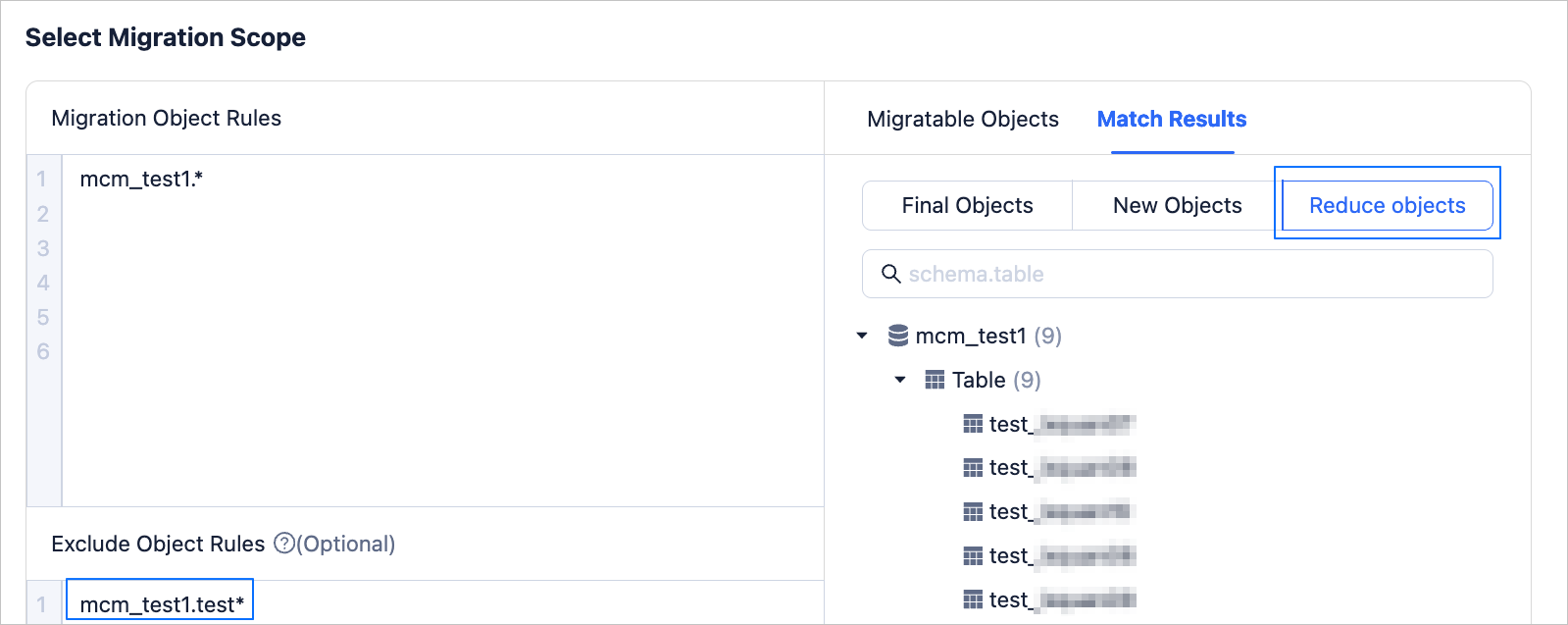
You can also set objects that do not need to be migrated in the Exclusion Object Rules, click Validate. After the validation is successful, click Preview to view it in the Matching Results.
Character "?"
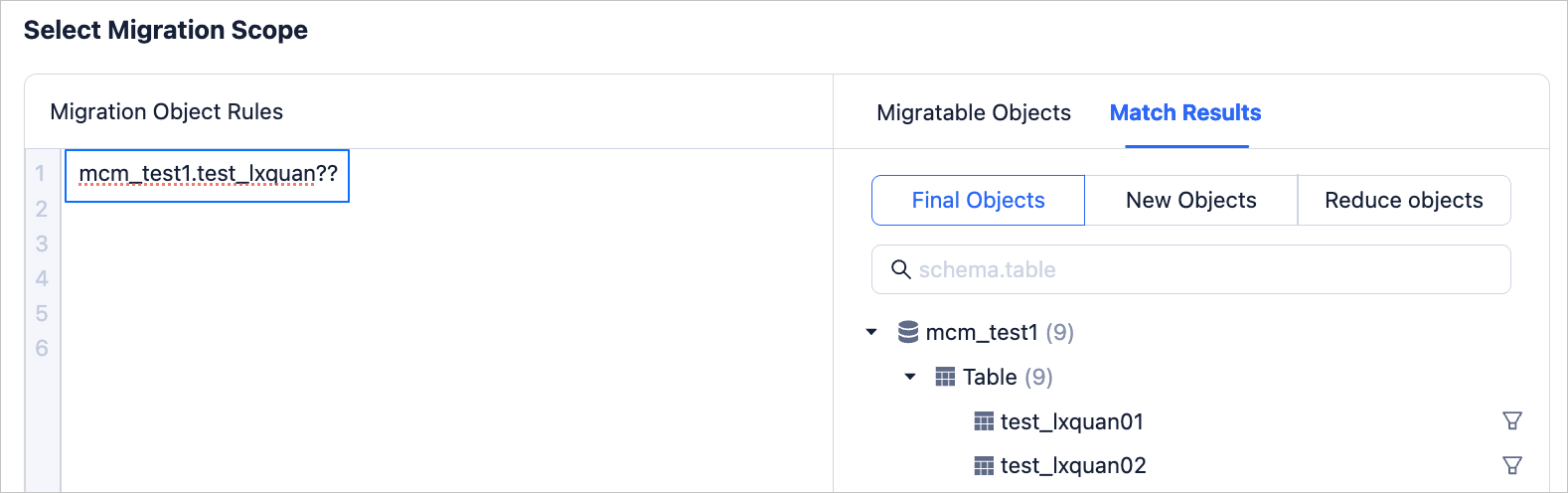
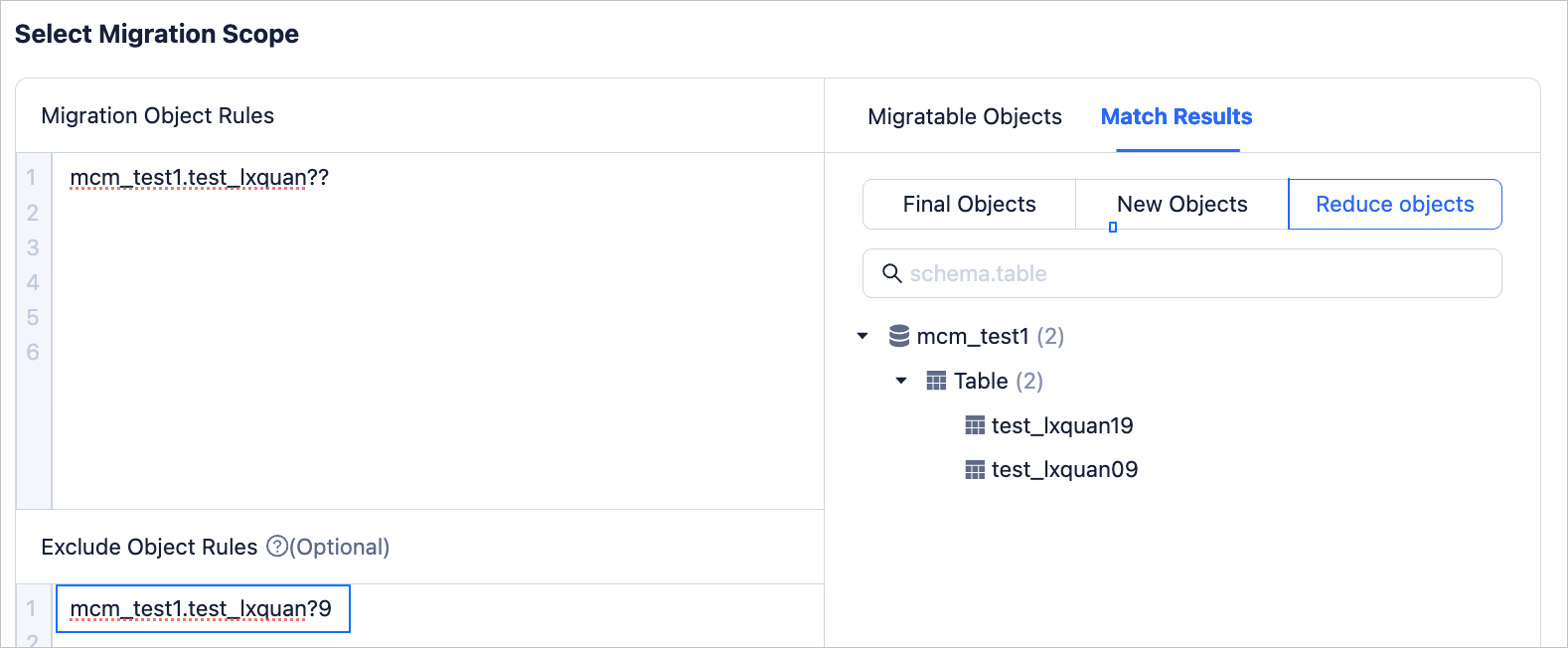
The character "?" can match a single character. If multiple characters need to be matched, multiple "?" can be used together. You can use "?" to select objects in a library or schema that meet certain characteristics. For example, setting the Migration Object Rules to <Schema>.t? will display tables and views under that schema that match this format in the Match Results on the right.
Note
The character "?" cannot match empty characters, that is, the position occupied by the character "?" must have a character present.
You can also set objects that do not need to be migrated in the Exclude Object Rules, click Validate. After the validation is successful, click Preview to view it in the Match Results.
Character "[]"
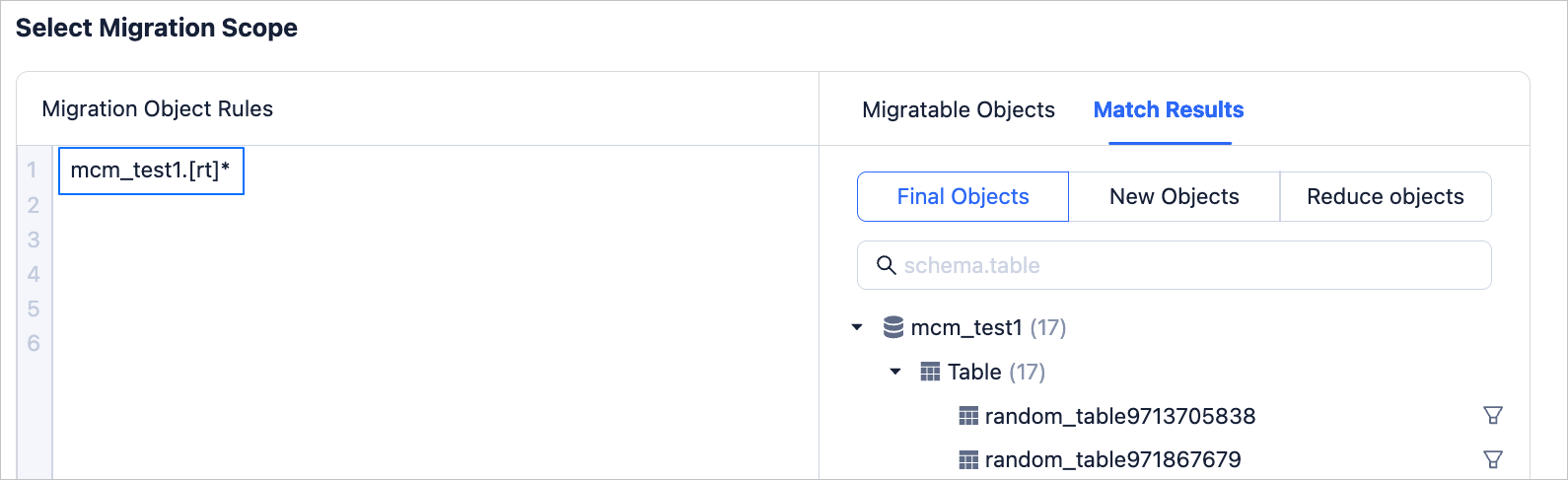
The character "[]" can match any one character within the square brackets, and [start-end] represents a continuous range. For example, setting the Migration Object Rules to <Schema>.[]* will display tables and views under that schema that match this format in the Match Results on the right.
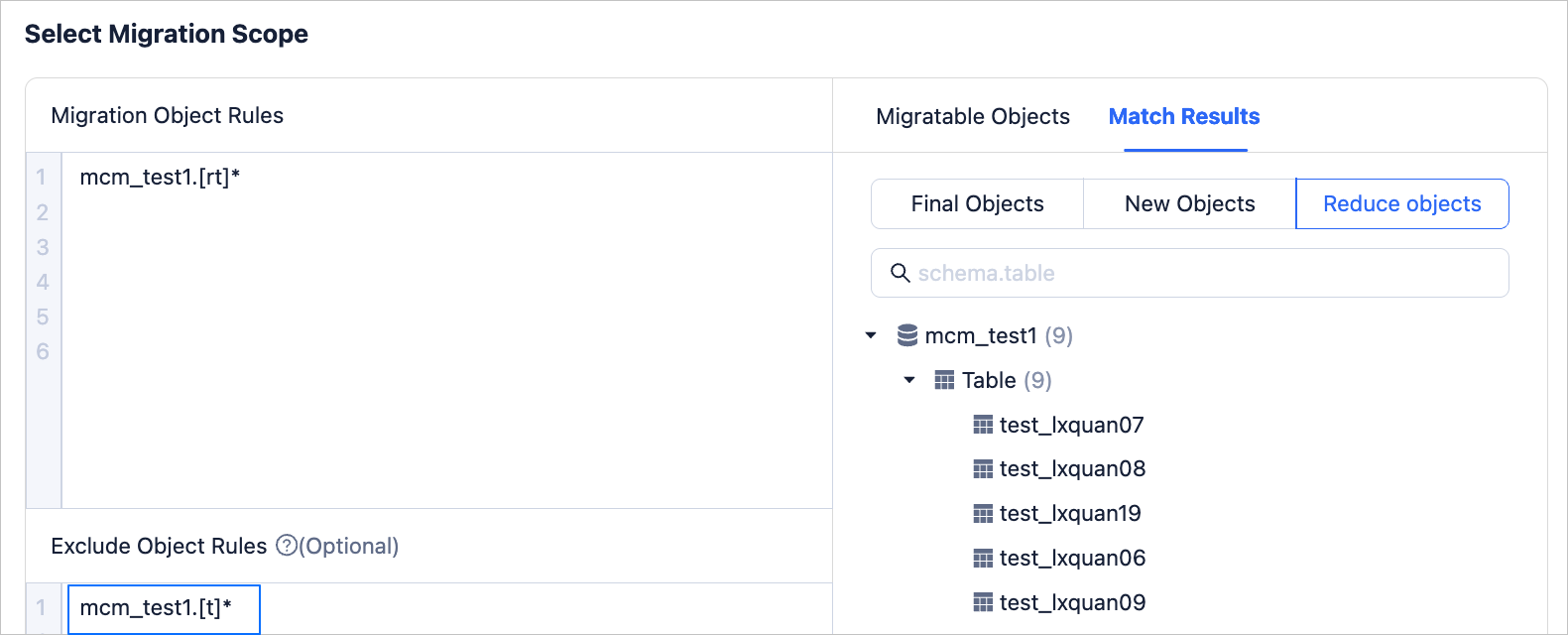
You can also set objects that do not need to be migrated in the Exclude Object Rules, click Validate. After the validation is successful, click Preview to view it in the Match Results.
Character "[!]"
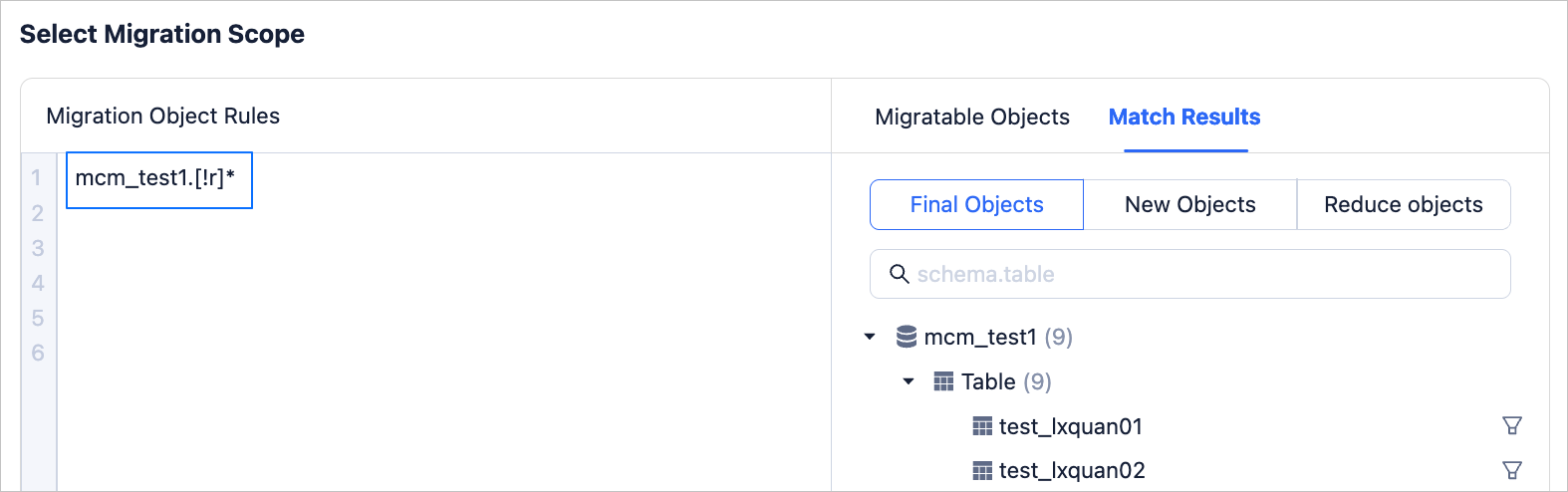
The character "[!]" indicates characters that are not within the square brackets (excluding empty characters), and [!start-end] represents a continuous range. For example, setting the Migration Object Rules to <Schema>.[!]* will display tables and views under that schema that match this format in the Match Results on the right.
You can also set objects that do not need to be migrated in the Exclude Object Rules, click Validate. After the validation is successful, click Preview to view it in the Match Results.