







This topic introduces how to edit and execute SQL check specifications.
Background information
After the system administrator grants development specification operation permissions to a user, the user can manage SQL check specifications on the Environment tab of Security Specifications.
When a user executes an SQL statement in the SQL window, create a database change, or create a table, ODC checks the SQL statement based on the configured SQL check specifications.
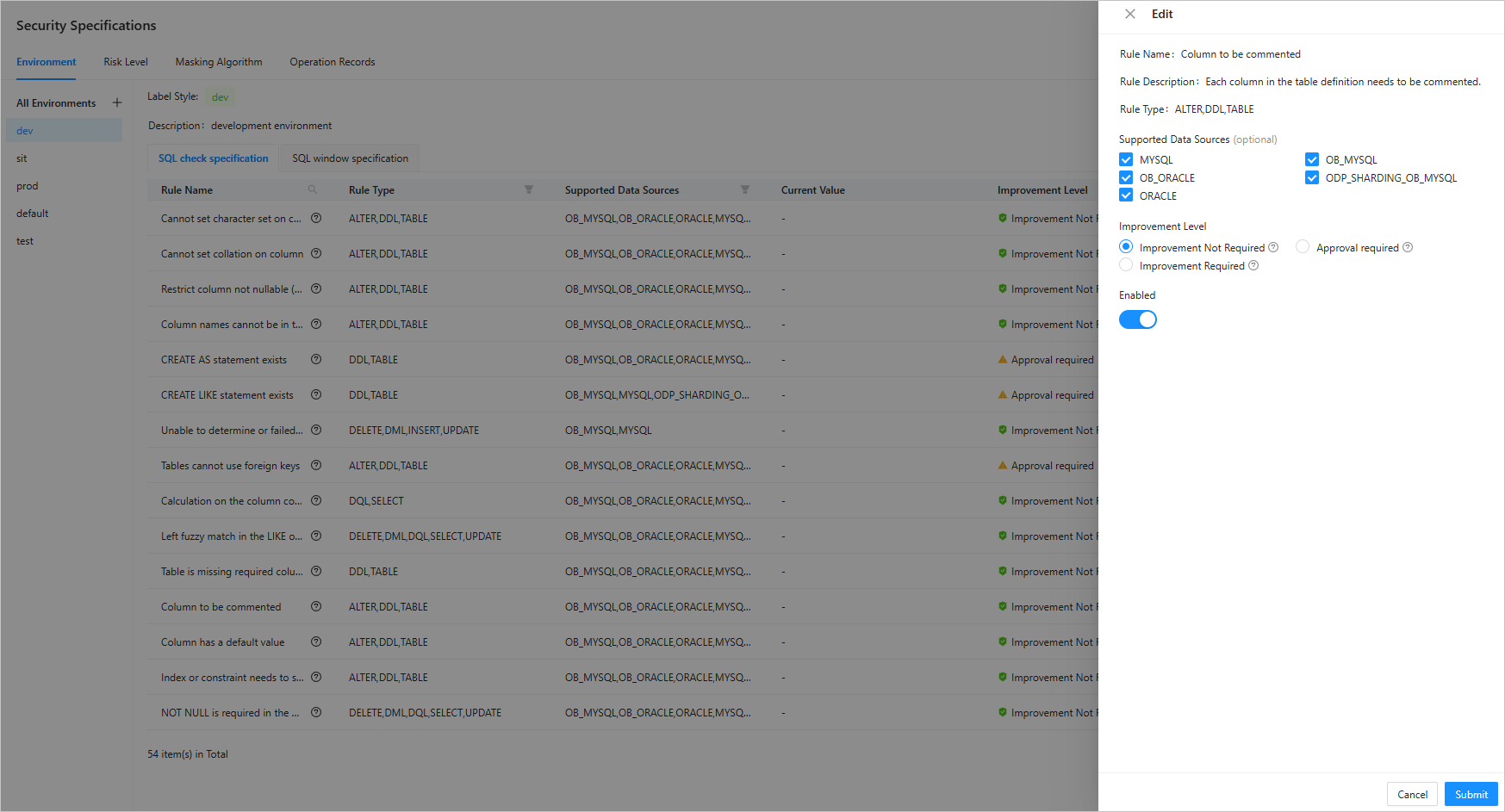
The example in this topic describes how to edit and enable the rule named Columns must be commented in the test environment of SQL check specifications. Edit and execute the CREATE TABLE statement.
Concepts
Rule level: the level of an SQL review rule. Rule levels can be divided into the following three categories:
Compliance: The matching SQL statements are compliant and do not need to be improved.
Improvement recommended: The matching SQL statements have a non-serious issue that can be rectified or ignored. Usually, a prompt is thrown for these statements.
Improvement required: The matching SQL statements have a serious issue that must be rectified. If the SQL statement is not rectified, data or business security will be affected. The SQL statement must be rectified before being executed.
Rule status: the status of an SQL review rule. If a rule is enabled, ODC check the tickets initiated by users and SQL statements to be executed against the rule. If a rule is disabled, it is ignored.
Rule type: the type of database object to which the rule applies. Rule types can be divided into the following categories:
TABLE: a table object.
SELECT: a query statement.
INSERT: an insert statement.
UPDATE: an update statement.
DELETE: a delete statement.
DDL: a DDL statement.
DML: a DML statement.
DQL: a DQL statement.
INDEX: an INDEX creation statement.
Execution process

A user with the development specifications operation permission edits and enables SQL check specifications in the environment.
An ODC user executes an SQL statement in the command-line window, in the anonymous block window, or for a database change. The SQL specification check is initiated.
SQL statements that meet the SQL specifications are executed, and others are blocked.
Prerequisites
You have the development specifications operation permission.
Procedure
After the OceanBase Cloud console, enter the Web ODC. In the project collaboration window, choose Security Specifications > Environment > sit > SQL check specification.
On the SQL check specification tab, edit the rule named Columns must be commented.
On the edit SQL check specification page, enable Columns must be commented, click OK.
In the project collaboration window, click project name.
Click database name/SQL console/log in to database to log in to the database and go to the SQL development window.

In the SQL window, edit the SQL statement to create the table named
employee, and click Run F8 to run all the SQL statements in the current SQL window.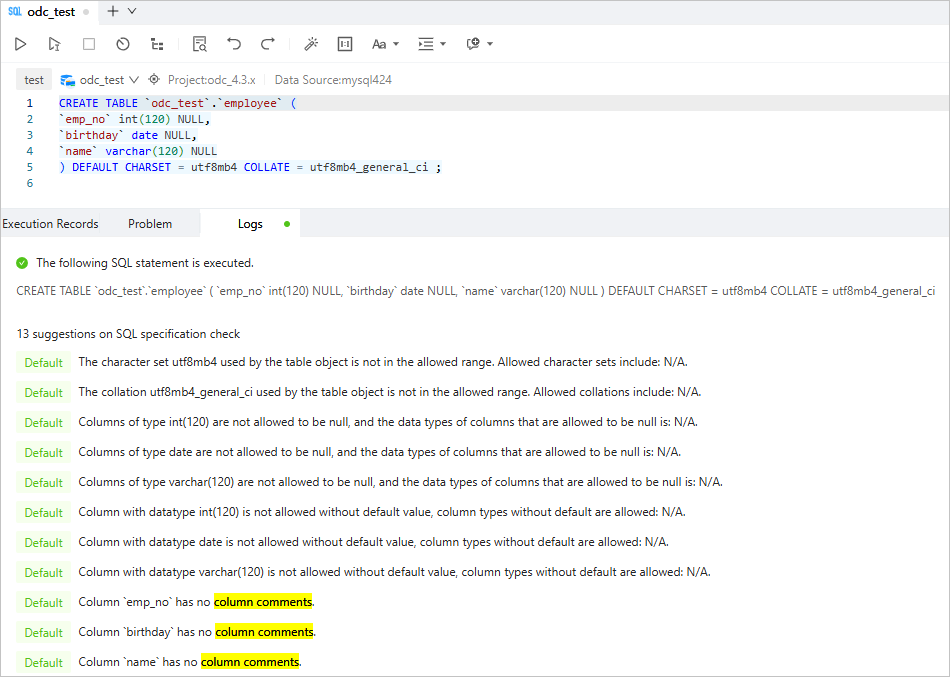
CREATE TABLE `odc_test`.`employee` (
`emp_no` int(120) NULL,
`birthday` date NULL,
`name` varchar(120) NULL
) DEFAULT CHARSET = utf8mb4 COLLATE = utf8mb4_general_ci ;
As shown in the preceding figure, the No column comment message is printed in the log.