







OceanBase Cloud provides the Binlog service to collect commit logs (clogs) of OceanBase Cloud and convert them into the MySQL binary log (Binlog) format. This service is designed for scenarios such as real-time data subscription.
Background information
MySQL Binlogs are the basis for source-replica replication and data subscription in MySQL. You can enable the Binlog service with minimal performance overhead and resource consumption while reusing your existing MySQL incremental Binlog parsing system to synchronize incremental data from OceanBase Cloud in MySQL compatible mode, without requiring additional development or a new environment. You can migrate your MySQL-based incremental data subscription solutions to OceanBase Cloud.
Notice
The Binlog service of OceanBase Cloud cannot be used for scenarios such as incremental restore and creating primary/standby tenants.
Limitations
Performance
Under controllable business pressure, the conversion latency in the Binlog service can remain within 1 second. However, in special cases, a seconds-level conversion latency cannot be guaranteed if the database involves frequent DDL operations or large transactions.
Version requirements
The version requirements are as follows:
OceanBase Database: V3.2.4.4 or later for V3.x, and V4.1.0.1 or later for V4.x.
OceanBase Database Proxy (ODP): V4.3.1.17 or later.
Binlog service: later than V2.3.0.
Note
- The Binlog service works with ODP and has version requirements for it.
- The Binlog service can obtain clogs to convert from OceanBase Cloud only if it connects to OceanBase Cloud through ODP.
- ODP must meet the version requirements.
- A later version of the Binlog service provides more features and fixes known issues in earlier versions. We recommend that you use the latest version of the Binlog service.
SQL compatibility
OceanBase Cloud in the MySQL compatible mode is compatible with most MySQL data types. For more information, see Overview. The DDL syntax in OceanBase Cloud in the MySQL compatible mode differs from that in MySQL. Specifically, OceanBase Cloud in the MySQL compatible mode provides special syntax extensions, which may not be parsed by the Binlog service.
Data types
The following superset definition semantics in OceanBase Cloud in the MySQL compatible mode are not supported in the MySQL Binlog protocol:
The Binlog service does not support the extended semantics of the ENUM and SET data types in OceanBase Cloud in the MySQL compatible mode. For example, the SET data type supports more than 64 definitions and duplication, and the ENUM data type supports the insertion of undefined data such as ''.
The VARCHAR type supports a maximum of 65,535 bytes. If a VARCHAR column exceeds that length, table data parsing may fail.
Notice
The configuration of the VARCHAR length may be affected by the character set. For example, if the utf8mb4 type is used, with each character occupying 4 bytes, the maximum supported length of the VARCHAR type is 16,383.
The maximum length of a LONGBLOB or LONGTEXT column supported by OceanBase Cloud in the MySQL compatible mode is 48 MB, which is different from that in MySQL.
Features
The Binlog service of OceanBase Cloud is compatible with the row-based logging format of MySQL Binlog. Binlogs are recorded based on data changes in each row.
When the OceanBase Database version is V4.x, configure the STORED attribute for generated columns. Otherwise, the Binlog will not convert the data of the generated columns, which may cause downstream subscription parsing failures or data loss.
The Binlog protocol of OceanBase Cloud in the MySQL compatible mode, which is basically consistent with that of MySQL 5.7, provides the following basic features:
Supports Binlog pull based on the filename and offset, or based on the global transaction ID (GTID). A GTID is a globally unique identifier generated by the Binlog service of OceanBase Cloud in the MySQL compatible mode.
Identifies Binlog instance servers by their IDs. For the Binlog service deployed in standalone mode, only one server ID exists. For the Binlog service deployed in a cluster, which will be supported in later versions, multiple server IDs may exist.
Supports reading the Binlog files of all tables in all databases. The Binlog service of OceanBase Cloud in MySQL compatible mode converts the incremental data of all database tables to Binlog files for persistent storage by tenant.
Supports multiple Binlog Dump subscription connections. You can subscribe to any checkpoints between the specified earliest and latest Binlog checkpoints.
Supports the connection between the Binlog service and popular MySQL Binlog parsing tools, such as Flink CDC, Canal, and Maxwell.
The Binlog service supports high availability. It can be automatically recovered within minutes in the event of a failure. However, downstream subscribers need to support reconnection in the event of a failure to avoid subscription disconnection.
Synchronization of existing data
The Binlog service can synchronize only incremental data. However, data synchronized from OceanBase Cloud in the MySQL compatible mode to a downstream system may involve existing data. Take note of the following considerations during the synchronization of existing data:
Only the incremental snapshot read mode is supported.
Snapshot table locking and
FLUSH TABLES WITH READ LOCKare not supported.The timeout period parameters
interactive_timeoutandwarning_countof native MySQL are supported.The heartbeat timeout parameter
heart.intervalcan be configured.If the MySQL synchronization component supports parallel data pulling, existing data can be pulled in parallel.
Obtain Binlog
Connection method: Connect through the tenant's primary address. The procedure is as follows:
By default, the Binlog service is disabled. You need to purchase it first. For more information, see Purchase the Binlog service.
Connect to OceanBase Cloud by using a MySQL client. For more information, see Connect to an OceanBase Database tenant by using a MySQL client.
On the client, execute statements related to MySQL Binlog.
Execute the
show binary logsstatement to view the list of Binlog files.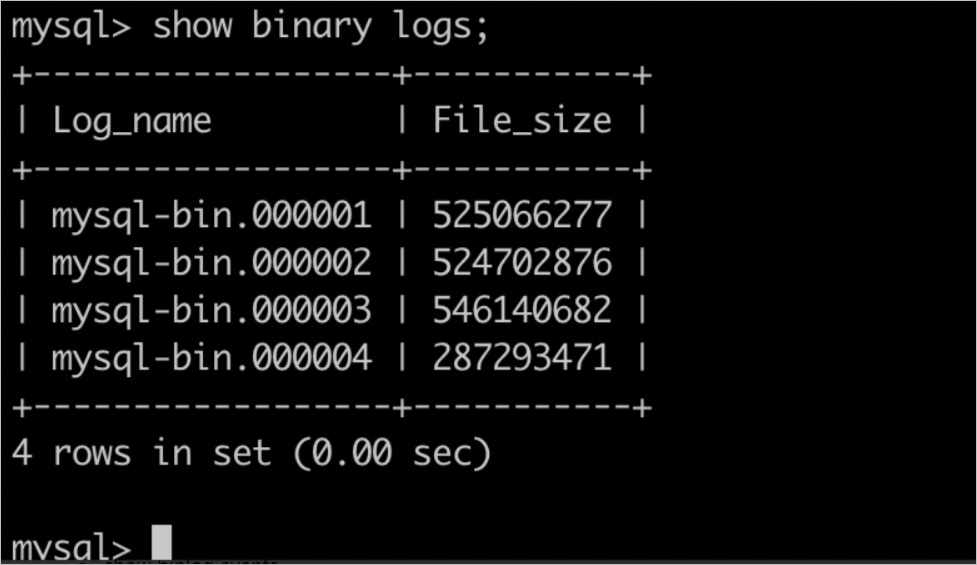
Execute the
show master statusstatement to view the Binlog file that is being written.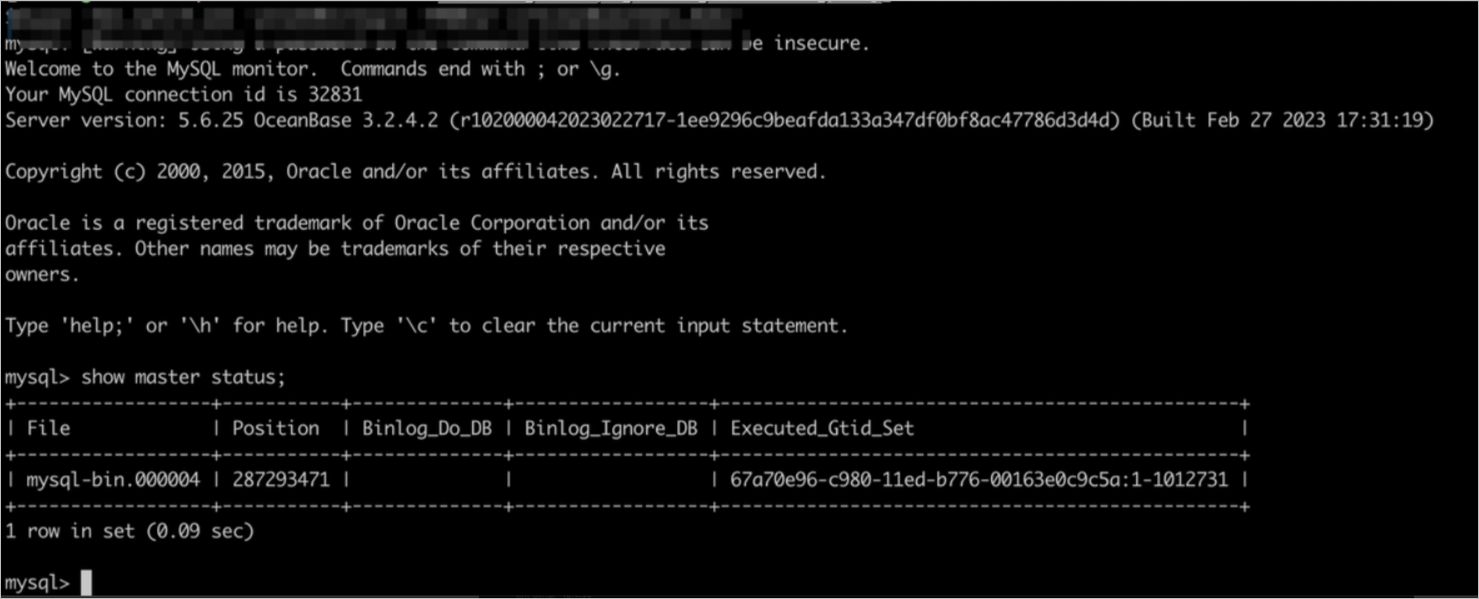
Execute the
show binlog eventsstatement to view information about specific events in Binlog files.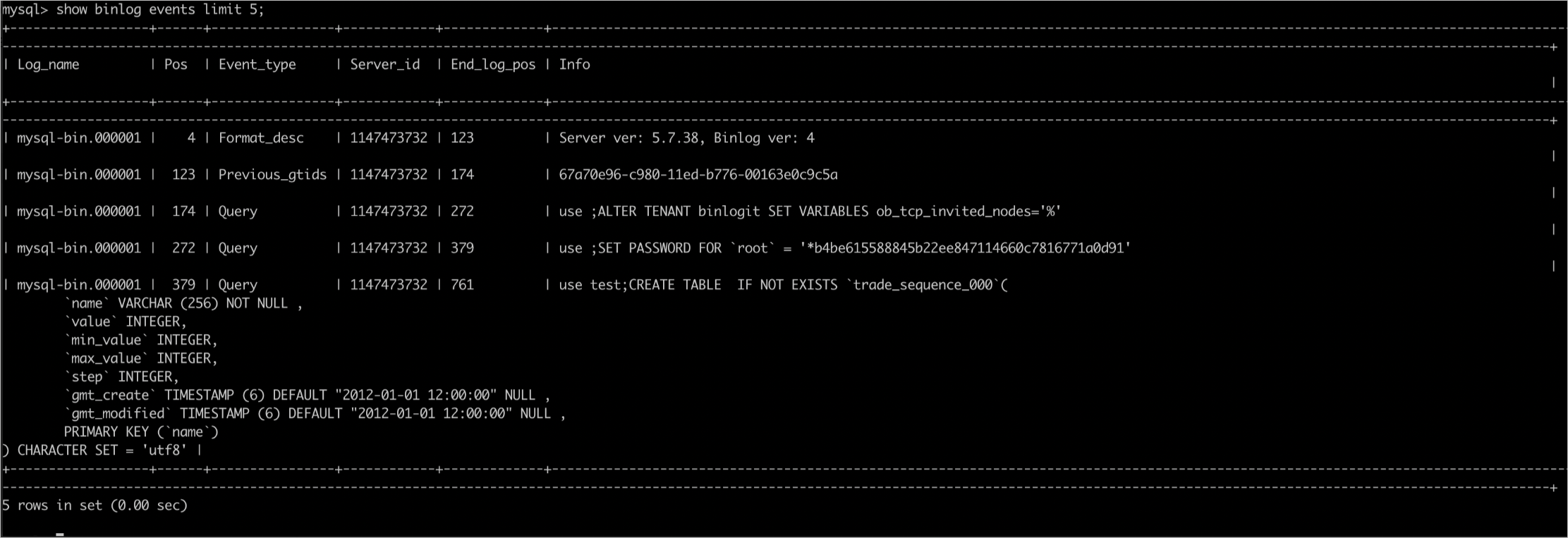
Subscribe to Binlog files. The subscription is implemented as follows:
Your MySQL Binlog parsing tool sends a Binlog Dump command for the specified tenant through ODP, which then forwards the command to the Binlog service.
Upon receiving the Binlog Dump command, the Binlog service starts a Binlog Dump thread to read the Binlog files of the specified tenant. The files are then forwarded by ODP to the downstream subscriber.