







If you select public network as the connection type when you create a data source or data migration task with Google Cloud as the cloud vendor, you need to add the IP address of the data source to the allowlist of the MySQL database instance (including Cloud MySQL and self-managed MySQL), the self-managed Oracle database instance, the self-managed OceanBase database instance, the Kafka instance (including cloud instance Kafka and self-managed Kafka), the PostgreSQL database instance (including Cloud PostgreSQL and self-managed PostgreSQL), and the self-managed TiDB database instance. This ensures that the data source can be accessed.
Obtain the IP address to be added to the allowlist
Log in to the OceanBase Cloud console.
Access the Create Data Source page.
Here takes the procedure on the Create Data Source page as an example. You can also click Data Services > Migrations > Migrate Data, and obtain the IP address to be added to the allowlist from the Create Task page.
In the left-side navigation pane, click Data Services > Data Sources.
On the Data Sources page, click Create Data Source in the upper-right corner and select the data source type.
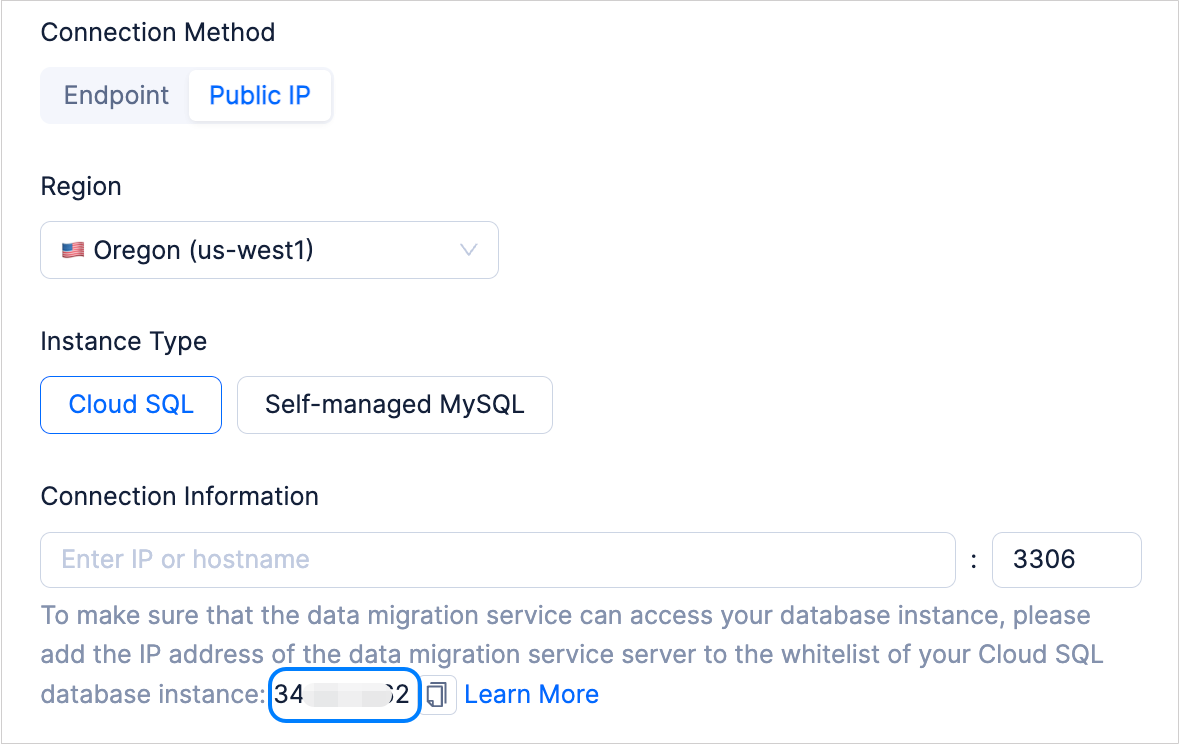
On the Create Data Source page, select Google Cloud for Cloud Vendor, Public IP for Connection Method, and the instance type as needed.
Copy the IP address displayed below the Connection Information text box.
Note
The region selected here must be the same as the region where the Google Cloud instance is located.
Add an IP address to the allowlist
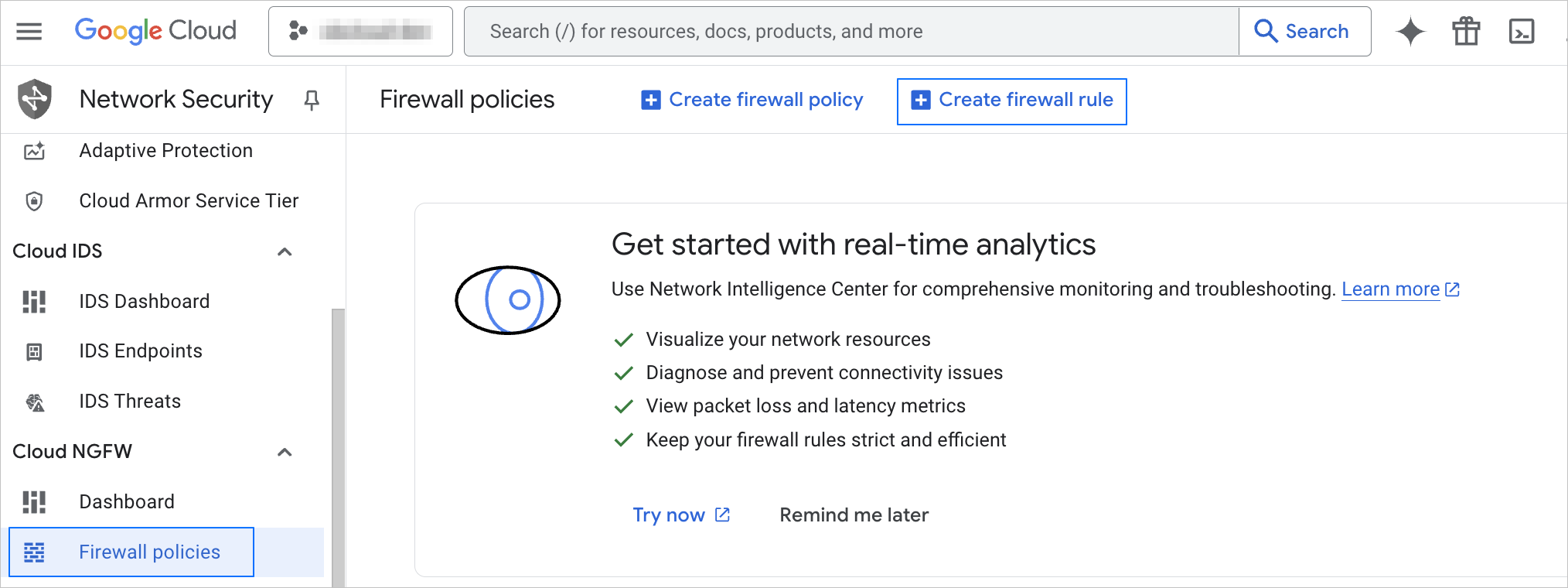
Log in to the Google Cloud console and go to the Firewall policies page.
Click Create firewall rule.
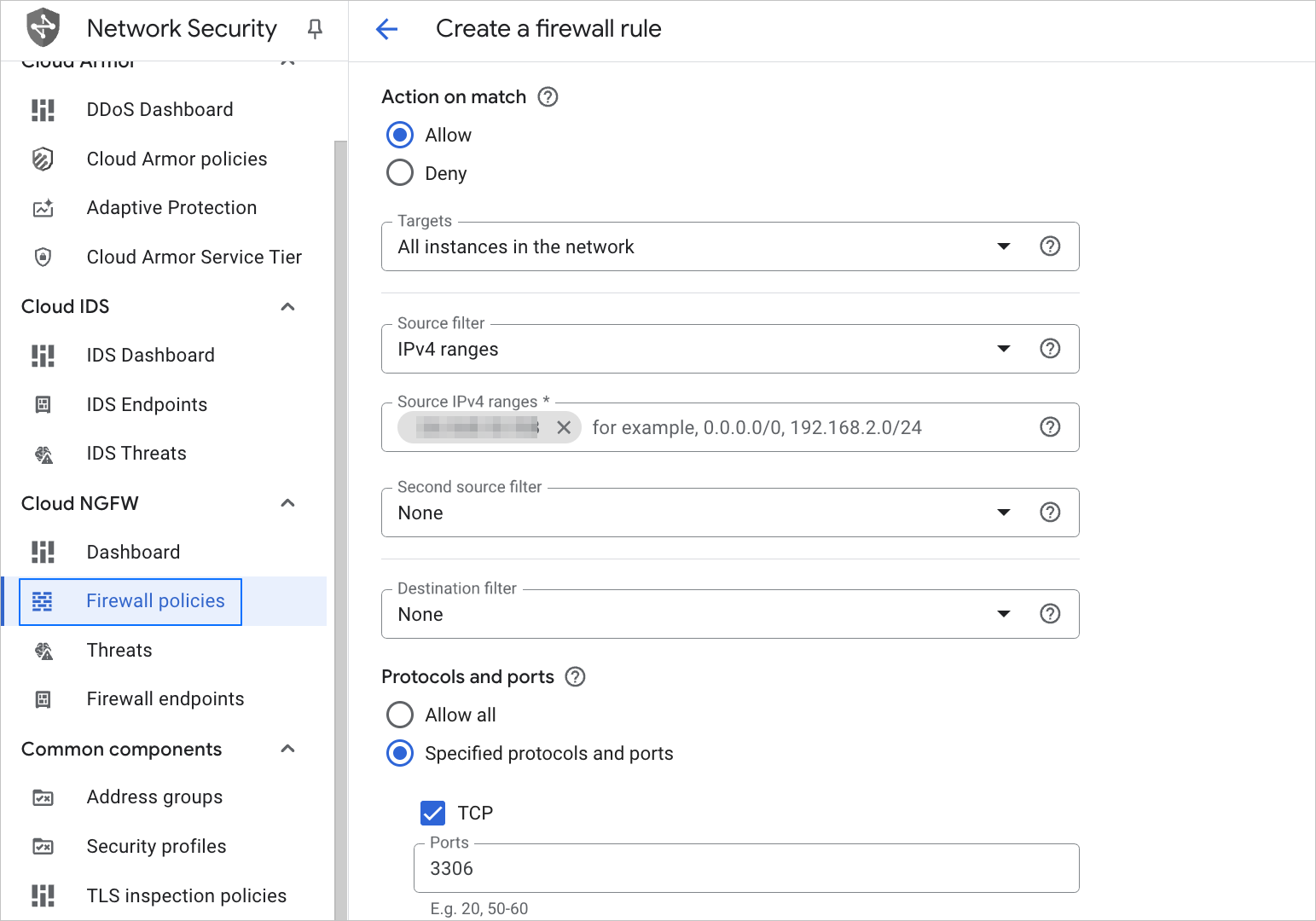
In the Create a firewall rule dialog box, configure the parameters.
For more information, see Use VPC firewall rules. Configure related parameters based on the following table.
 ParameterDescription
Direction of traffic Select Ingress. Action on match Select Allow. Targets Select All instances in the network. Source filter Select IPv4 ranges. Source IPv4 ranges Enter the IP address copied on the page for creating a data source or data migration task. Protocols and ports If you select Specified protocols and ports, select TCP. The default port for a MySQL instance is 3306, and that for a Kafka instance is 9092. Click Create.