







Tag management provides a convenient way to organize and manage resources by allowing you to add and manage tags for instances or tenants.
Limitations
- If you are an instance or project admin, you can add and manage tags.
- If you are a project member, you can only view tags.
Create a tag
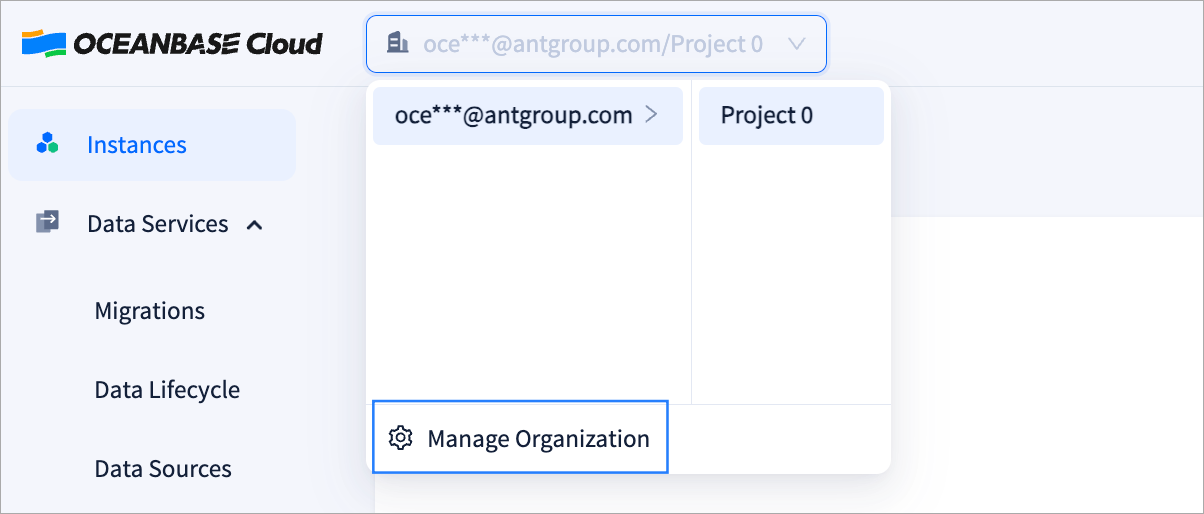
Log in to the OceanBase Cloud console, and click your organization at the top of the page. In the drop-down menu, click Manage Organization.
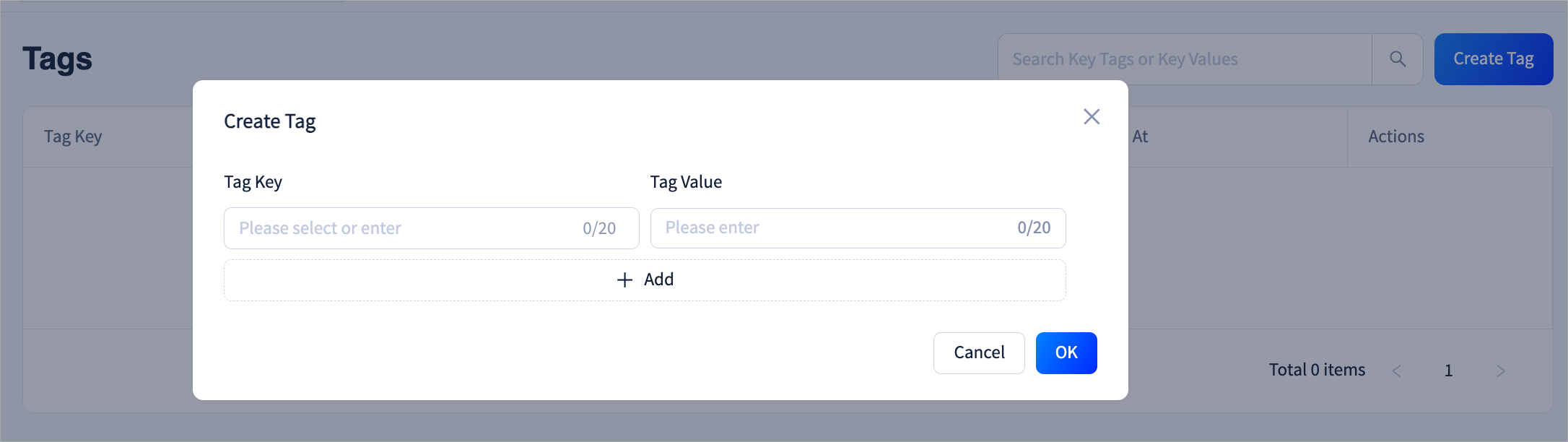
In the left-side navigation pane, click Tags, then click Create Tag in the top-right corner of the page.
Note
You can set multiple tag values under a single tag key.
Edit a tag
Log in to the OceanBase Cloud console, and click your organization at the top of the page. In the drop-down menu, click Manage Organization.
In the left-side navigation pane, click Tags.
Click Edit next to the tag you want to modify.
After editing, click OK. Once saved, the updated tags will be synchronized across the instances or tenants using that tag.
Delete a tag
Before deleting a tag, ensure that it is not referenced by any instance or tenant.
Log in to the OceanBase Cloud console, and click your organization at the top of the page. In the drop-down menu, click Manage Organization.
In the left-side navigation pane, click Tags.
Click Delete next to the tag you want to delete, then click OK.