This topic describes how to manage databases in a tenant of the MySQL compatible mode. For example, you can log in to a database, create a database, and manage accounts.
Procedure
Log in to the OceanBase Cloud console. In the left-side navigation pane, click Instances.
On the instance list page, click the name of the target cluster instance to go to the Overview page of the instance.
In the left-side navigation pane, click Tenants.
On the Tenants page, click the name of the target tenant in the Tenants list to go to the Overview page of the tenant.
In the left-side navigation pane, click Databases.
Click Create Database to create a database. For more information, see Create a database (MySQL compatible mode).
In the databases list, check the following parameters to obtain information about each database: Database Name, Character Set, Status, and Account.
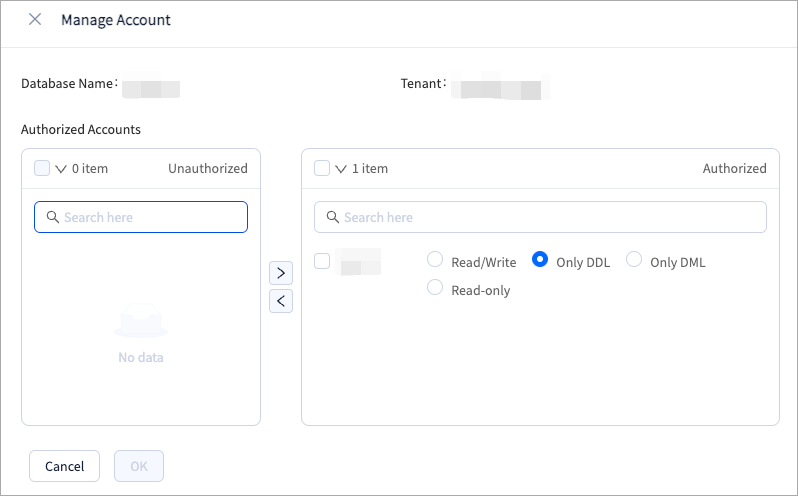
Click Manage Account for a database in the Actions column to grant database privileges to different accounts as needed.
If you select Only DDL, the following privileges are granted: SHOW DATABASES, SHOW VIEW, CREATE, CREATE VIEW, DROP, INDEX, and ALTER.
If you select Only DML, the following privileges are granted: SELECT, DELETE, INSERT, and UPDATE.
If you select Read-only, the SELECT privilege is granted.
If you select Read/Write, all preceding privileges are granted.