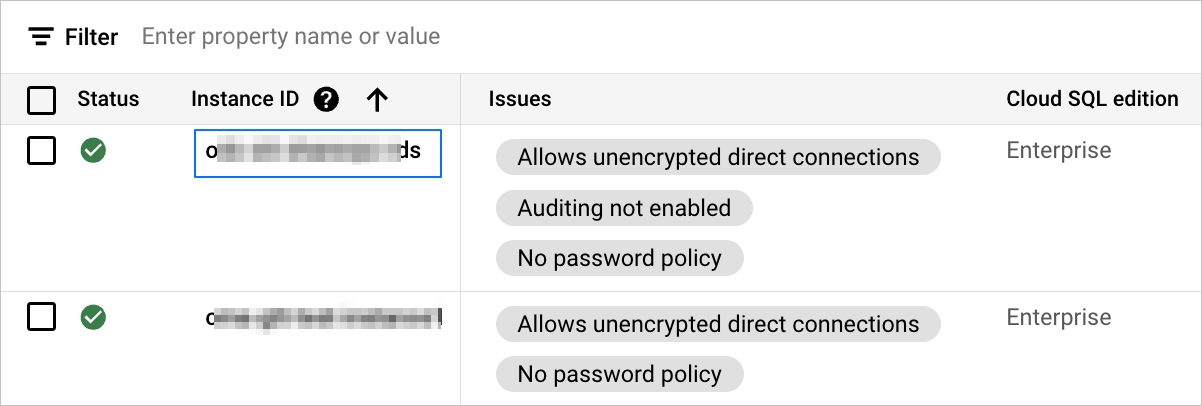
This topic describes how to obtain a source database instance of the Aurora MySQL/AWS MySQL, HUAWEI_DWS, RDS_MYSQL, or PolarDB MySQL type.
Prerequisites
You have created an Amazon Aurora MySQL instance or an AWS MySQL instance.
You have created and connected to a GaussDB (DWS) cluster. For more information, see Overview of DWS.
You have created an RDS MySQL instance. For more information, see Create an RDS MySQL instance.
You have created a PolarDB MySQL instance. For more information, see Buy a cluster.
Obtain an Aurora MySQL or AWS MySQL instance
Log in to the Aurora and RDS console.
In the left-side navigation pane, click Databases.
On the Databases page, view and copy the instance name of the target database.
If multiple instances are available, you must specify all of them when you create a performance assessment task. Separate multiple database instances with commas (,).
Aurora MySQL instance
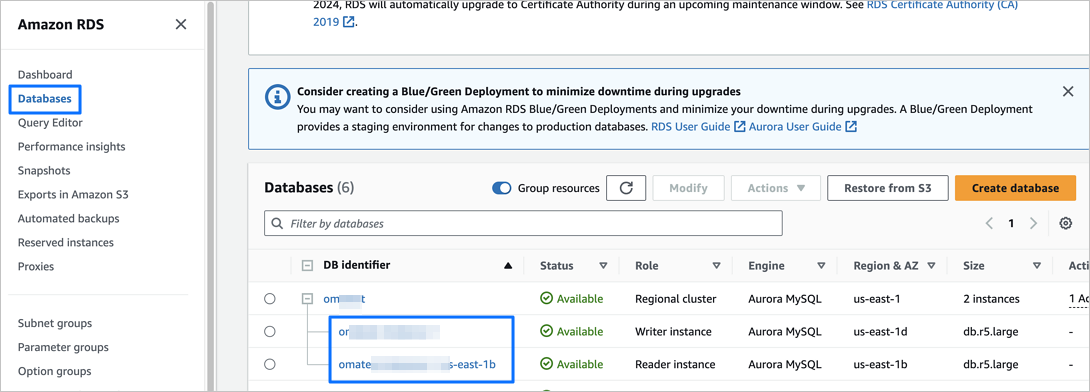
AWS MySQL instance

Obtain a HUAWEI_DWS instance
Log in to the Data Warehouse Service console.
In the left-side navigation pane, click Cluster > Dedicated Cluster.
On the Dedicated Cluster page, hover the pointer over the name of the target cluster and click the Copy icon displayed.
You can also click the name of the target cluster to go to the details page and view the details of the dedicated cluster.
Obtain an RDS_MYSQL instance
Log in to the RDS console.
In the left-side navigation pane, click Instances.
On the Instances page, view the target instance.
You can hover the pointer over the ID of the target instance and click the displayed copy icon.
Obtain a PolarDB MySQL instance
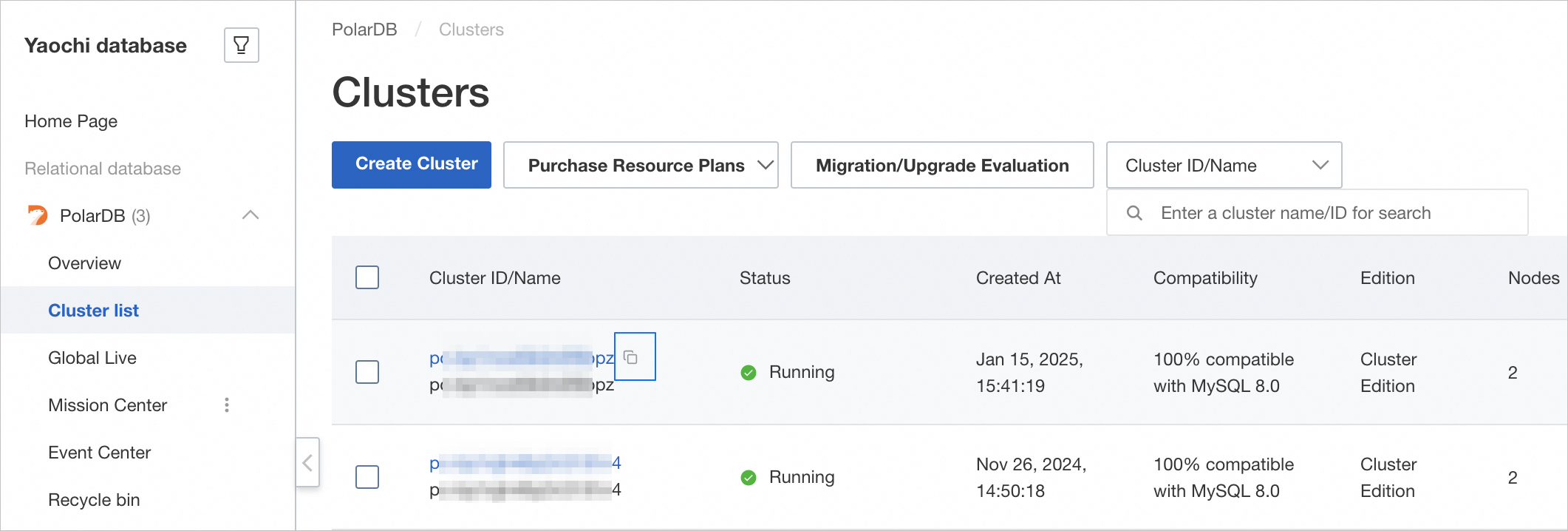
Log in to the PolarDB console.
In the left-side navigation pane, click PolarDB > Clusters.
On the Clusters page, view the target instance.
You can hover the pointer over the ID of the target instance and click the displayed copy icon.
Obtain a GCP MySQL instance
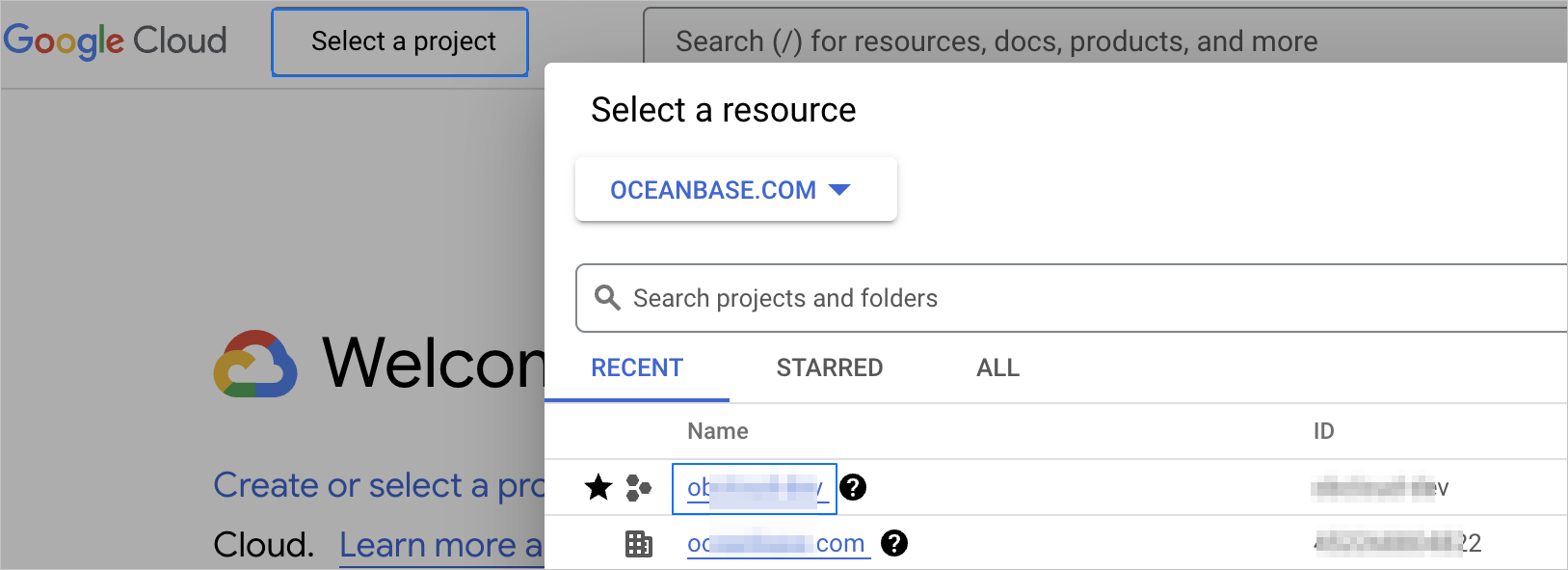
Log in to the Google Cloud console.
Click Select a project in the upper-left corner of the page and click the name of the target project in the Select a resource dialog box.
Go to the Cloud SQL console and find the target instance.
Click the ID of the target instance to go to the details page, where you can view the specific information.