Access keys are essential for authenticating and accessing AWS or GCP services. This topic provides instructions on how to create them.
Create an S3 access key
You need to have permissions to access iam:ListAccessKeys.
Log in to the AWS Management Console.
In the top navigation pane, click your username and select Security credentials.
In the Access keys section, click Create access key.
Click Display in the dialog box to reveal the generated access key.
Notice
Access keys are only visible at the time of creation and cannot be viewed later.
Access Key ID and Access Key Secret are highly sensitive credentials. Keep them secure and do not disclose them to others.
Carefully record the generated Access Key ID and Access Key Secret.
Click Close in the dialog box.
Create a GCS access key
Before you create an access key, please make sure that you have created a storage bucket. For more information, see Create Bucket storage.
Log in to the Cloud Storage Console.
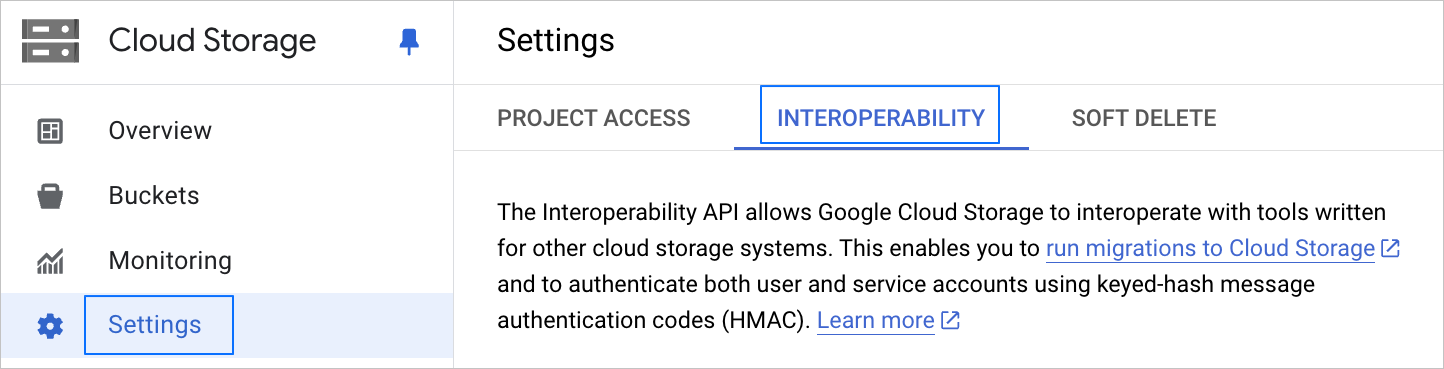
In the left navigation pane, click Settings.
On the Settings page, click the INTEROPERABILITY tab.
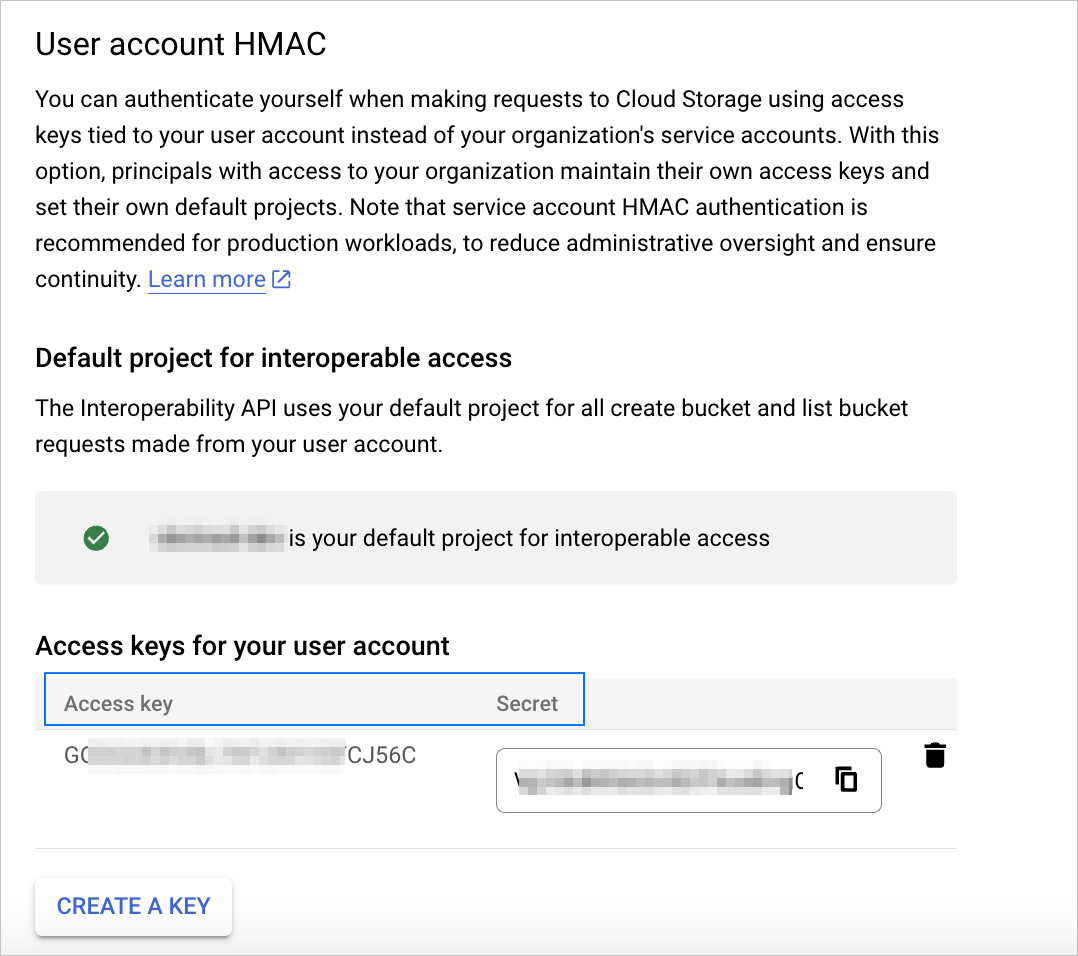
In the User account HMAC > Access keys for your user account section, view the created Access key and Secret.
If you need to create a new user account access key, click CREATE A KEY.