This topic describes how to download conflict data files when there are conflicts in a two-way synchronization task.
Limitations
In a two-way synchronization task, both forward and reverse tasks have been configured.
Conflict data exists in either the forward or reverse task.
Two-way synchronization tasks in the Not Purchased, Not Started, and Failed states do not support downloading conflict data.
Procedure
Log in to the OceanBase Cloud Console.
In the left navigation pane, click Data Services > Migrations.
On the Migrations page, click the Migrate Data tab.
On the Migrate Data tab, click ... > Download Conflict Data next to the target task.
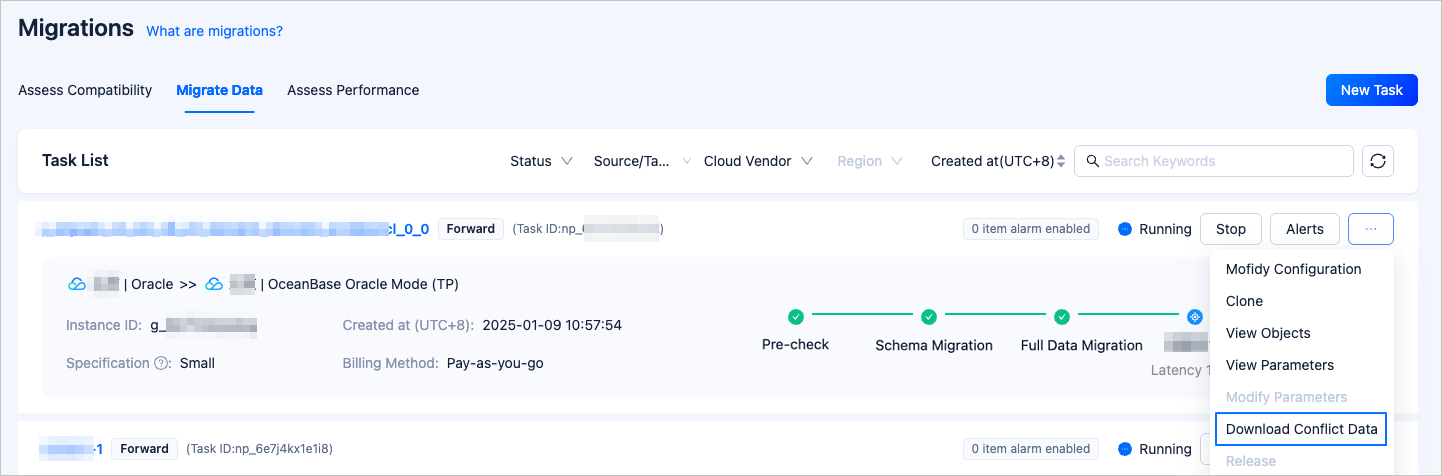
You can also click on the name of the target task to enter the task details page, then click ... > Download Conflict Data in the upper right corner.

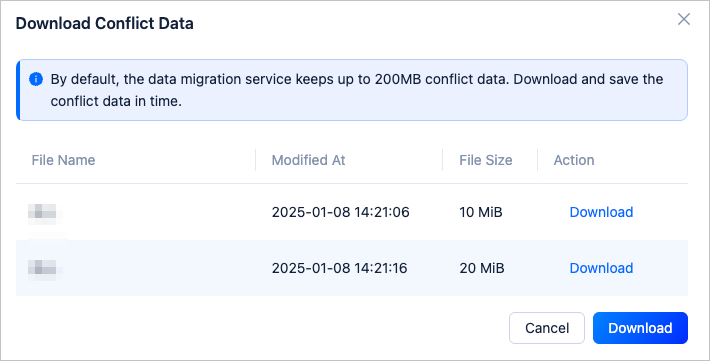
In the Download Conflict Data dialog box, click Download next to the respective file to download a single file.
If there are multiple conflict data files, you can click Download in the lower right corner of the dialog box to download all conflict data files.