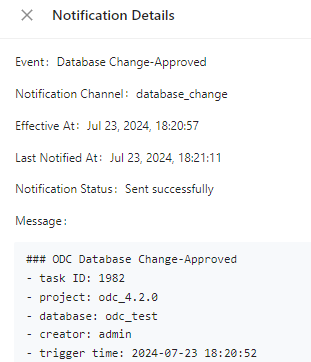
This topic describes how to view notification details.
Notification record list
Log in to the OceanBase Developer Center (ODC) console. Choose Projects > Notification. On the Notification History tab that automatically appears, you can specify search criteria to filter the notifications.
You can search for and sort notifications by ticket event, notification channel, effective time, push time, and push status.
If the push of a notification is interrupted due to reasons such as throttling or network failure, ODC will resend the notification three times until it is successfully sent. The push status and last push time are information of the notification when it is last sent.

View notification records
Click View in the Actions column of a notification to view its content, which is generated based on the template in the channel configurations.