







This topic describes how to rename a migration object when you use the data migration service provided by OceanBase Cloud.
Application scenarios
By default, migration objects, such as databases and tables, have the same names in the source and target. You can rename migration objects in the target to map the database and table names between the source and the target. The renaming feature applies to multi-table aggregation scenarios and scenarios where the object names in the test and production environments are inconsistent.
Limitations
The data migration service allows you to rename migration objects only when you select migration objects for a data migration task.
Do not rename objects after the data migration task is started. Otherwise, the data migration task may fail.
Procedure
Create a data migration task and proceed to the Select Type & Objects step.
For more information, see the topic about creating a data migration task between the corresponding data sources in the Data migration chapter.
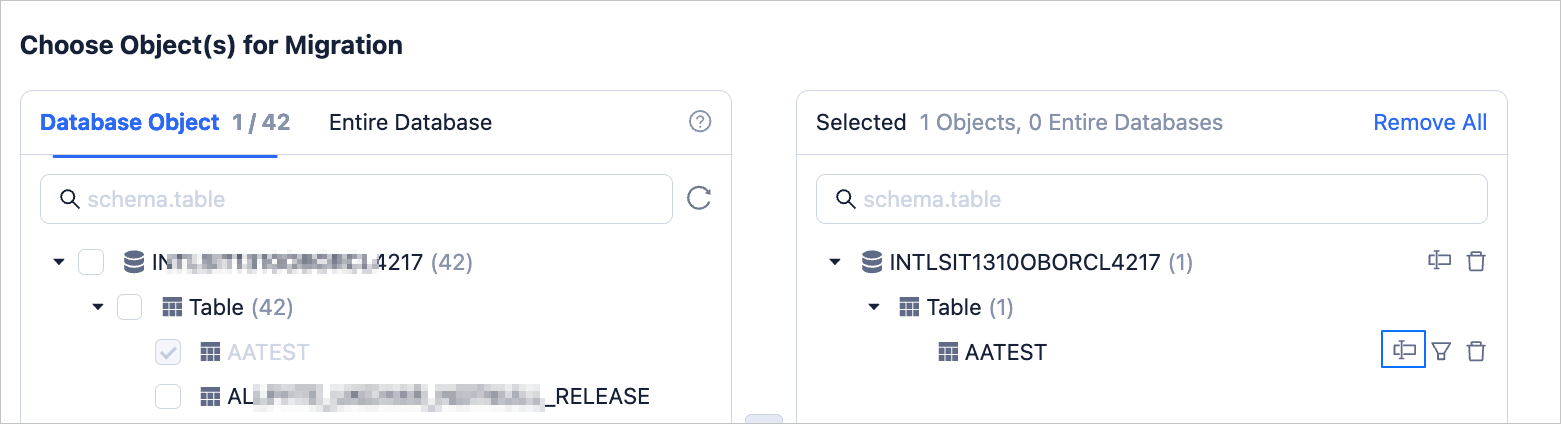
After you select the migration objects, find the object that you want to rename in the list on the right side, and click Rename.
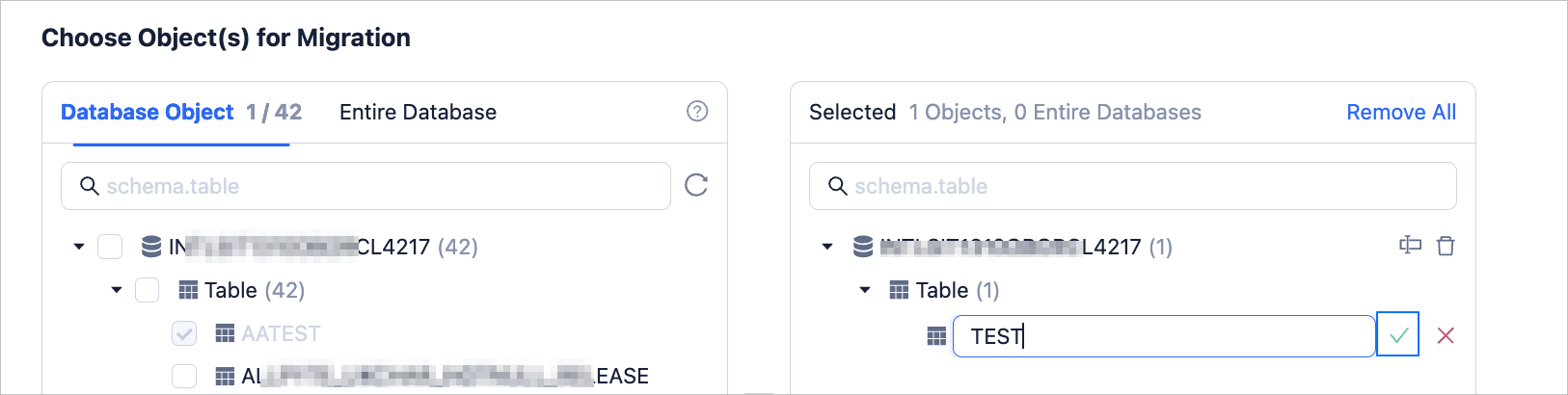
Enter a new name for the object, and click ✅.
Complete subsequent task settings as prompted.