







MCP (Model Context Protocol) is an open-source protocol launched by Anthropic in November 2024. It enables large language models (LLMs) to interact with external tools or data sources. With MCP, users no longer need to manually copy and execute the output of an LLM. Instead, the LLM can directly instruct the tool to perform the corresponding action (Action).
OceanBase MCP Server provides the capability for large models to interact with OceanBase Database through the MCP protocol. It can execute SQL statements and help developers quickly build prototype applications.
OpenCode is an open-source AI programming agent that helps developers quickly turn ideas into code. This topic will show you how to integrate OceanBase MCP Server with OpenCode and generate a FastAPI-style RESTful API project based on the database.
Prerequisites
You have a transactional instance available in your environment, and a MySQL-compatible tenant under the instance.
You have a MySQL database and account available under the tenant, and you have granted read and write permissions to the database account. For more information, see Create an account and Create a database (MySQL only).
You have the project administrator or instance administrator role to perform read and write operations on instances in the project. If you do not have the required permissions, contact your organization administrator to grant you the permissions.
Install Python 3.11 or later and the corresponding pip. If your machine has a low Python version, you can use Miniconda to create a new Python 3.11 or later environment. For more information, see Miniconda installation guide.
Install the Python package manager uv.
Install OpenCode.
Step 1: Get an OceanBase Cloud connection string
Log in to the OceanBase Cloud console. On the instance list, expand the target transactional instance. Under the target tenant, choose Connect > Get Connection String.
In the dialog, select Public Network.
On the Connect via Public Network page, complete the following to generate a connection string:
(Optional) If the tenant does not have a public endpoint yet, under Step 1: Get Public Endpoint, click Get Public Endpoint. If one already exists, skip this step. After the endpoint is ready, click Next Step.
Under Step 2: Security Settings, click Add to configure the allowlist as needed, then click Next Step.
Under Step 3: Access Database, set options according to your tenant mode:
MySQL-compatible tenant: Select the database and account you created in the prerequisites, and choose MySQL CLI as the connection method. Then copy the connection string for the next section.
Oracle-compatible tenant: Select the account you created in the prerequisites, and choose OBClient as the connection method. Then copy the connection string for the next section.
Step 2: Configure OceanBase MCP Server in OpenCode
Create a working directory
Manually create an OpenCode working directory and open it with OpenCode, for example, opencode-generate. The project files generated by OpenCode will be saved in this directory.
Create an MCP configuration file
OpenCode manages the MCP Server through the opencode.json file in the project root directory. Please create or edit this file in the project root directory and add the OceanBase MCP Server configuration. Here is an example:
{
  "$schema": "https://opencode.ai/config.json",
  "mcp": {
    "my-local-mcp-server": {
      "type": "local",
      "command": ["uvx", "--from", "oceanbase-mcp", "oceanbase_mcp_server"],
      "enabled": true,
      "environment": {
        "OB_HOST": "***",
        "OB_PORT": "***",
        "OB_USER": "***",
        "OB_PASSWORD": "***",
        "OB_DATABASE": "***"
      },
    },
  },
}
Please replace the following parameters with your own database information:
OB_HOSTOB_PORTOB_USEROB_PASSWORDOB_DATABASE
Test the MCP connection
Start OpenCode in the project root directory:
opencode
In the OpenCode dialog box, enter the following prompt:
test How many tables are there in the test database?
If the correct result is returned, it indicates that OpenCode has successfully accessed the database through the OceanBase MCP Server.
Step 3: Use OpenCode to generate a FastAPI project
You can use FastAPI to quickly create a project with a RESTful API style. FastAPI is a Python web framework that allows you to build RESTful APIs quickly.
Create a sample table
In the OpenCode dialog box, enter the following prompt:
Create a customer table with ID as the primary key, and name, age, telephone, and location as the fields.
Insert test data
Continue to enter the following prompt:
Insert 10 records into the customer table.
Generate the RESTful API code
Enter the following prompt to let OpenCode generate a FastAPI project based on the customer table:
Create a FastAPI project and generate a RESTful API based on the customer table.
After the code is generated, accept and save the generated files.
Configure the database connection
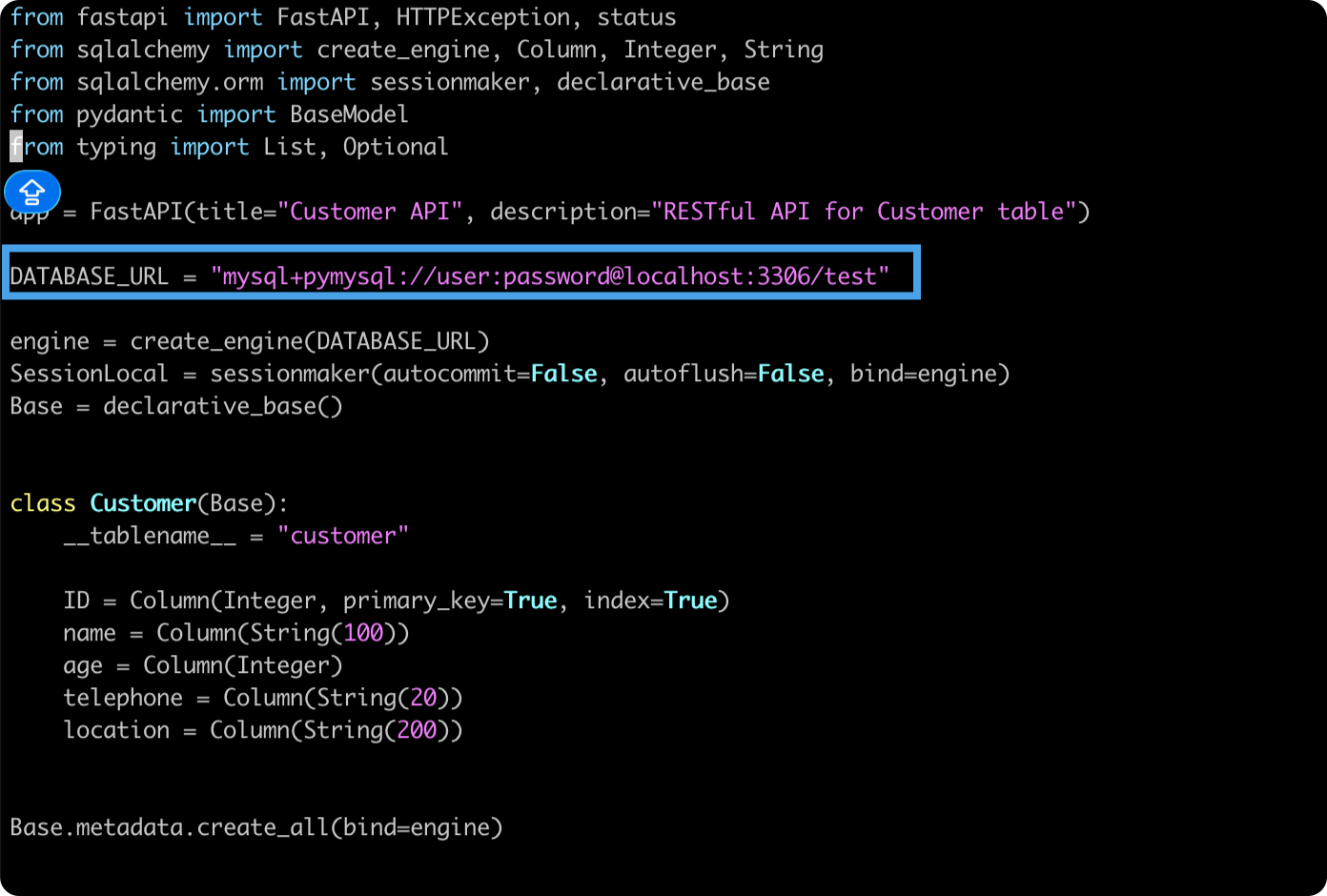
If the main.py file in the OpenCode project uses the DATABASE_URL configuration method, update it with your actual OceanBase connection information.
For example:
DATABASE_URL=mysql+pymysql://user:password@host:3306/test
Create a virtual environment and install dependencies
In the project directory, execute the following command to create a virtual environment using uv and install the dependencies:
uv venv
source .venv/bin/activate
uv pip install -r requirements.txt
Start the FastAPI service
Execute the following command to start the project (please adjust the entry file name as needed):
uvicorn main:app --reload
Verify the API
After the service is started, you can verify it in the following ways:
- Access
http://127.0.0.1:8000/docsto view the Swagger documentation. - Use
curlor Postman to call the CRUD interfaces and verify the results.
For example, to query all customers:
curl "http://127.0.0.1:8000/customers"
After completing all the above steps, you will have a FastAPI RESTful API project generated by OpenCode and driven by OceanBase, capable of performing common operations such as adding, deleting, modifying, and querying data in the customer table.
Appendix: Complete code example of the RESTful API
After the RESTful APIs for adding, deleting, modifying, and querying data are successfully generated, the code example is as follows:
from fastapi import FastAPI, HTTPException, status
from sqlalchemy import create_engine, Column, Integer, String
from sqlalchemy.orm import sessionmaker, declarative_base
from pydantic import BaseModel
from typing import List, Optional

app = FastAPI(title="Customer API", description="RESTful API for Customer table")

DATABASE_URL = "mysql+pymysql://user:password@localhost:3306/test"

engine = create_engine(DATABASE_URL)
SessionLocal = sessionmaker(autocommit=False, autoflush=False, bind=engine)
Base = declarative_base()


class Customer(Base):
    __tablename__ = "customer"

    ID = Column(Integer, primary_key=True, index=True)
    name = Column(String(100))
    age = Column(Integer)
    telephone = Column(String(20))
    location = Column(String(200))


Base.metadata.create_all(bind=engine)


class CustomerBase(BaseModel):
    name: Optional[str] = None
    age: Optional[int] = None
    telephone: Optional[str] = None
    location: Optional[str] = None


class CustomerCreate(CustomerBase):
    ID: int


class CustomerResponse(CustomerBase):
    ID: int

    class Config:
        from_attributes = True


def get_db():
    db = SessionLocal()
    try:
        yield db
    finally:
        db.close()


@app.post(
    "/customers", response_model=CustomerResponse, status_code=status.HTTP_201_CREATED
)
def create_customer(customer: CustomerCreate):
    db = SessionLocal()
    try:
        db_customer = Customer(**customer.model_dump())
        db.add(db_customer)
        db.commit()
        db.refresh(db_customer)
        return db_customer
    except Exception as e:
        db.rollback()
        raise HTTPException(status_code=400, detail=str(e))
    finally:
        db.close()


@app.get("/customers", response_model=List[CustomerResponse])
def get_customers():
    db = SessionLocal()
    try:
        customers = db.query(Customer).all()
        return customers
    finally:
        db.close()


@app.get("/customers/{customer_id}", response_model=CustomerResponse)
def get_customer(customer_id: int):
    db = SessionLocal()
    try:
        customer = db.query(Customer).filter(Customer.ID == customer_id).first()
        if not customer:
            raise HTTPException(status_code=404, detail="Customer not found")
        return customer
    finally:
        db.close()


@app.put("/customers/{customer_id}", response_model=CustomerResponse)
def update_customer(customer_id: int, customer: CustomerBase):
    db = SessionLocal()
    try:
        db_customer = db.query(Customer).filter(Customer.ID == customer_id).first()
        if not db_customer:
            raise HTTPException(status_code=404, detail="Customer not found")

        update_data = customer.model_dump(exclude_unset=True)
        for key, value in update_data.items():
            setattr(db_customer, key, value)

        db.commit()
        db.refresh(db_customer)
        return db_customer
    finally:
        db.close()


@app.delete("/customers/{customer_id}", status_code=status.HTTP_204_NO_CONTENT)
def delete_customer(customer_id: int):
    db = SessionLocal()
    try:
        db_customer = db.query(Customer).filter(Customer.ID == customer_id).first()
        if not db_customer:
            raise HTTPException(status_code=404, detail="Customer not found")

        db.delete(db_customer)
        db.commit()
    finally:
        db.close()


if __name__ == "__main__":
    import uvicorn

    uvicorn.run(app, host="0.0.0.0", port=8000)