







Background information
The connection between an application and a database is called a session. On the Session Management page of OceanBase Developer Center (ODC), you can view the details about all sessions of databases that connect to the current data source. You can also view the session variables supported by the current database.
Query sessions
Example: In the SQL window, view the information about all sessions of the odc_test database that connects to the mysql4.2.0 data source.
In the SQL window, choose O&M Management > Session Management.

Select the data source
mysql4.2.0and click OK.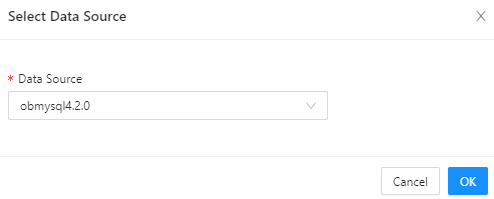
On the Session Management page, view the information about all sessions in the
mysql4.2.0data source. ParameterDescription
Session ID The ID that uniquely identifies the current session. User The username used to log in to the database in the current session. Source The address from which the session is initiated. Database Name The name of the database accessed in the session. Status The status of the session. Valid values: SLEEP and ACTIVE. In ODC V4.2.3 and later, you can filter sessions by status. Command The type of the command being executed in the session. Execution Duration (s) The time in seconds spent in executing the current SQL query. SQL The actual SQL query being executed in the session. OBProxy The address of the proxy used for the session. Search for the
odc_testdatabase in the search box to view information about all sessions in this database.
Select a session and then close or query the session.

Close Session: After you click this button to close the selected session, you can execute statements only after reconnection.
Close Query: After you close the current query of the selected session, you can continue to execute other statements.
Click Refresh to refresh the session list.