







Background information
PL stands for Procedural Language and is an extension to SQL. PL incorporates characteristics of programming languages based on SQL statements, organizes data operations and query statements in PL code, and implements complex features by using logic judgment and loops.
You can use PL to program a variety of programs with advanced features and encapsulate business logic in a database. This ensures better abstraction and higher security, reduces network interactions, and accelerates calls, thereby improving performance.
PL program development is important daily work for database service developers. Like the support module for SQL statements, the PL debugging module is also of great significance. Therefore, developers require a PL development area and a debugging feature during programming.
You can use PL statements to write database objects such as functions, stored procedures, packages, and triggers.
In OceanBase Developer Center (ODC) V2.2.0 and later, you can create, compile, run, and debug PL objects and anonymous blocks. You can compile PL statements in the editing section of the anonymous block window. You can also edit and debug created PL objects. We recommend that you use ODC of the latest version for better experience.
Prerequisites
The following table lists the PL support information of ODC.
Feature |
Supported object |
Supported data source |
Supported version |
|---|---|---|---|
| Compilation | Functions, stored procedures, and packages | OceanBase Oracle and OB Cloud Oracle | V2.2.7x and V3.0.0 and later |
| Debugging | Functions, stored procedures, and anonymous blocks | OceanBase Oracle | V3.2.3 and later |
| Running | Functions and stored procedures | OceanBase Oracle, OB Cloud Oracle, OceanBase MySQL, OB Cloud MySQL | V2.0.x and later |
| Functions and stored procedures | MySQL | V5.7 | |
| Running | Packages and anonymous blocks | OceanBase Oracle and OB Cloud Oracle | V2.0.x and later |
Pay attention to the following rules:
If the data source is an OceanBase cluster instance, you must connect to it by using OceanBase Database Proxy (ODP). This instance does not support debugging.
The anonymous block window is displayed only for OceanBase Oracle and OB Cloud Oracle data sources.
ODC of a version earlier than V3.2.3 does not support debugging in the advanced RISC machine (ARM) architecture.
PL compilation
Example: Create a stored procedure named PROC_VARCHAR2 in the GshH database.
Create a stored procedure in the SQL window.
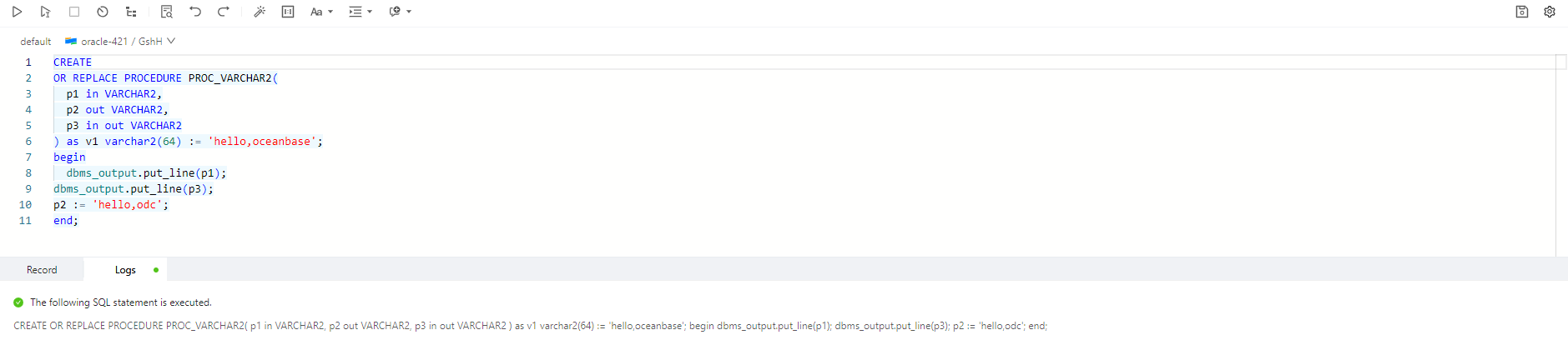
CREATE OR REPLACE PROCEDURE PROC_VARCHAR2(p1 in VARCHAR2, p2 out VARCHAR2, p3 in out VARCHAR2)
as
v1 varchar2(64) := 'hello,oceanbase';
begin
dbms_output.put_line(p1);
dbms_output.put_line(p3);
 p2 := 'hello,odc';
end;
In the left-side navigation pane of the SQL window, click the stored procedure
PROC_VARCHAR2in the list and choose Compile.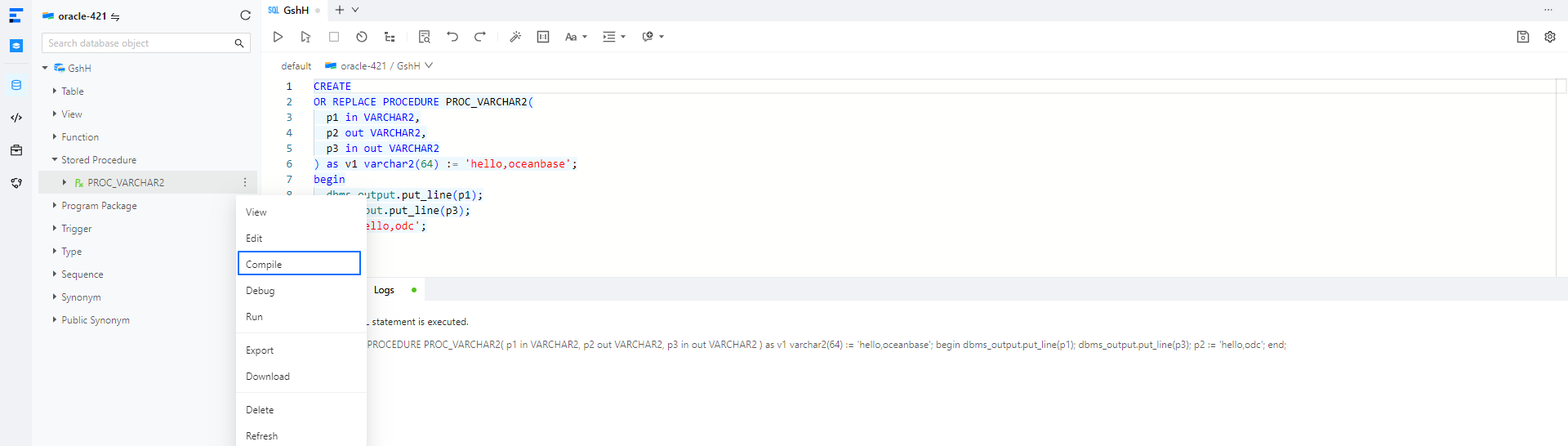
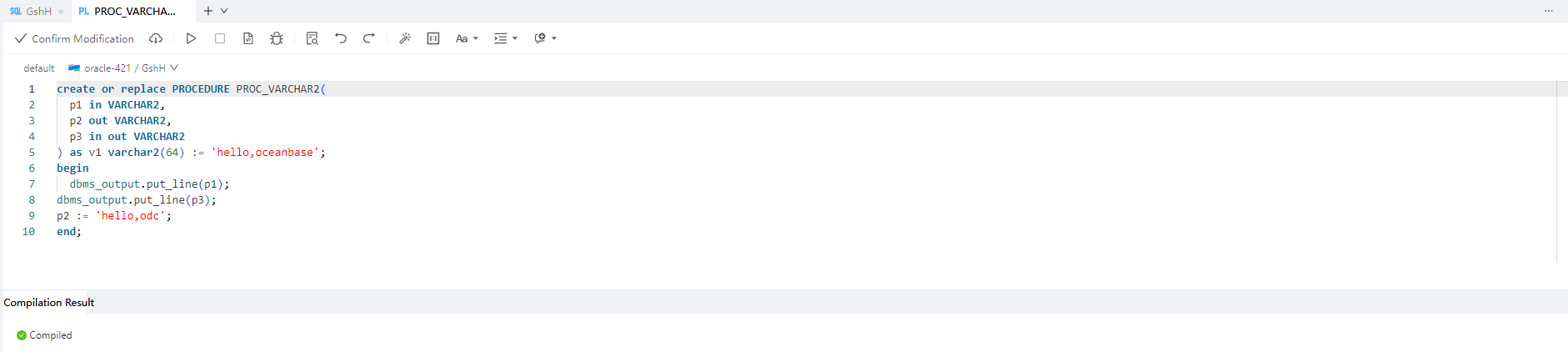
Compile a PL statement and view the compilation result.
PL debugging
In the left-side navigation pane of the SQL window, click the stored procedure
PROC_VARCHAR2in the list and choose Debug.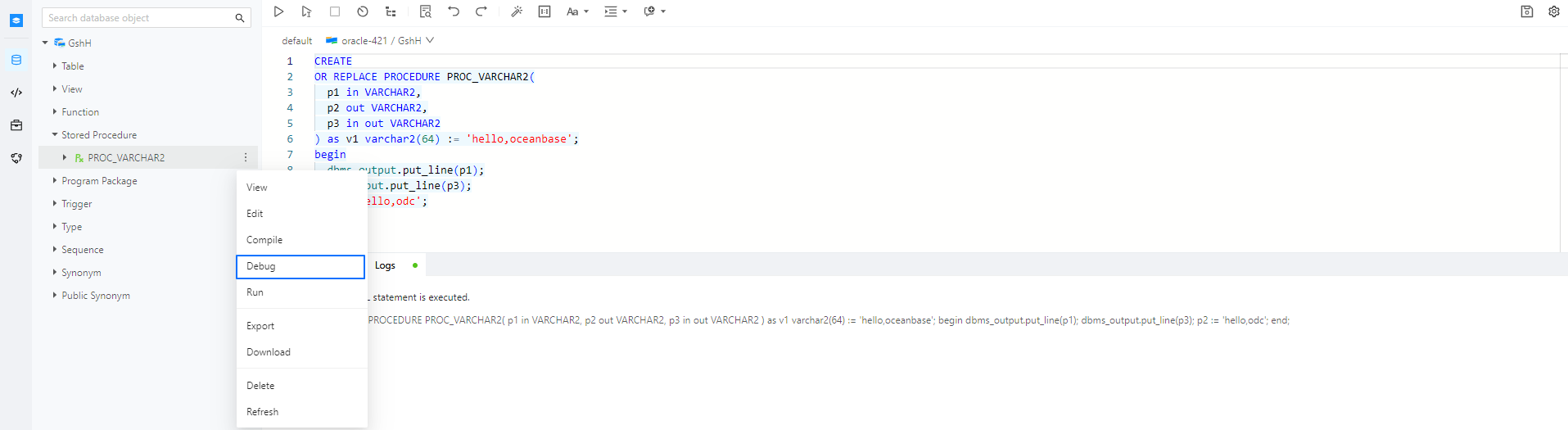
Set the parameters and click OK.
Notice
In OceanBase Database V4.0.0 and later, you must obtain the debugging permission before you perform debugging. For example, you can execute the
GRANT DEBUG CONNECT SESSION TO GSH; GRANT DEBUG ANY PROCEDURE TO GSH;statement to grant the debugging permission.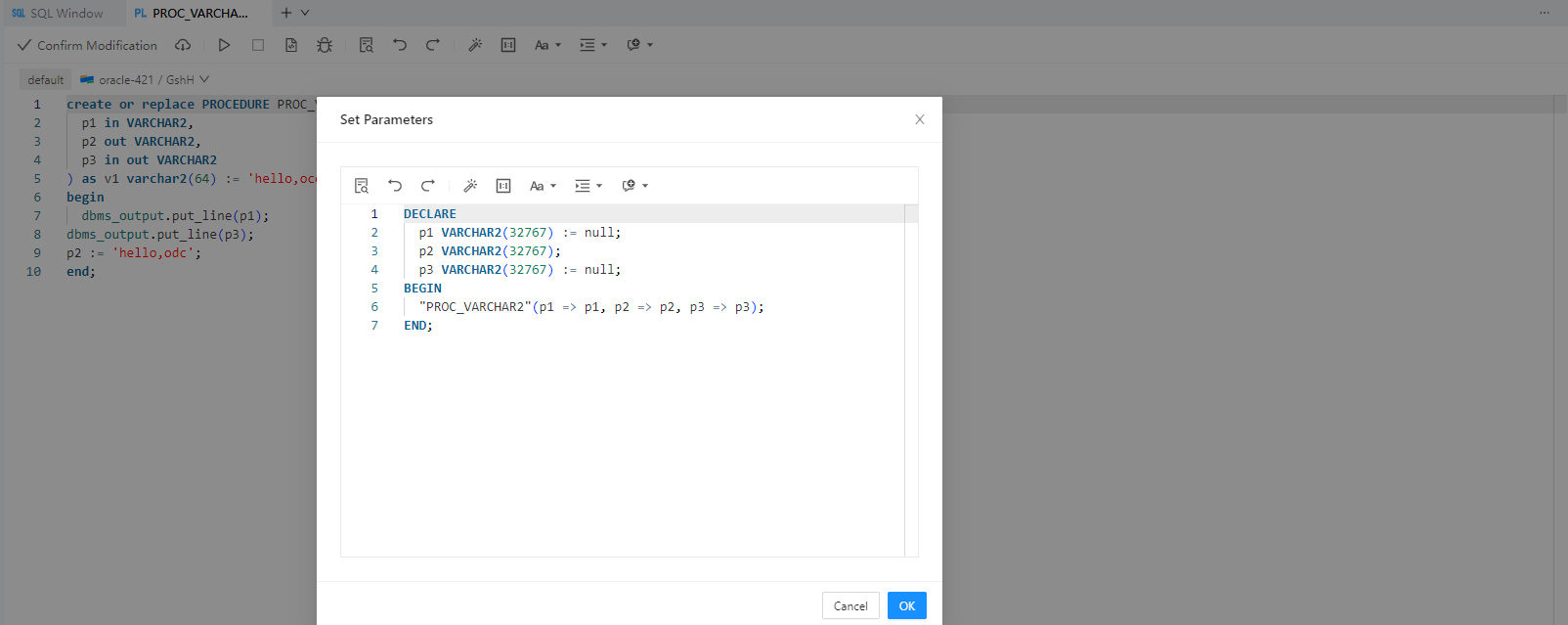
Go to the debugging page and click the Batch Execute icon to execute the PL statements.
