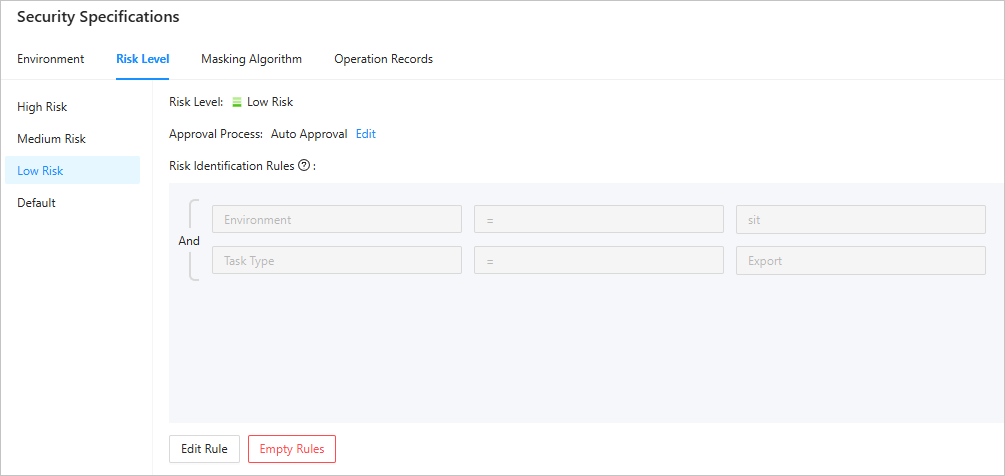
This topic introduces how to manage risk levels, risk identification rules, and approval processes.
Background information
Risk level: the risk level of a ticket, which determines the approval process of a ticket.
Risk identification rule: a rule that determines the risk level of a ticket.
Approval process: a change task process defined by the ODC system administrator.
Principle

The ODC system administrator selects the approval nodes and the validity period when creating an approval process.
The ODC system administrator configures approval processes for each risk level (high, medium, and low).
The ODC system administrator configures risk identification rules for each risk level (high, medium, and low).
When an ODC user initiates a task ticket, ODC determines the risk level based on the risk identification rules.
ODC calls the corresponding approval process based on the risk level.
The approval role on the approval node approves or rejects the task ticket.
Prerequisites
You have the system administrator role.
Approval process management
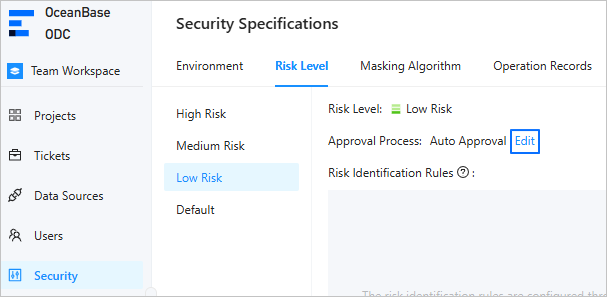
In the project collaboration window, choose Security Specifications > Risk Level. Then choose the target risk level and click Edit next to the approval process.
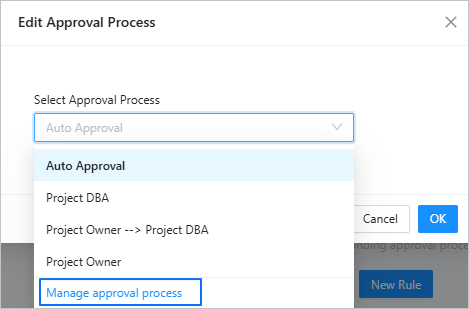
In the Select Approval Process drop-down list of the pop-up dialog box, click Manage approval process.
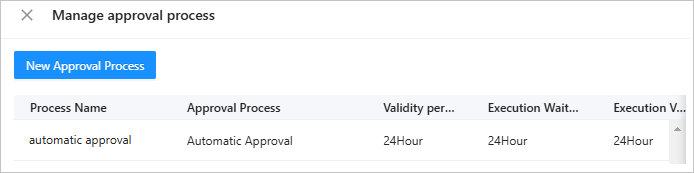
In the Manage approval process window, click New Approval Process.

In the Create Approval Process window, specify the following parameters.
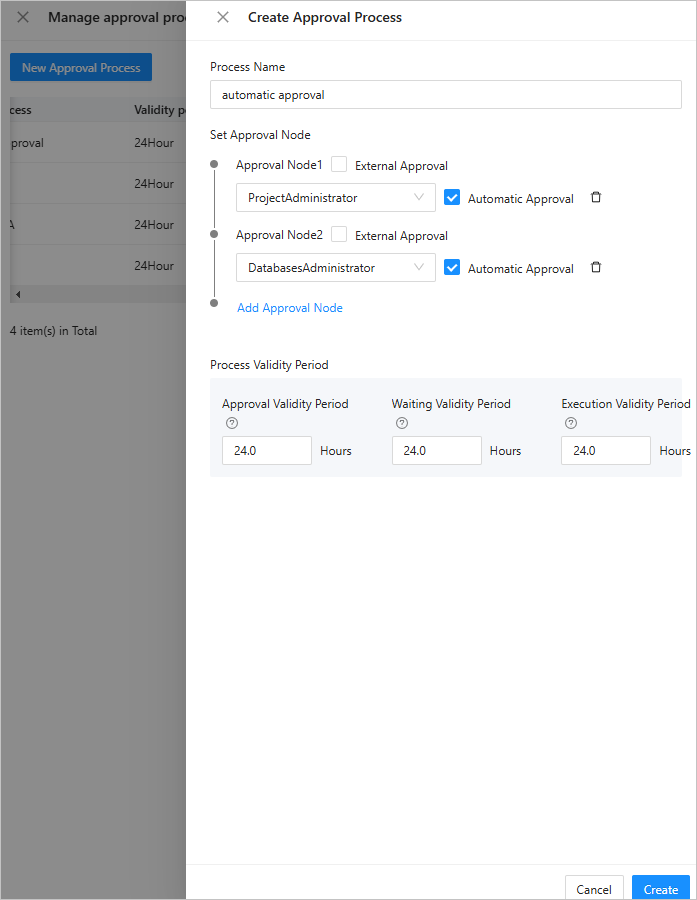 ParameterDescription
Process Name The name of the task process. Set Approval Nodes Select approval roles. Process Validity Period The validity period for approval and execution. If the execution times out, the task will expire. Click Create to create the approval process.
In the approval process list, you can edit or delete a created approval process.
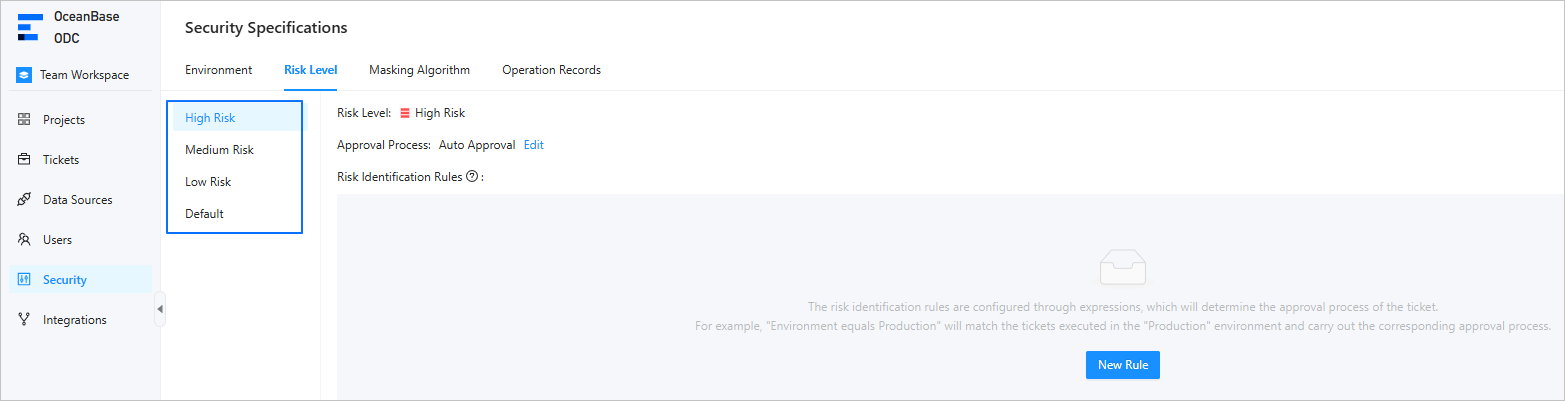
Risk level management
On the project collaboration page, choose Security Specifications > Risk Level. On the page that appears, you can configure the high-risk, medium-risk, and low-risk approval processes, as well as the risk identification rules.
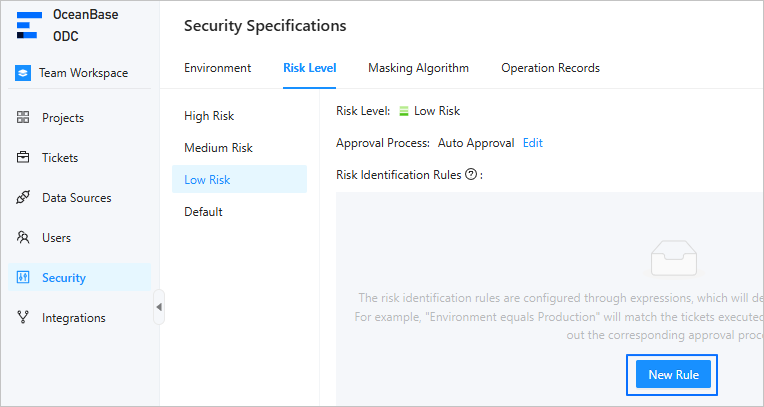
Risk identification rule management
On the project collaboration page, choose Security Specifications > Risk Level. Then choose the target risk level and click New Rule.
Click Add Condition or Add Condition Group to add one or more condition rules.
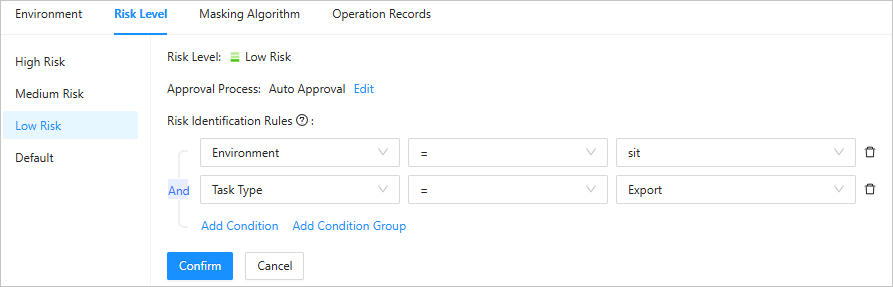
Click Confirm to add the risk identification rules.
In the risk identification rule list, you can view, edit, or delete the rules.