







Background information
OceanBase Developer Center (ODC) integrates OceanBase Client (OBClient) in the form of a command-line window. OBClient is a command-line client recommended for OceanBase Database. You can directly execute SQL and PL statements and view the execution results in real time in a command-line window without the need to download or install OBClient. You can also run files uploaded to the server by using the SOURCE command.
Considerations
Client ODC that runs on macOS does not provide a command-line window.
You can open at most three command-line windows.
Operations performed in a command-line window are not recorded.
Create a command-line window
Notice
You can create up to three command-line windows at a time. If you create more than three command-line windows, the connection status of the windows cannot be guaranteed.
Example: Execute a statement in a command-line window to insert data into the employee table in the odc_test database.
Parameter |
Example value |
|---|---|
| Data source | mysql410 |
| Database name | odc_test |
| Table name | employee |
In the SQL window, click the data source
mysql410.
In a command line window, write an SQL statement to insert data into the
employeetable.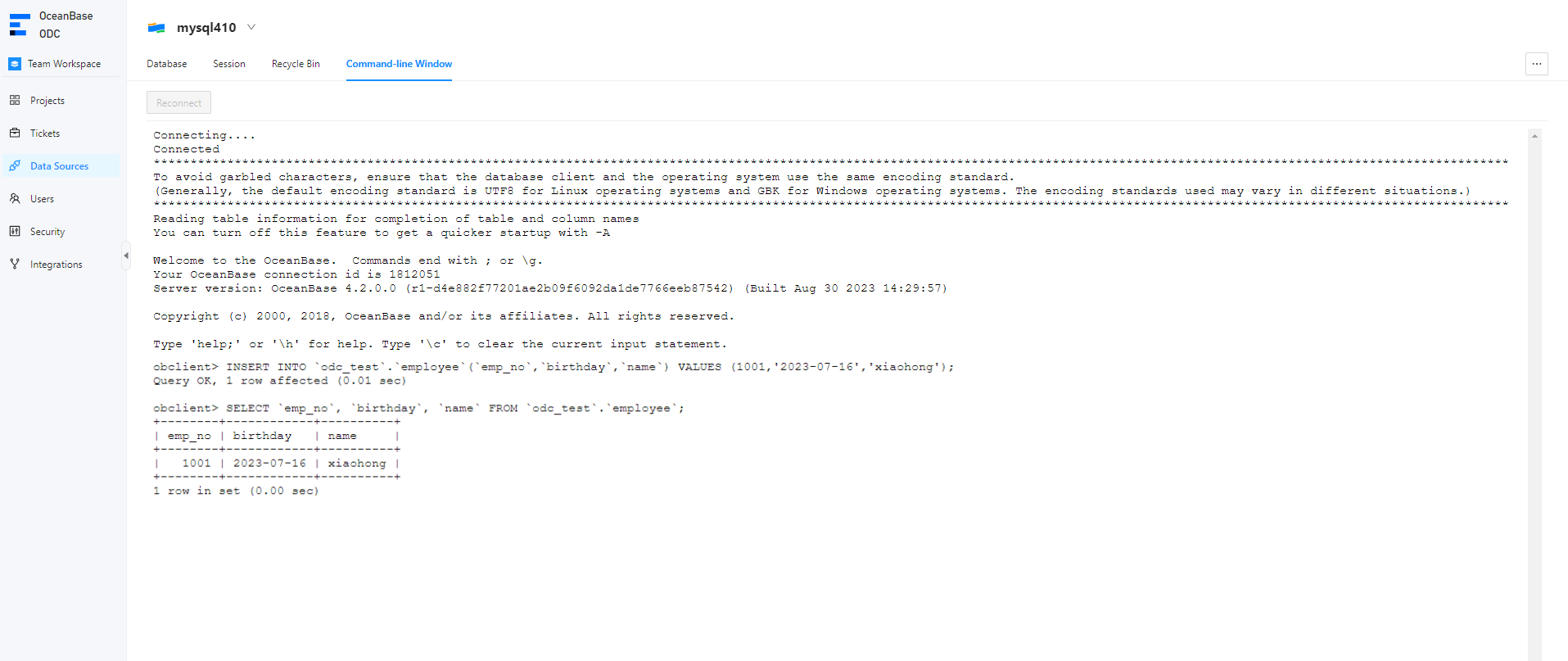
INSERT INTO `odc_test`.`employee`(`emp_no`,`birthday`,`name`) VALUES (1001,'2023-07-16','xiaohong');Write an SQL statement to query the data inserted into the
employeetable.SELECT `emp_no`, `birthday`, `name` FROM `odc_test`.`employee`;