This topic describes how to archive data by submitting a ticket.
Background information
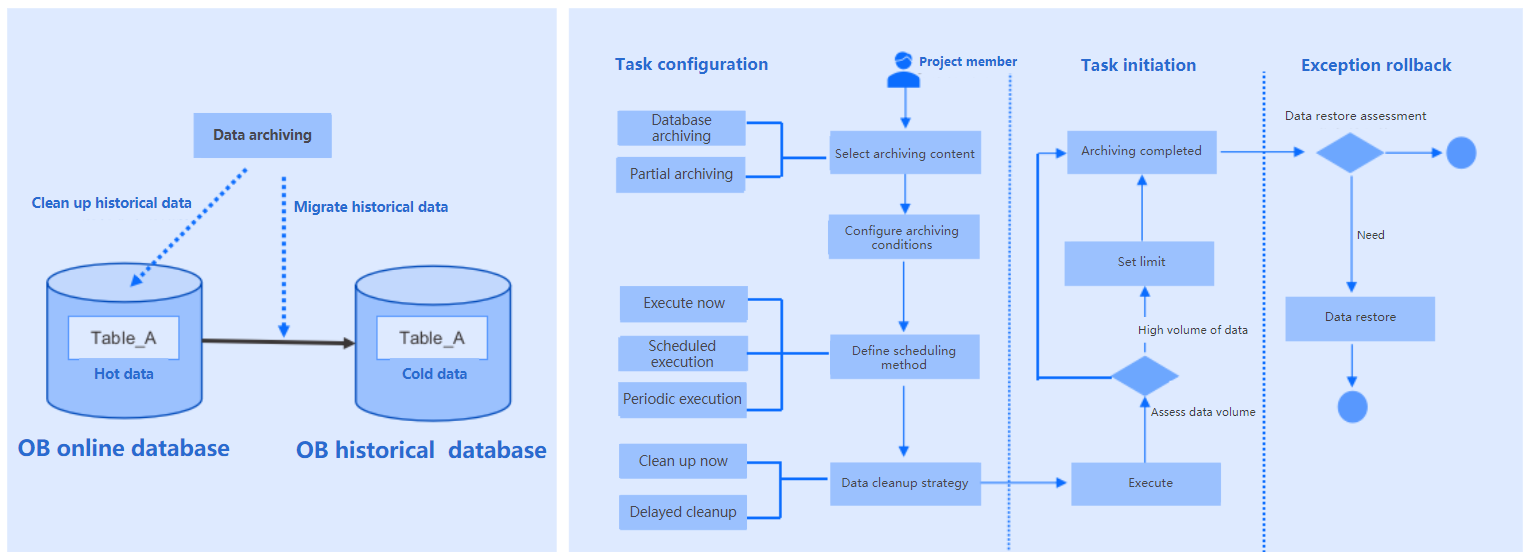
When the amount of data in an online database increases, the query performance and business operations may be affected. OceanBase Developer Center (ODC) allows you to periodically archive table data from one database to another to address this issue.
The example in this topic describes how to create a data archiving task in ODC to archive the employee table in the odc_test database to the test2 database in the same project.
Note
The data used in this topic are examples. You can replace them with actual data as needed.
Technical mechanism
Prerequisites
The table to be archived has a primary key.
Considerations
Pay attention to the following rules:
Make sure that the fields in the source table are compatible with those at the destination. The data archiving service does not handle field compatibility issues.
CPU and memory exhaustion prevention is not supported for a MySQL data source.
Schema synchronization is not supported for subpartitions of homogeneous databases. Schema synchronization and automatic table creation are not supported for heterogeneous databases.
The following archiving links are supported:
Links between MySQL tenants of OceanBase Database
Links between Oracle tenants of OceanBase Database
Links between MySQL databases
Links from a MySQL database to a MySQL tenant of OceanBase Database
Links from a MySQL tenant of OceanBase Database to a MySQL database
Links between Oracle databases
Links from an Oracle database to an Oracle tenant of OceanBase Database
Links from an Oracle tenant of OceanBase Database to an Oracle database
Links from a PostgreSQL database to a MySQL tenant of OceanBase Database
Data archiving is not supported in the following cases:
The source table in the MySQL or OceanBase MySQL data source does not have a primary key or non-null unique index.
The source table in the OceanBase MySQL data source contains fields of the MLType data type.
The source table in the Oracle, OceanBase Oracle, or PostgreSQL data source does not have a primary key.
The source table in the OceanBase Oracle data source contains fields of the JSON or XMLType data type.
The source table in the PostgreSQL data source contains data of the following types: array, composite, enumeration, geometry, XML, HSTORE, and full-text retrieval.
The archiving condition contains a
LIMITclause.The source table contains a foreign key.
The following archiving links do not support schema synchronization and automatic table creation:
- Links from an Oracle database to an Oracle tenant of OceanBase Database
- Links from an Oracle tenant of OceanBase Database to an Oracle database
- Links from a MySQL database to a MySQL tenant of OceanBase Database
- Links from a MySQL tenant of OceanBase Database to a MySQL database
- Links from a PostgreSQL database to a MySQL tenant of OceanBase Database
Create a data archiving task
In the SQL window, create a table named
employeeby using an SQL statement.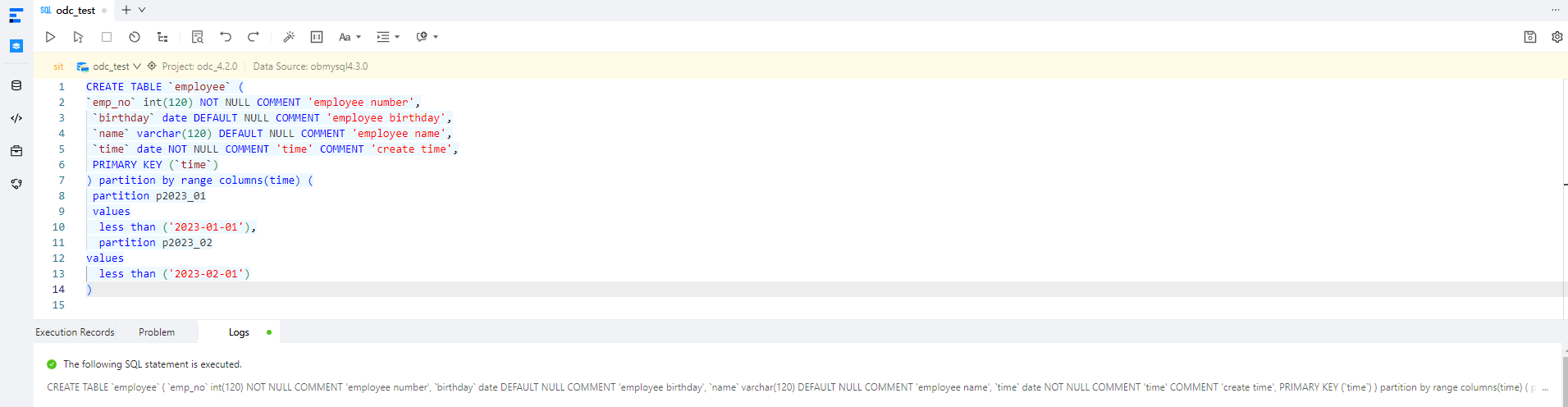
CREATE TABLE `employee` (
`emp_no` int(120) NOT NULL COMMENT 'employee number',
 `birthday` date DEFAULT NULL COMMENT 'employee birthday',
 `name` varchar(120) DEFAULT NULL COMMENT 'employee name',
 `time` date NOT NULL COMMENT 'time' COMMENT 'create time',
 PRIMARY KEY (`time`)
) partition by range columns(time) (
 partition p2023_01
 values
  less than ('2023-01-01'),
  partition p2023_02
values
  less than ('2023-02-01')
)
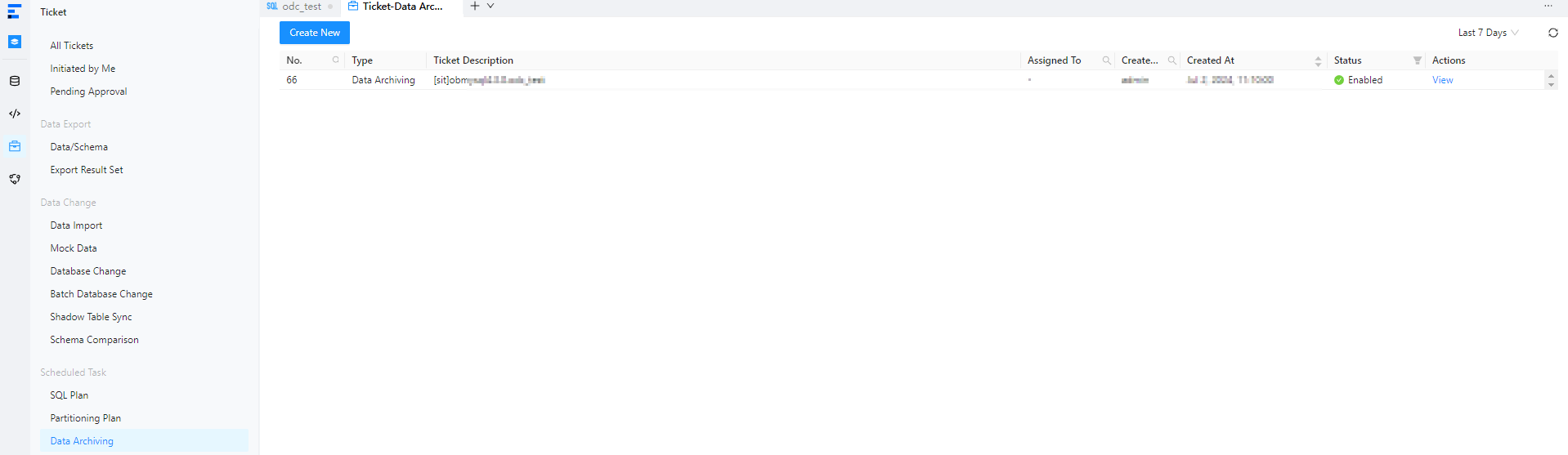
On the Tickets tab in the left-side navigation pane of the homepage, click Data Archiving and then click Create New.
In the Create Data Archiving Task panel, configure the following parameters.
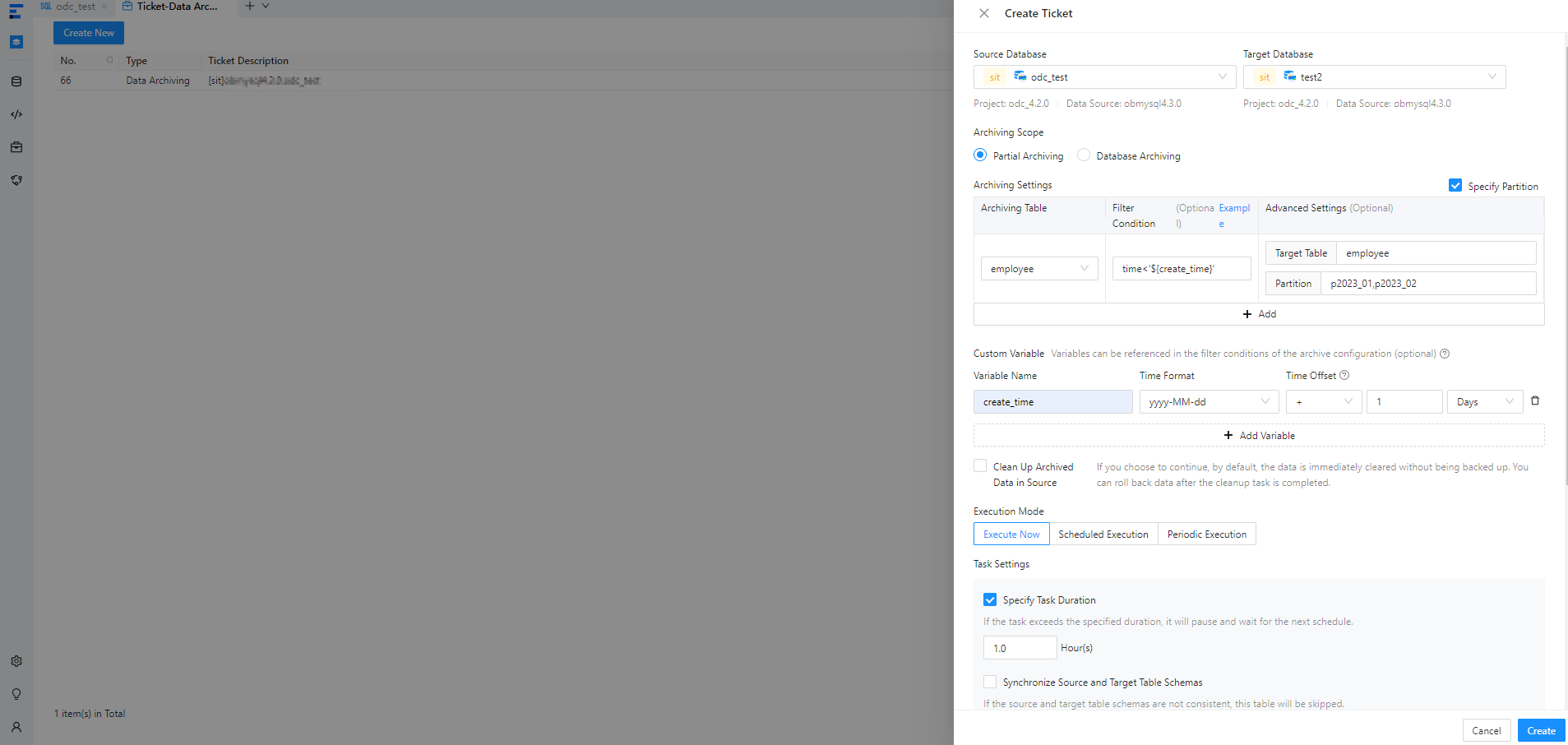 ParameterDescription
Source Database The database to which the table belongs. Note
In ODC V4.2.2 and later, you can archive data from a MySQL database to OceanBase Database.
Target Database The database to which the table is to be archived. Note
In ODC V4.2.2 and later, you can archive data from OceanBase Database to a MySQL database.
Archiving Scope - Partial Archiving: specifies to archive only tables that meet filtering conditions in the source database.
- You can configure filtering conditions by using constants or referencing variables defined in Custom Variable. For example, in
time<'${create_time}',create_timeis the name of a variable configured in Custom Variable andtimeis a field in the table to be archived. - You can select Specify Partition and specify the partitions to be archived.
- You can configure filtering conditions by using constants or referencing variables defined in Custom Variable. For example, in
- Database Archiving: specifies to archive all tables in the source database.
Custom Variable Optional. You can define variables and set time offsets to filter rows to be archived. Execution Mode The execution mode of the task. Valid values: Execute Now, Scheduled Execution, and Periodic Execution. Task Settings - Specify Task Duration: You can select this option and specify a duration for the task. If the task is not completed within the specified duration, it will be suspended and wait for the next scheduling.
- Synchronize Source and Target Table Schemas: You can select this option to compare the table schemas of the source and destination before the archiving task is scheduled. If they are inconsistent, the source table is skipped.
- Insert Policy: You can choose whether to ignore or update duplicate data during data archiving.
- Search strategy: You can select full table scan or condition matching.
- Set Limit: You can specify Row Limit and Data Size Limit.
Description Optional. Additional information about the task, which cannot exceed 200 characters in length. - Partial Archiving: specifies to archive only tables that meet filtering conditions in the source database.
Click Create, preview the SQL statement for archiving, and click OK.
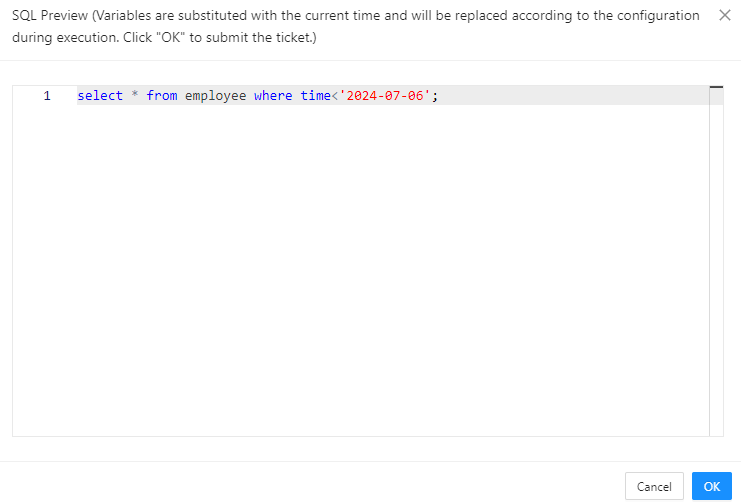
After the task is generated, choose Tickets > Data Archiving to view the task.

View a data archiving task
Task information
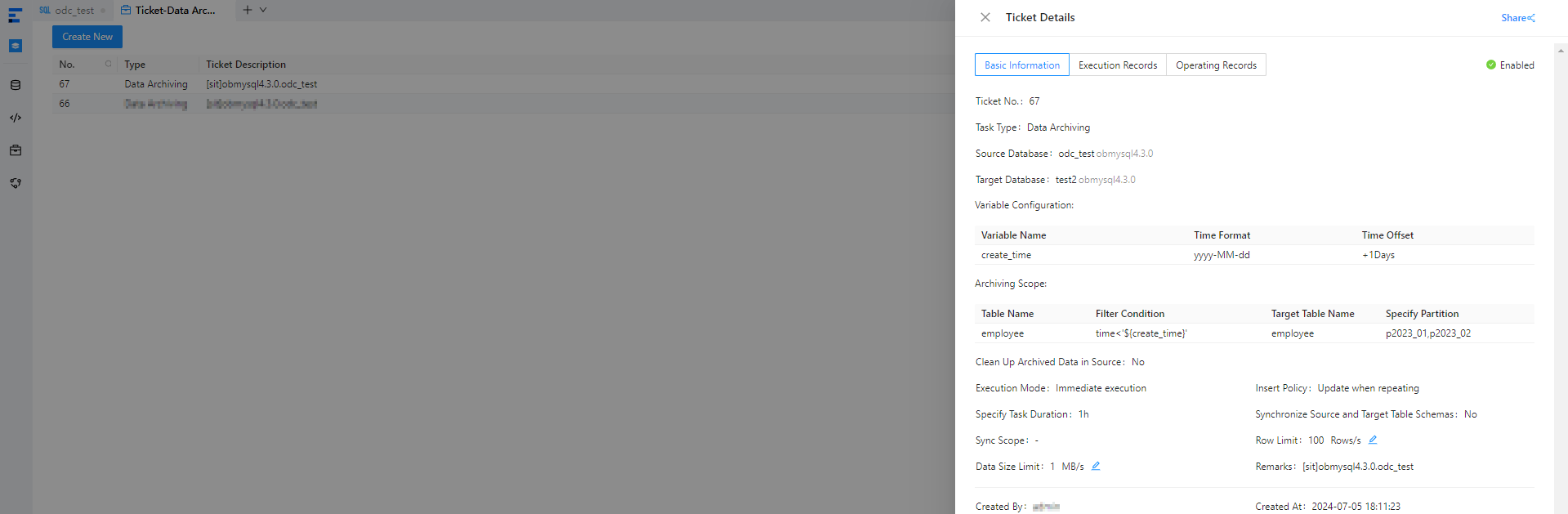
In the data archiving task list on the Tickets tab, click View in the Actions column of a task.
In the task details panel, click the Task Information tab and view information such as the task type, source database, destination database, variable configurations, archiving scope, and execution mode.
Execution records
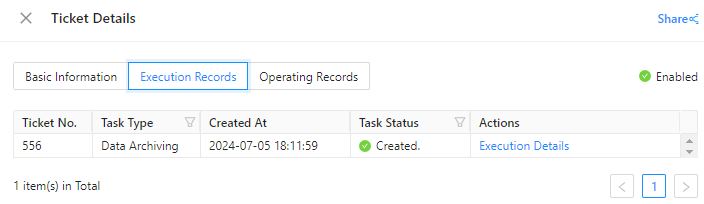
In the task details panel, click the Execution Records tab and view the task status and execution details.
Operation records
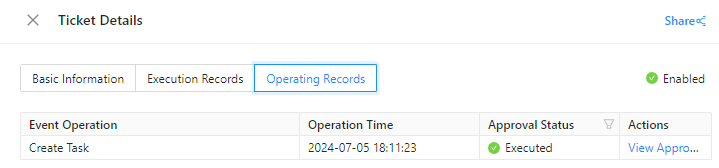
In the task details panel, click the Operating Records tab and view the task approval status and records.