







The user management feature allows you to view users under the current MySQL tenant, create and delete a user, and grant and revoke user privileges.
Prerequisites
You have the permission to modify the tenant.
Procedure
In the left-side navigation pane, click Tenants . The Tenant Overview page appears.
Find the target tenant in the Tenants list, and click the tenant name. The Overview page of the tenant appears.
In the left-side navigation pane, click User Management . The User Management page appears.
View information of the users. The Users list contains the following columns: Username , Accessible Database , Created At , Logon Connection String , Lock , and Actions .
You can sort the users by the creation time.
You can lock a user to disable the user from logging on to the database.
For a user, you can modify the privileges, reset the password, or delete it.
You can copy and view the connection string.
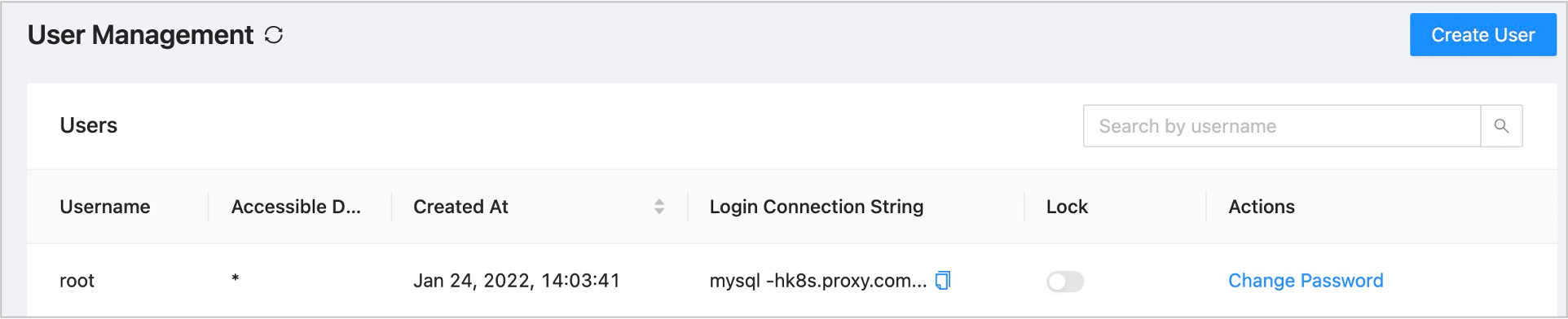
In the upper-right corner, click Create User .
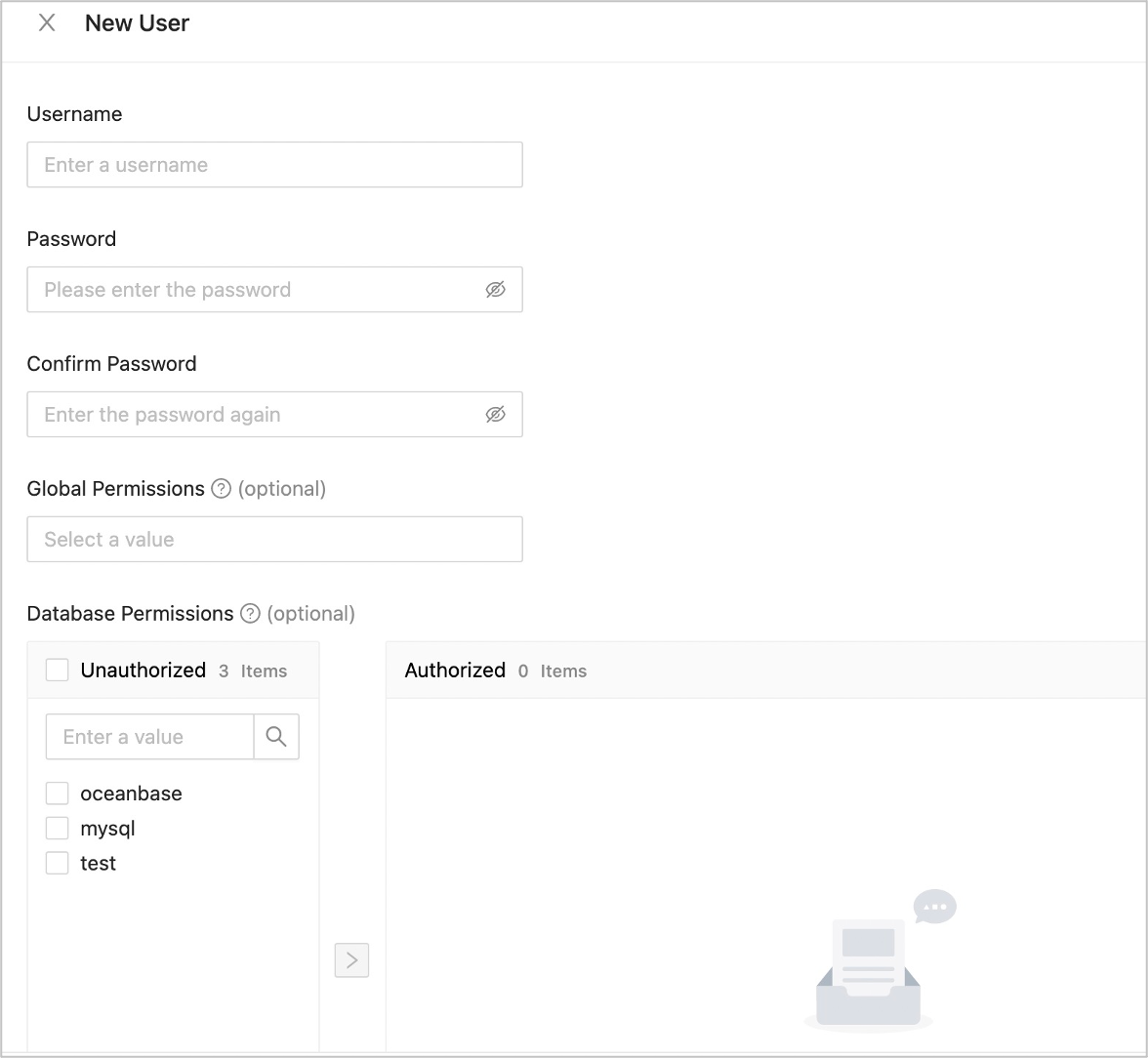
Specify User Name , New Password , Confirm Password , Globa l Permissions (Optional) , Databa se Permissions (Optional) .
 ParameterDescription
New Password The password must be 8 to 32 characters in length, and contain at least two uppercase letters, two lowercase letters, two digits, and two special characters. The supported special characters are ~!@#%^&*_-+=`|(){}[]:;',.?/ Confirm New Password Enter the password you specified in the New Password parameter. Global Permissions Optional. For more information, see the Privileges table on this page. To grant privileges to a new user, select the databases that the user can access, click the > icon to move the databases to the right-side pane, and then select the privileges as needed.
Click Submit .
To change the password, click Change Password in the Actions column, and set a new password in the dialog box that appears.

To modify global and database privileges, locate the row containing the user and click Modify Privilege in the Actions column.
To delete a user, locate the row containing the user and click Delete in the Actions column. Deleting a user may affect the business that relies on the user. Proceed with caution.
Privileges
Privilege |
Description |
|---|---|
| ALTER | The ALTER TABLE privilege. |
| CREATE | The CREATE TABLE privilege. |
| DELETE | The DELETE privilege. |
| DROP | The DROP privilege. |
| INSERT | The INSERT privilege. |
| SELECT | The SELECT privilege. |
| UPDATE | The UPDATE privilege. |
| INDEX | The CREATE INDEX and DROP INDEX privileges. |
| CREATE VIEW | The privilege to create and delete views. |
| SHOW VIEW | The SHOW CREATE VIEW privilege. |
| CREATE USER | The CREATE USER, DROPUSER, RENAME USER, and REVOKE ALLPRIVILEGES privileges. |
| PROCESS | The PROCESS privilege. |
| SUPER | The SET GLOBAL privilege for modifying global system parameters. |
| SHOW DATABASES | The global SHOW DATABASES privilege. |
| GRANT OPTION | The GRANT OPTION privilege. |