







A system administrator and OceanBase Cloud Platform (OCP) alert administrator can edit alert items.
Prerequisites
The logged-on user in the OCP console is granted the ADMIN or ALARM_MANAGER role.
Procedure
Log on to the OCP console.
In the left-side navigation pane, choose System management > Alerts .
On the Alert Item Configuration tab, find the target alert item.
Click Edit in the Actions column of the alert item.
Specify fields in the Rule Information section for the alert item.
You can specify fields in the Rule Information section by referring to Create an alert item.
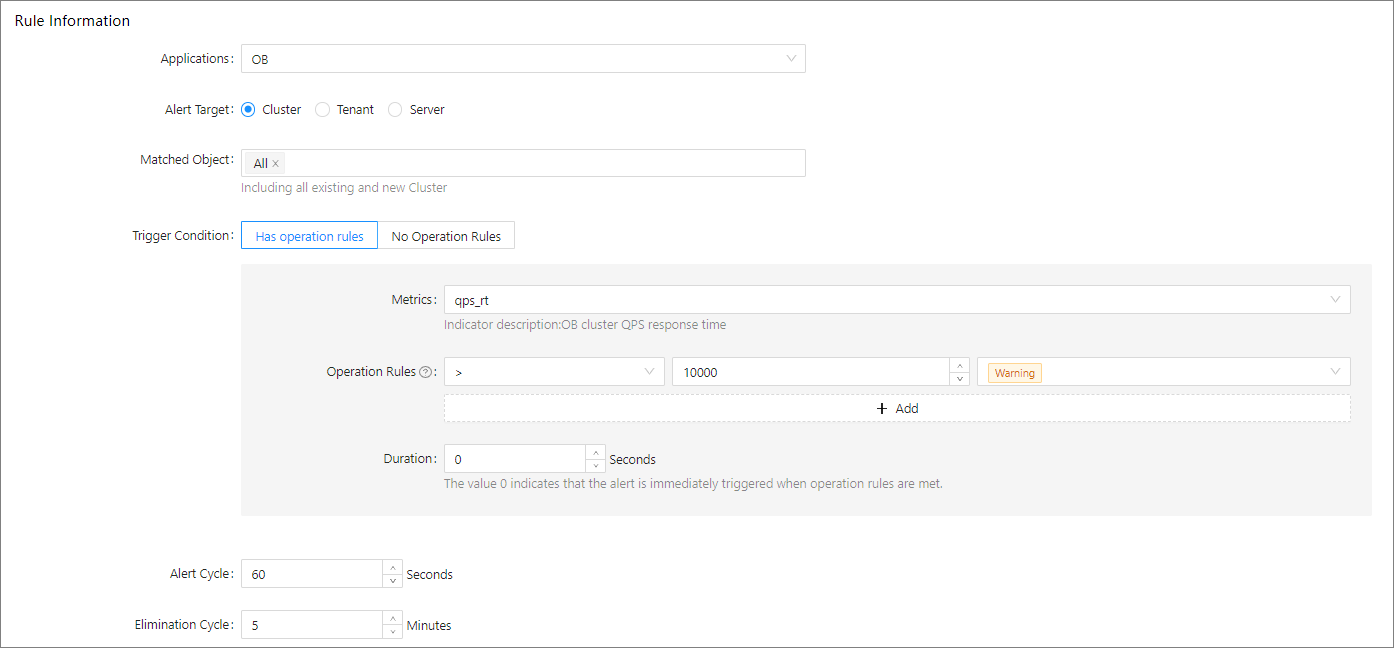
Modify the settings of Operation Rules . An alert is triggered when a threshold specified is reached.
Modify Duration . If you set it to 0 , an alert is immediately triggered if the specified operation rules are met.
Specify fields in the Basic Information section of the alert item.
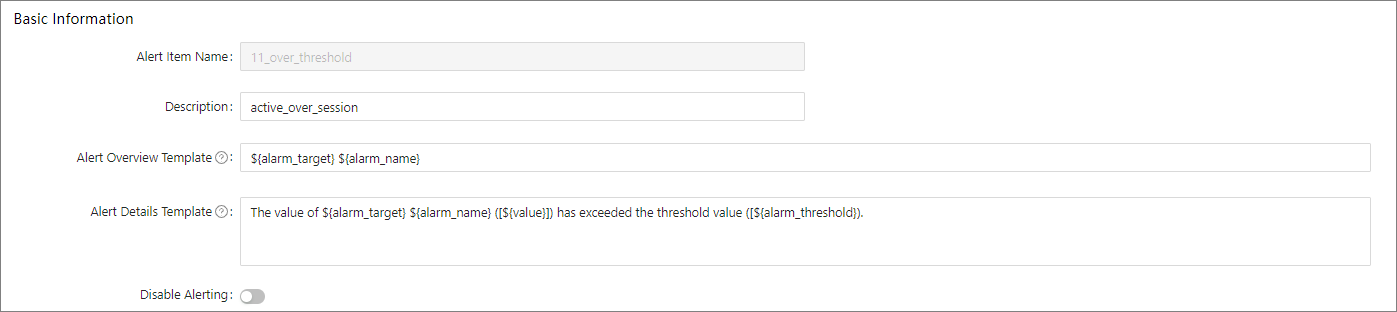
Click Submit .
Note
For built-in alert items, you can only modify the operation rules and duration in the Trigger Conditions section and choose whether to disable alerting. However, you can modify all the information of custom alert items.