







This topic describes how to configure DDL synchronization and DML synchronization for incremental synchronization when you create a data migration or synchronization task.
Background information
If you select Incremental Synchronization in the Select Migration Type or Select Synchronization Type step of a data migration or synchronization task, DML synchronization is supported by default. You can configure DML synchronization or DDL synchronization as needed.
DML synchronization: When you configure a data migration or synchronization task, you can specify a synchronization strategy for the DML SQL statements to be synchronized. Only those meeting the specified conditions will be synchronized to the target. This feature applies to scenarios involving historical tables and transaction details tables.
DDL synchronization: You can choose whether to synchronize DDL operations when you configure a data migration or synchronization task. DDL operations, such as CREATE TABLE, ALTER TABLE, DROP TABLE, and TRUNCATE TABLE, are synchronized to the target only after you enable DDL synchronization. This feature applies to long-term data migration and synchronization tasks to significantly lower the O&M costs.
Limitations
DML synchronization
DML filtering takes effect for the entire data migration or synchronization task.
Full data verification is not supported for a data migration task for which DML filtering is configured.
DDL synchronization
Only the supported DDL operations can be synchronized.
If a table to be synchronized involves unsupported DDL operations, the data migration or synchronization task may be interrupted and unrecoverable data exceptions may arise.
Do not perform DDL operations for database or table schema changes in the schema migration/synchronization or full migration/synchronization stage. Otherwise, the data migration or synchronization task may be interrupted.
Procedure
Configure a data migration or synchronization task to the Select Migration Type or Select Synchronization Type step.
For more information, see the topics about data migration or data synchronization tasks of the corresponding data source types.

On the Select Migration Type or Select Synchronization Type page, select Incremental Synchronization. DML Synchronization is selected by default.
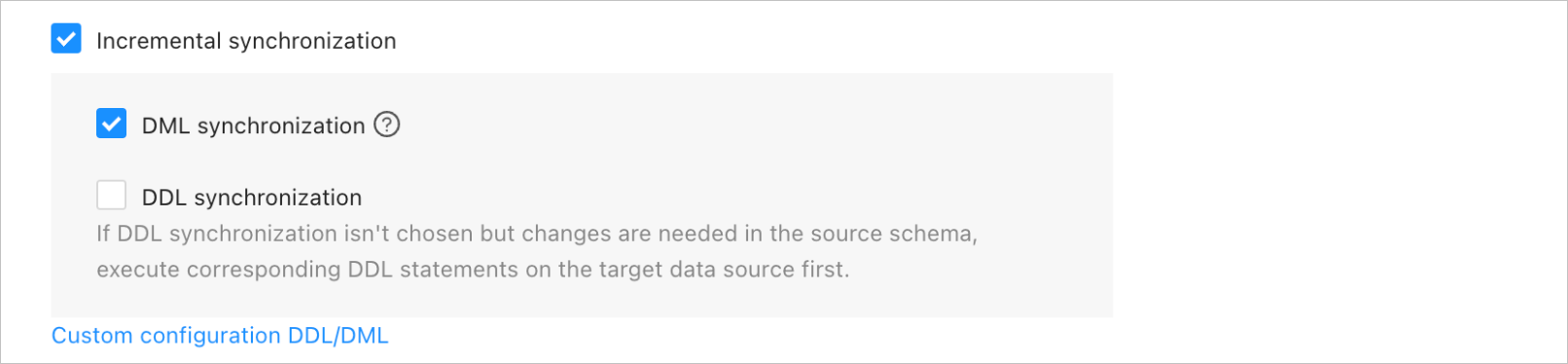
Click Configure DDL/DML Synchronization.
In the Configure DDL/DML Synchronization dialog box, select the DML or DDL operations to be synchronized.
DML operations INSERT, DELETE, and UPDATE are supported for synchronization. You can perform DML filtering as needed. For more information about the DDL operations that can be synchronized for different types of data migration or synchronization tasks, see Supported DDL operations for synchronization. You can select DDL operations as needed.
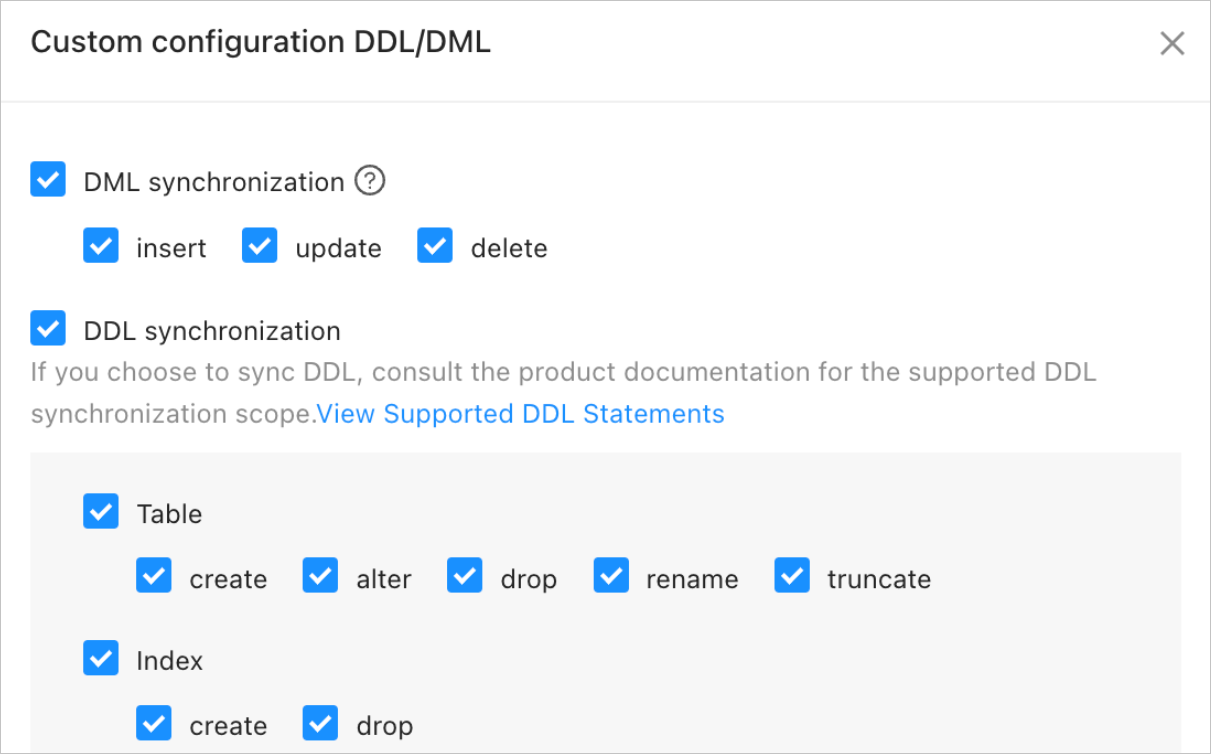
In the Configure DDL/DML Synchronization dialog box, click OK.
On the Select Migration Type or Select Synchronization Type page, click Next and configure the remaining task settings based on the prompt.