







OceanBase Migration Service (OMS) provides the data migration feature to help you migrate data between homogeneous or heterogeneous data sources. It is applicable to business scenarios such as database upgrade, cross-instance data migration, database splitting, and database scaling.
The OMS server needs to be connected to both the source and target instances. To start a data migration task, configure the source and target databases and select the tables to be migrated.
To prepare for data migration and create and manage a data migration task, perform the following steps:
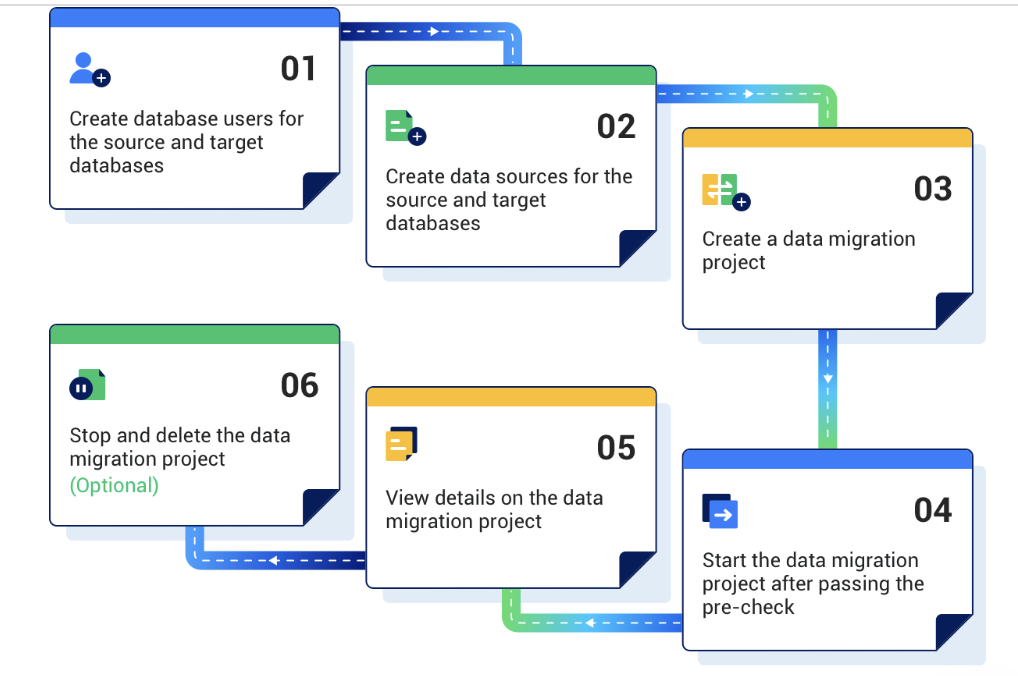
Prepare for data migration.
Before you migrate data by using OMS, create a user in the source or target database and grant required privileges to the user. For more information, see Create a database user.
Create data sources.
Log in to the OMS console and create a source data source and a target data source. For more information, see Create a data source.
Create a data migration task.
Specify the source database, target database, migration types, and migration objects for the data migration task as needed. For more information, see the topics about data migration tasks of the corresponding data source types.
After the migration task passes the precheck, start the task.
View the status of the data migration task.
After the data migration task is started, it is executed based on the selected migration types. For more information, see View details of a data migration task.
(Optional) End and delete the data migration task.
After the data migration task is completed and no further migration is needed between the source and target databases, you can clear the current data migration task. For more information, see End and delete a data migration task.