







You must configure data sources before you create a data migration task. Before you start data migration, you can create an IDB data source as the source. This topic describes how to create an IDB data source in OceanBase Migration Service (OMS).
Background
OMS allows you to add an IDB data source and synchronize the data of the IDB data source to a MySQL-compatible tenant of OceanBase Database and DataHub.
An IDB database manages the metadata of logical databases and tables. As OMS accesses a logical table by using its GUID. OMS can obtain the physical topology corresponding to the GUID from the IDB database. All physical tables corresponding to the logical table that is specified by the GUID can be obtained from the physical topology.
Bagualu allows you to obtain the information of a physical OceanBase cluster. OMS pulls the cluster logs during the incremental synchronization stage by using the configurl parameter on ConfigServer. The value of the configurl parameter contains the URLs of all nodes in the cluster.
Procedure
Log in to the OMS console.
In the left-side navigation pane, click Data Source Management.
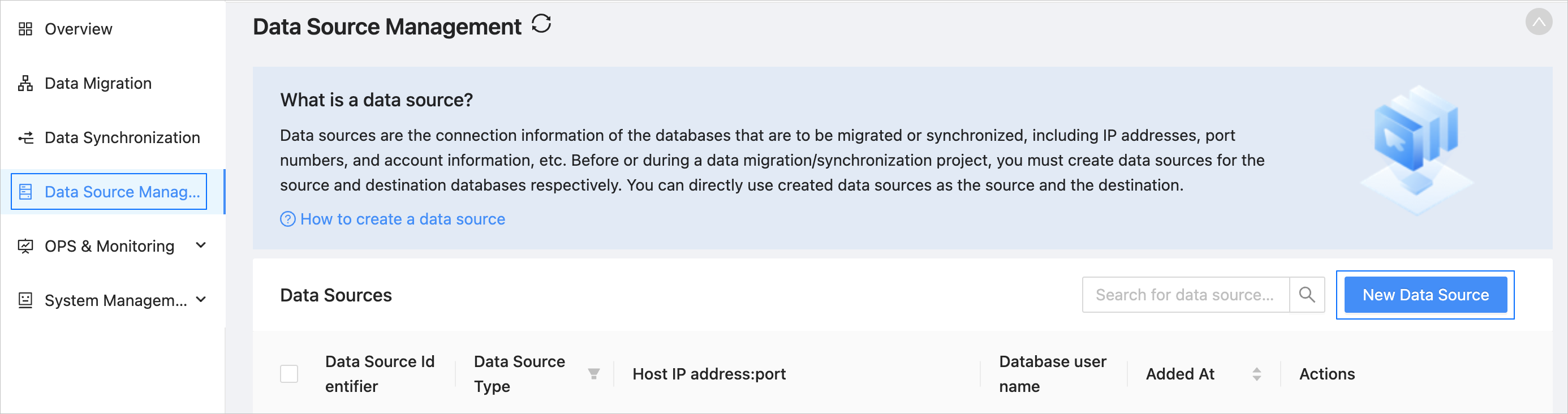
On the Data Source Management page, click New Data Source in the upper-right corner.
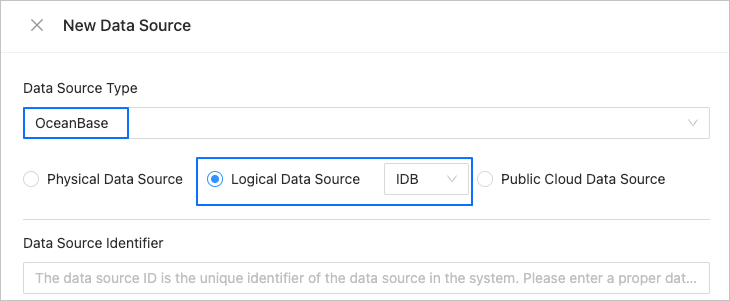
In the New Data Source dialog box, select OceanBase for Data Source Type.
Select Logical Data Source, select IDB from the drop-down list, and then configure the following parameters.
 ParameterDescription
Data Source Identifier We recommend that you set it to a combination of digits and letters. It must not contain any spaces and cannot exceed 32 characters in length.
Notice
The data source identifier must be globally unique in OMS.Environment The environment. Valid values: PROD,DEV, andSIT.IDB URL The endpoint of the IDB data source. IDB Username The username used to access the IDB data source. IDB Password The password used to access the IDB data source. Bagualu URL The endpoint of Bagualu. Bagualu Username The username used to access Bagualu. Bagualu Password The password used to access Bagualu. OBProxy URL (Optional) The URL of ODP that is used to access all physical tables corresponding to a logical table from the IDB data source. Full Synchronization User (Optional) The username used to access the physical tenant in the logical table to be synchronized. This parameter is checked during the precheck of a full synchronization task but not during the connection test. Full Synchronization Password (Optional) The password used to access the physical tenant in the logical table to be synchronized. This parameter is checked during the precheck of a full synchronization task but not during the connection test. Remarks (Optional) Additional information about the data source. (Optional) In the New Data Source dialog box, click Show next to Advanced Options and configure the parameters.
If you select Schema Synchronization and Incremental Synchronization when you create a data synchronization task, you must also configure the following parameters. Note that a connectivity check is performed for this user when you select synchronization objects during task creation.
ParameterDescriptionDRC User Name (Optional) The username of the data replication center (DRC) user intended for reading database incremental logs and database object schemas in OceanBase Database. You must create this user in the sys tenant of your business cluster. Password (Optional) The password of the DRC user. Click Test Connection to test the service status of IDB, Bagualu, and ODP. In addition, make sure that you have entered the correct usernames and passwords to ensure the normal execution of subsequent steps.
After the test is passed, click OK.