







This topic describes how to perform troubleshooting when OceanBase Store reports an RPC access failure.
Symptom
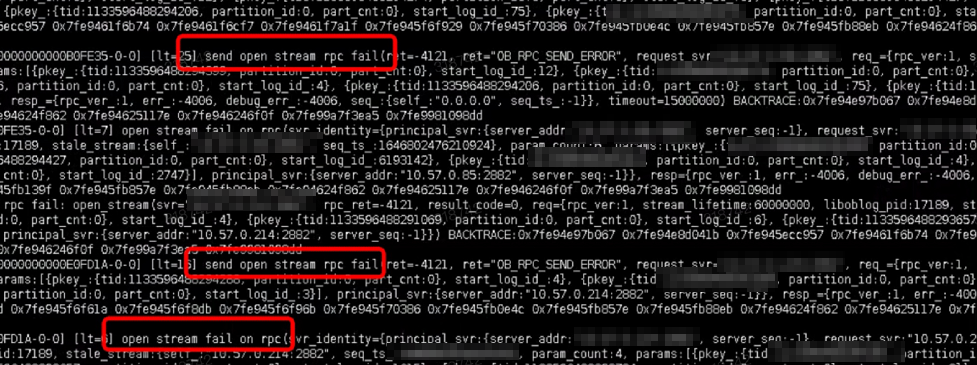
After a store is started, the timestamp remains unchanged, and the log/liboblog.log file prints an RPC access failure. You can run the following command to obtain the error information: grep "fail on rpc" liboblog.log. The error code is 4121, and the specific error information is as follows:
Possible causes
OceanBase Store needs to obtain clogs from the OBServer over the RPC port. If the port is inaccessible, OceanBase Store cannot obtain clogs, and therefore, the timestamp remains unchanged.
Troubleshooting procedure
Log in to the OBServer and query the
svr_portandinner_portports of the OBServer.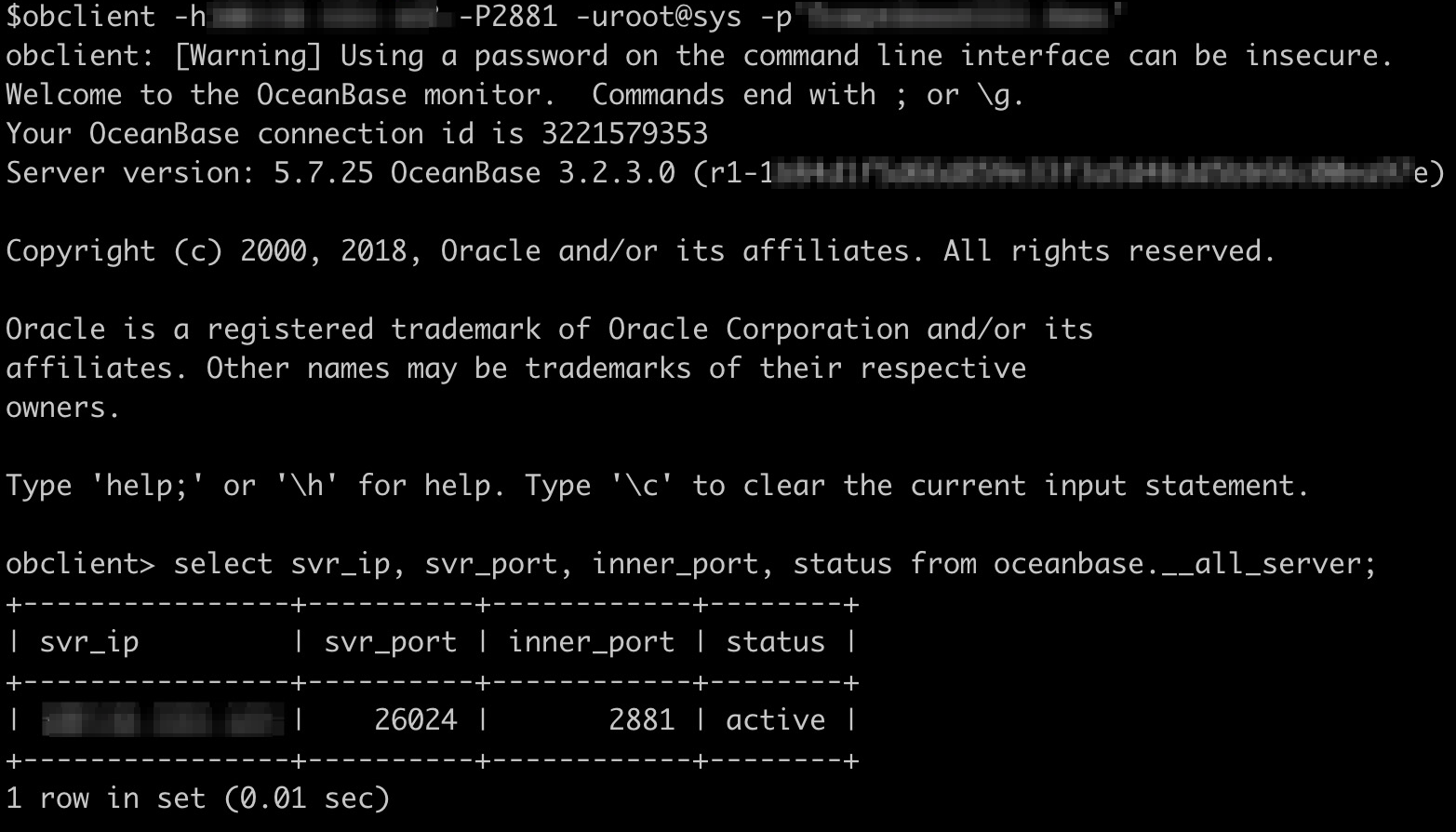
Use the
telnetcommand in the OceanBase Migration Service (OMS) container to check whether the correspondingsvr_portandinner_portports corresponding to eachsvr_ipvalue are accessible,for example,
telnet 123.123.XX.XX 26024. If these ports are inaccessible, enable the two ports.If the ports are accessible and the RPC failure persists, contact OMS service engineers for troubleshooting.