







This topic describes how OceanBase Cloud Platform (OCP) monitors alerts and sends notifications when an error is detected in an OceanBase cluster or application.
Overview
OCP provides alerting and monitoring services for OceanBase clusters, tenants, and their resources so that you can detect business operation failures and resource shortages as soon as possible.
Alert events
On the Alert Events tab, you can query alerts by subscription mode, alert status, alert level, keyword, application, server, start time, and end time.

The alert event list below the Query section displays the alert events that match the specified search criteria. Each alert event contains the alert details, ID, cluster, server, alert generation time, clearance time, and last alert time.

Notification history
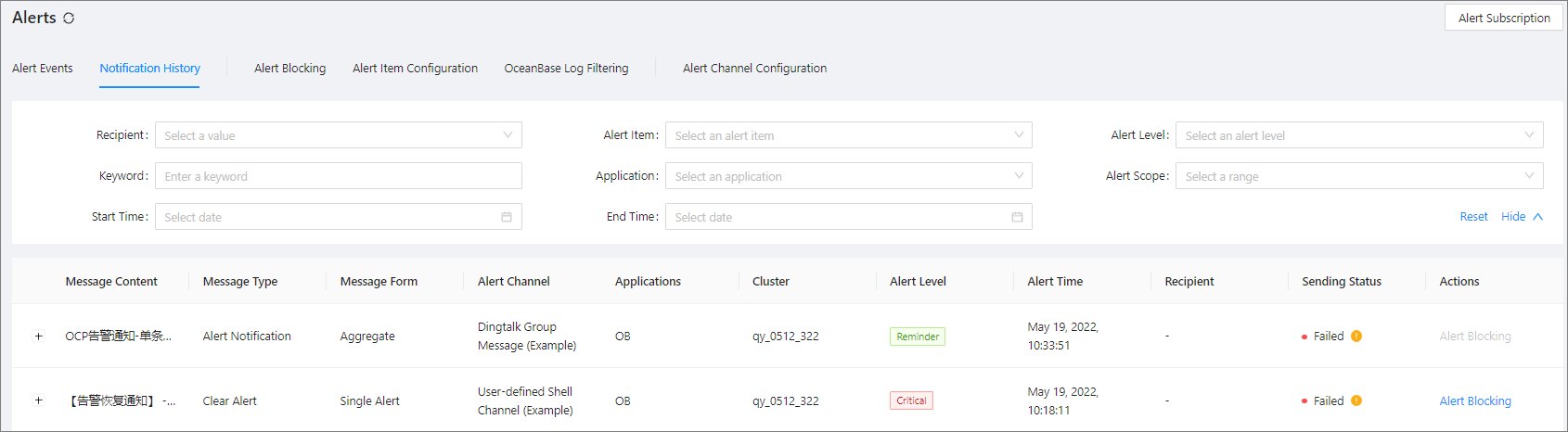
On the Notification History tab, you can query notifications by recipient, alert item, alert level, keyword, application, alert scope, start time, and end time.
The notification history list contains the following columns: Message Content, Message Type, Message Form, Alert Channel, Application, Cluster, Alert Level, Alert Time, Recipient, Sending Status, and Actions .
Alert blocking
You can filter blocking conditions by creator, source, and alert scope. The blocking condition list contains the following columns: Application, Blocking Scope, Blocking Object, Alert Item, Blocking End Time, Daily Block Period, Created By, and Actions . For more information, see Create a blocking condition, Edit a blocking condition, and Delete a blocking condition.

Alert item configurations
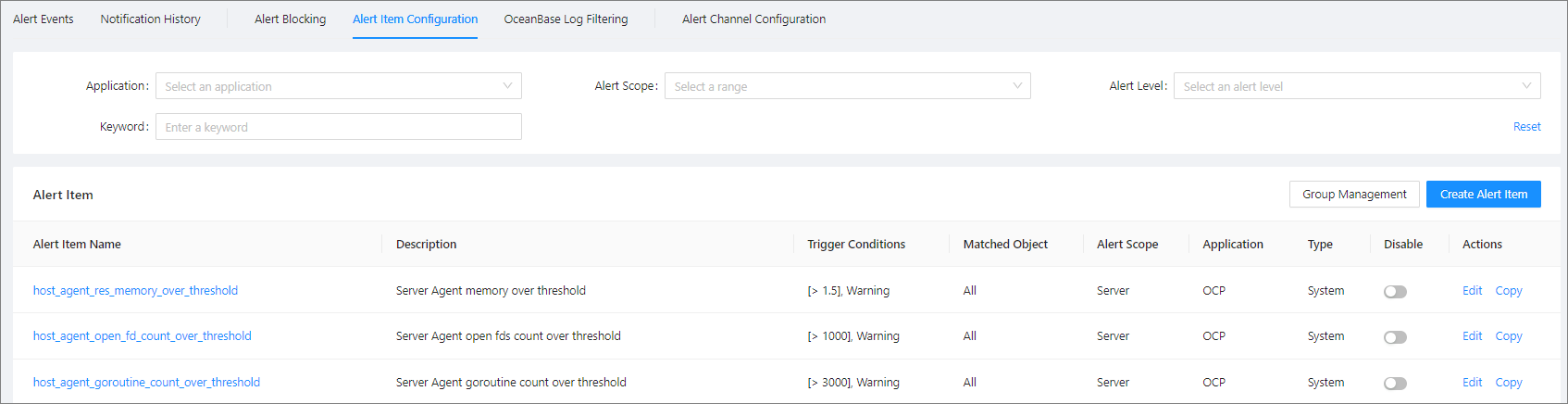
On the Alert Item Configuration tab, you can query alert items by application, alert scope, alert level, and keyword. The alert item list contains the following columns: Alert Item Name, Description, Trigger Condition, Matched Object, Alert Scope, Application, Type, Enabled , and Actions. For more information, see View an alert item, Edit an alert item, Copy an alert item, Create an alarm item, and Alert groups.
OceanBase log filtering
On the OceanBase Log Filtering tab, you can query filter configurations by Cluster and Keyword . The filter configuration list contains the following columns: Server Type, Keyword, Cluster, Expiration Time, Operator , and Actions. You can manage the keywords. For more information, see Add a filter keyword, Modify the expiration time of a filter keyword, Delete a filter keyword.

Alert channel configurations
The table on the Alert Channel Configuration tab contains the following columns: Channel Name, Created By, Created At, Last Modified By, Last Modified At, Last Notification Time , and Actions . You can manage the alert channels. For more information, see Create an alert channel, View an alert channel, Edit an alert channel, and Delete an alert channel.
