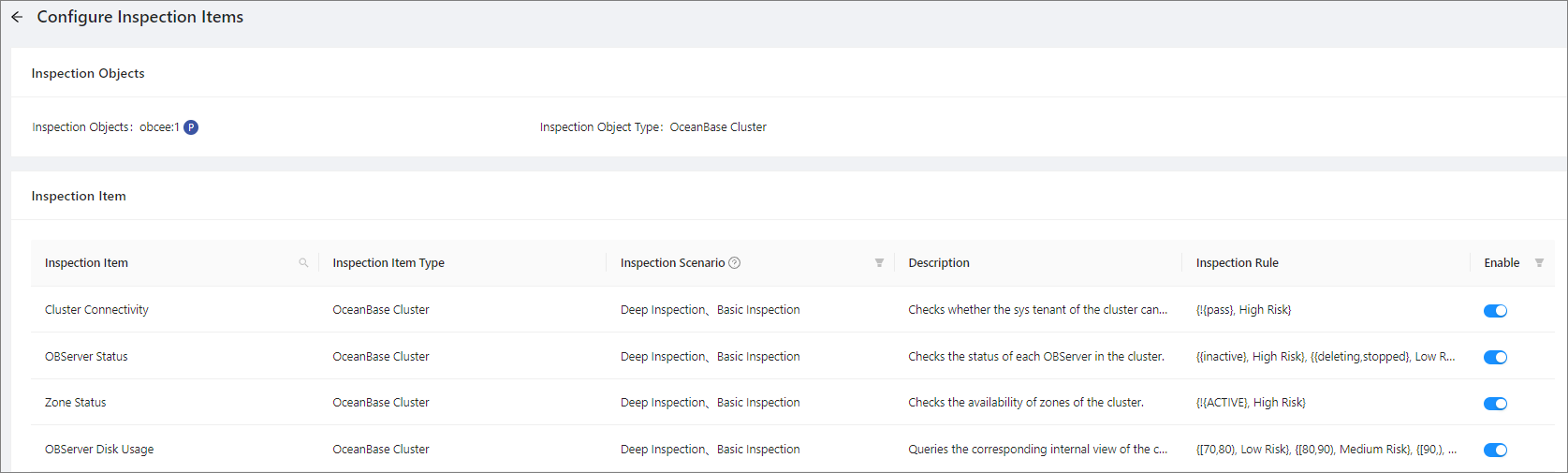
This topic describes how to configure inspection items for an inspection object.
Applicability
This topic applies only to OceanBase Cloud Platform Enterprise Edition. OceanBase Cloud Platform Community Edition does not support the inspection service.
Prerequisites
Make sure that you have the following permissions:
- Resource Permissions: Cluster Read-only or Tenant Read-only permission
- Menu Permissions: Permission on the Inspection Service menu of O&M Management
Procedure
Log on to the OceanBase Cloud Platform (OCP) console. In the left-side navigation pane, choose Inspection Service.
Wait until the Inspection List page appears.
Click the tab containing the target inspection object.
Select the inspection object for which you want to configure inspection items from the list, move the pointer over the More icon (...) in the Actions column, and select Configure Inspection Items.
On the Configure Inspection Items page, view the information about all built-in inspection items in OCP, including the name, type, inspection scenario, description, inspection scenario, and enable status of each inspection item.
- You can click the search icon in the Inspection Item column to search for inspection items. Fuzzy match is supported.
- You can filter inspection items by the Inspection Scenario or Enable column.
Enable or disable the inspection items for the inspection object as needed.