This topic describes how to create a user under an Oracle tenant.
Procedure
Log on to the OceanBase Cloud Platform (OCP) console. In the left-side navigation pane, click Tenants . The Tenant Overview page appears.
Find the target tenant in the Tenants list, and click the tenant name. The details page of the Oracle tenant appears.
In the left-side navigation pane, click User Management .
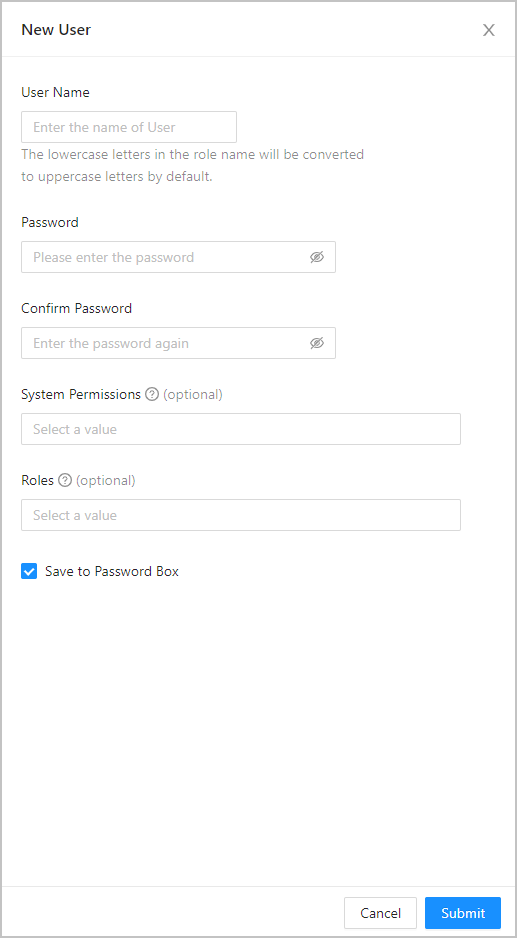
Click Create User in the upper-right corner. In the dialog box that appears, specify the following parameters.
ParameterDescriptionUsername A user-defined name that must be 2 to 30 characters in length and begin with a letter, and can contain uppercase letters, lowercase letters, digits, and underscores (_). By default, lowercase letters are automatically converted to uppercase letters in a role name. Password The password must be 8 to 32 characters in length, and contain at least two uppercase letters, two lowercase letters, two digits, and two special characters. The supported special characters are ~ ! @ # % ^ & * _ - + = ` | ( ) { } [ ] : ; ' , . ? / Confirm Password Enter your password again in this parameter. System Permissions Optional. For more information, see System privileges. Roles Optional. For more information, see Create a role for an Oracle tenant. Select Save to Password Box .
Click Submit . You can view the user in the Users list.