






Background information
To ensure the security and reliability of database development, the control capabilities of database development tools are crucial. Establishing a comprehensive account system helps development teams achieve complete control and supervision of database development tools, effectively preventing various data security issues.
Thanks to the powerful scalability of distributed databases, data volume and the number of database instances are growing rapidly, and industry practitioners are multiplying as well. However, different roles are not growing proportionally. DBAs need to manage an expanding number of collaborators, which places higher demands on the account management systems of database development tools. Particularly for large-scale team collaboration scenarios, enterprises typically already have established employee account permission systems, and as a database development tool, the key challenges become how to quickly integrate with existing account systems, and how to implement automated account permission control for different accounts and personnel across different departments
Scenarios
With the modernization of management systems, more and more enterprises are building their own account systems to manage team members. An account system can control and monitor all enterprise applications through single sign-on (SSO) based on certain authentication and authorization protocols. Well-known account systems include those of GitHub, GitLab, Google, CAS, and DingTalk. By using a unified account system, enterprises break down barriers between different applications and allow users to log in to all enterprise applications with the same account.
With the release of ODC V4.2.0, the SSO integration capability is optimized at the product level. Now, a DBA can integrate an SSO system within less than three minutes.
Rapid integration with enterprise account systems
Taking GitHub's OAuth2 service as an example, ODC actually supports integration with any SSO service that complies with standard OAuth2 protocol, OIDC protocol, LDAP, and SAML protocol.
Create an SSO application
Create an SSO application on GitHub.
Go to the developer settings.
Log in to the GitHub account > Click the avatar in the upper-right corner > Settings > In the left-side navigation pane, select Developer settings > OAuth Apps > Click New OAuth App.
Configure the application information.
Application name: Enter the application name. Homepage URL: Enter the homepage URL of the application. Application description: Enter the application description. Authorization callback URL: Enter the OAuth callback URL.
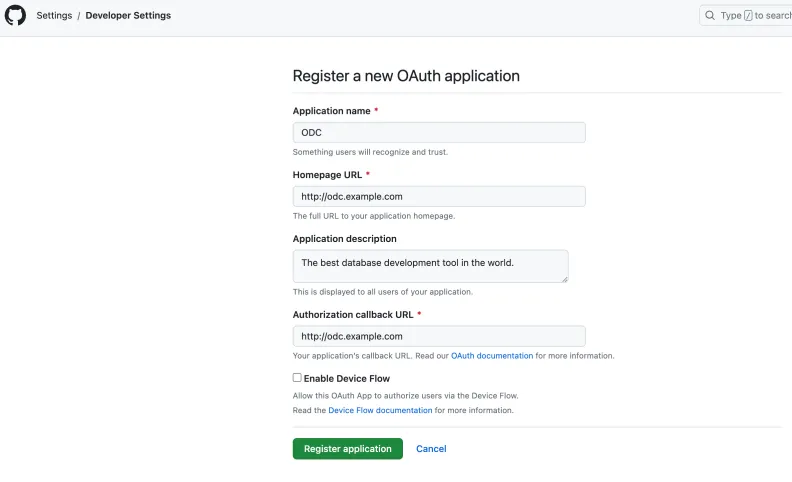
Obtain the credentials after the application is created. Record the generated client ID and client secret for use in the OAuth process.
Note
For different services, refer to their corresponding SSO configuration documentation.

Configure external integration
Log in to Web ODC.
In the left-side navigation pane, choose External Integration > Login Integration > Create Login Integration.
On the Create Login Integration page, configure the corresponding parameters.
To adapt a wide variety of SSO services, ODC has made many compatibility configurations for OAUTH2 and OIDC. For more information, see Login integration.
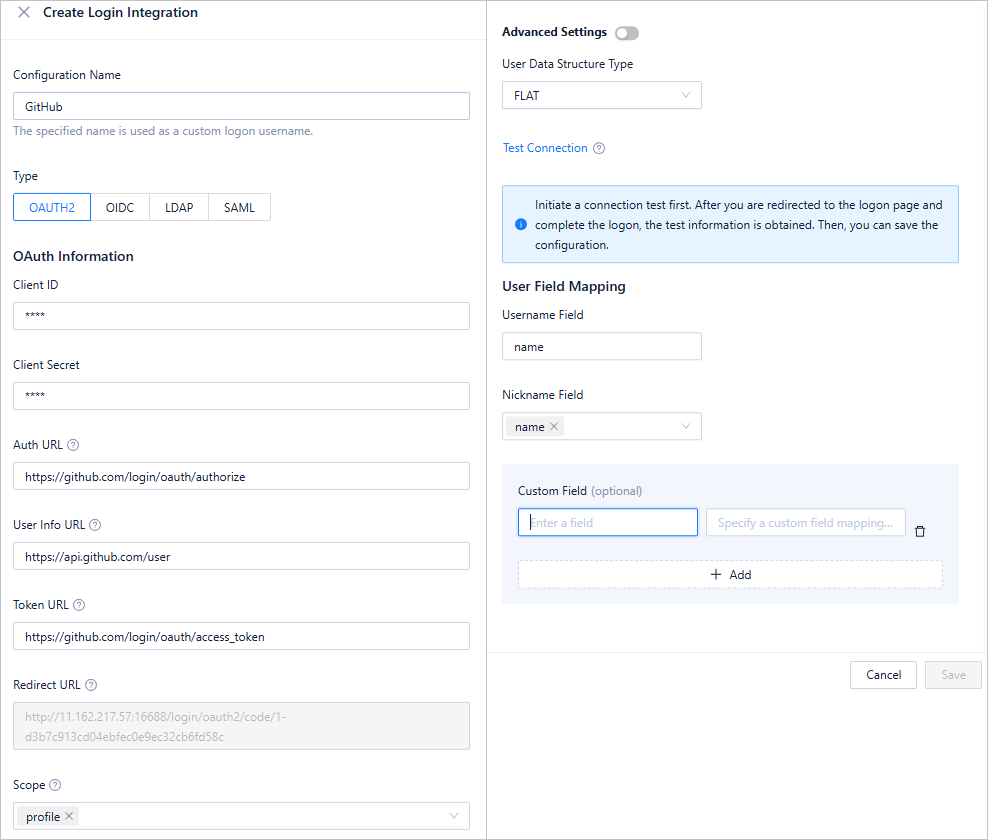
After you configure ODC, click Test Connection to obtain the login information of the current user.
You can configure user field mappings to specify how ODC's username and nickname are obtained from the SSO account system. In addition, external integration allows you to configure custom user information fields. By parsing the JSON path, you can obtain the required fields.
Log in with a third party account
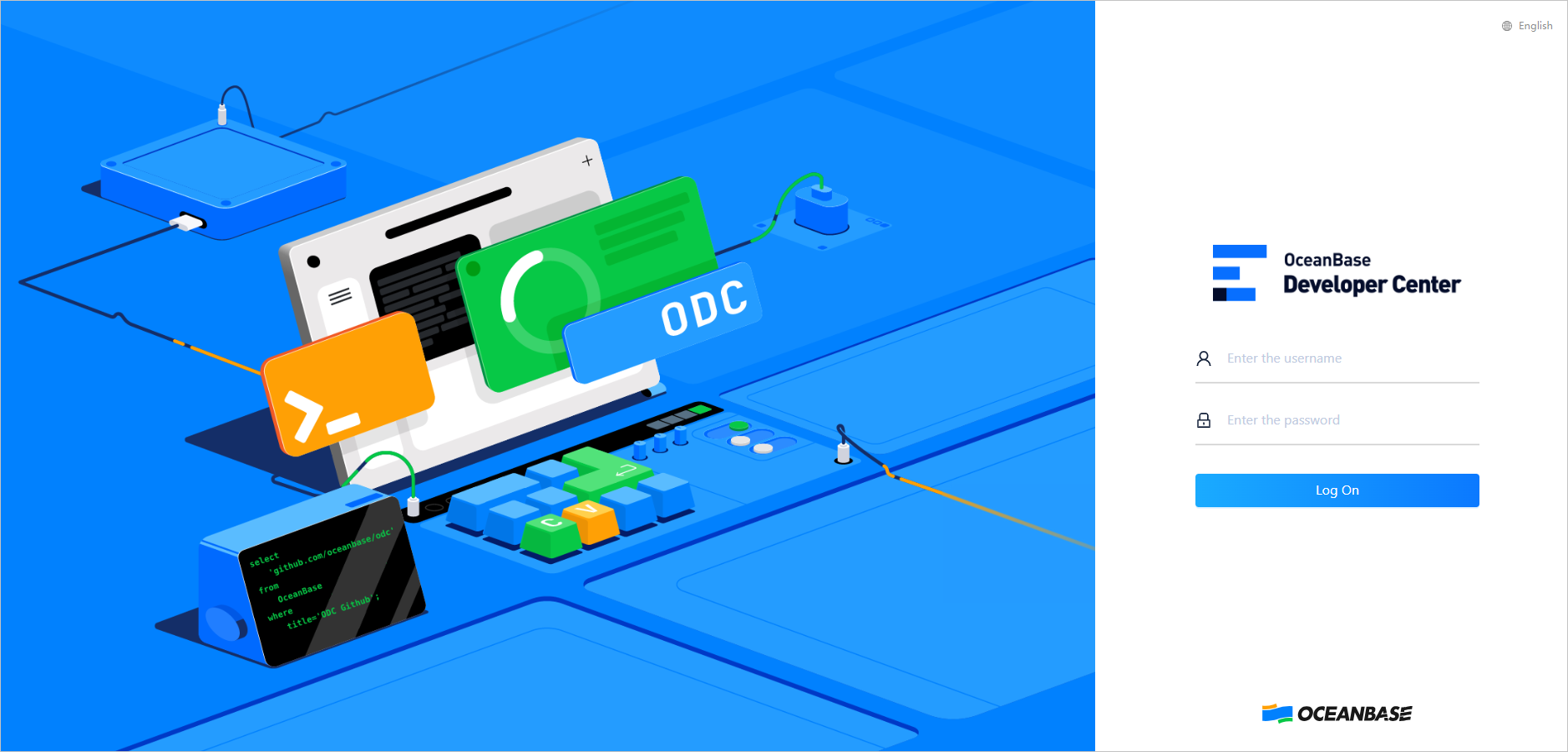
After the configuration is saved, go back to the login page, where you can use a GitHub account to log in to ODC.
Go to the ODC login page and enter the GitHub account and password.
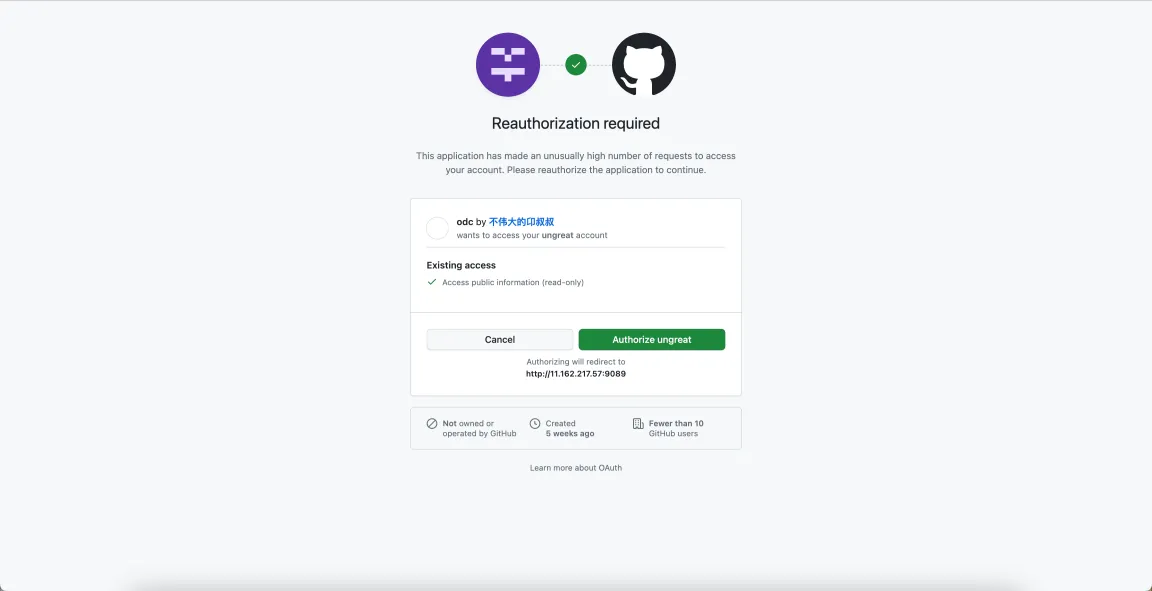
On the authorization page, confirm the authorization information.
After login, you will see the following page.

Set automatic authorization rules for accounts
SSO integration alone only addresses account creation and login — the foundational step in establishing an account system. The most critical aspect is automatically managing associated permissions and resources based on created accounts, ensuring that whenever personnel login information changes, the corresponding access control privileges are automatically updated accordingly.
With the release of ODC V4.2.0, the automatic authorization feature has been enhanced. Specifically, events such as login success, user creation, and user modification are added for existing users. When these events are triggered, user attributes can be directly evaluated to determine whether to grant specific permissions. For example, you can compare the workspace, company name, and other fields configured in the example with the corresponding user attribute. In the same enterprise, these fields are more likely to indicate department, job level, and role information. DBAs can configure automatic authorization rules based on the fields in the account system of their enterprises.
After you integrate OAuth2 into ODC and log in to ODC, you can log in to the Web version of ODC through a third party.
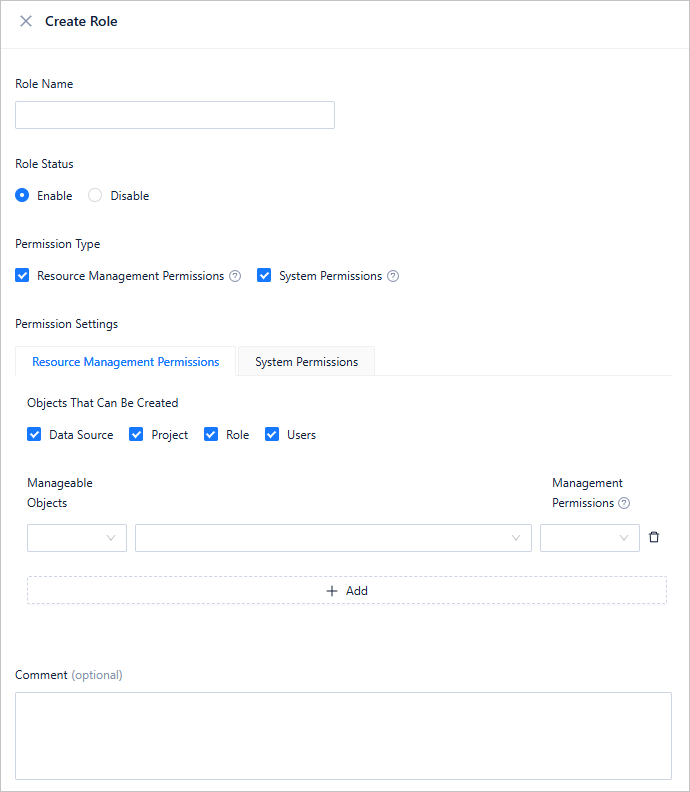
In the left-side navigation pane, choose User Permissions > Authorization Rules > Create Rule. For more information, see Automatic authorization.
After the automatic authorization rules are obtained, when the corresponding events are triggered and the matching rules are met, the users will be granted the corresponding privileges. All these privileges will be automatically granted to the users when they log in, achieving automatic management of all account privileges after the DBA configures the rules, and therefore forming a closed loop from account integration to privilege granting.