This topic describes how to archive data by submitting a data archiving ticket.
Background information
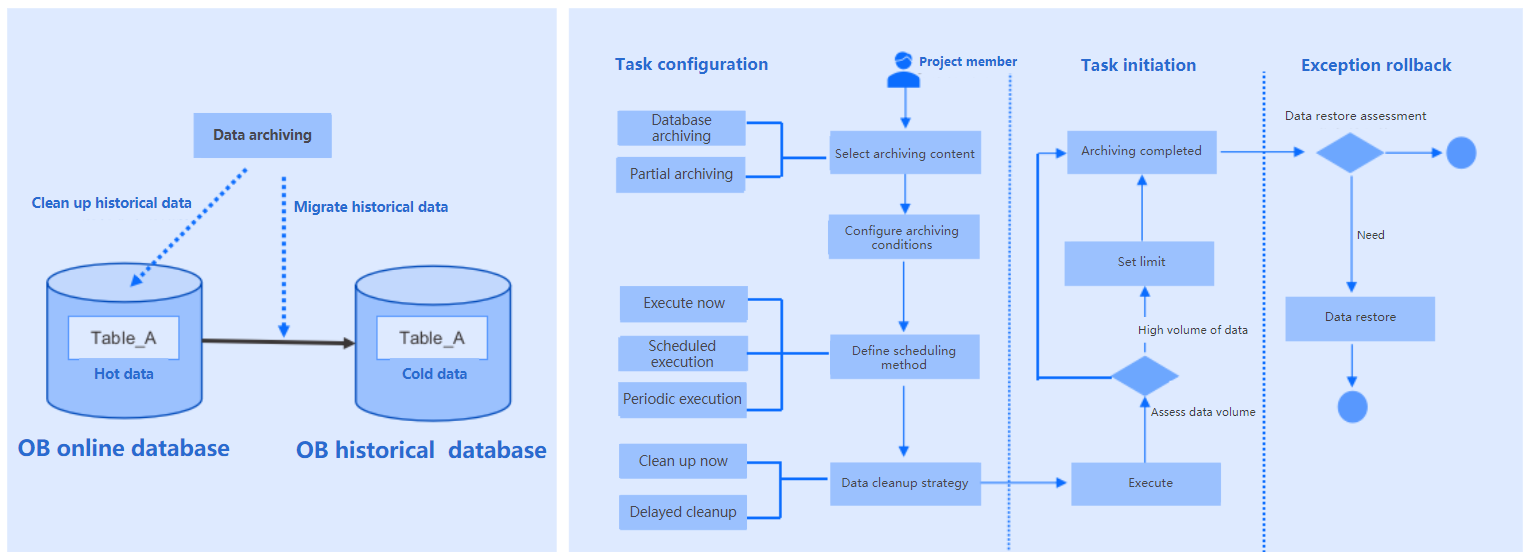
ODC allows you to archive table data from the source database to another database on a scheduled basis. This way, the increase of online data does not affect the query performance and business operations.
The example in this topic shows you how to archive the employee and order tables from the odc_test database to the test2 database in the same project.
Note
All data in this example is for reference only. You can replace them with actual data.
Principles
Considerations
Prerequisites:
The table to be archived must have a primary key. If the data source type is OceanBase MySQL compatible mode or MySQL, a unique index can also be archived.
The database user for archiving data must have the read/write permissions and access permissions to the internal views. For more information, see View user privileges, Overview of users and privileges, and Modify user privileges.
The source table columns must be compatible with the target database. The data archiving feature does not handle compatibility issues.
Table structure synchronization is not supported for homogeneous archiving links that involve subpartitioning. It is also not supported for heterogeneous databases, which means that you cannot synchronize schemas or create tables automatically.
Supported archiving links:
Links from OceanBase MySQL compatible mode to OceanBase MySQL compatible mode databases
Links from Oracle databases to OceanBase Oracle compatible mode databases
Links from MySQL databases to MySQL databases
Links from Oracle databases to Oracle databases
Links from PostgreSQL databases to OceanBase MySQL compatible mode databases
Links from OceanBase MySQL compatible mode, OceanBase Oracle compatible mode, MySQL, Oracle, and PostgreSQL databases to object storage services (OSS, COS, OBS, and S3)
Unsupported scenarios:
If the OceanBase MySQL compatible mode data source contains the XMLTYPE field type, archiving is not supported.
If the OceanBase Oracle compatible mode data source contains the JSON or XMLTYPE field type, archiving is not supported.
If the PostgreSQL data source defines tables that contain the array, composite, enumeration, geometric, XML, HSTORE, or full-text search type, archiving is not supported.
If the archiving condition contains the LIMIT clause, archiving is not supported.
Archiving is not supported if the table contains foreign keys.
Supported automatic table creation links:
- Links from OceanBase Oracle compatible mode to OceanBase Oracle compatible mode databases
- Links from OceanBase MySQL compatible mode to OceanBase MySQL compatible mode databases
- Links from MySQL databases to MySQL databases, except for MySQL 5.7 and earlier
Supported schema synchronization links:
- Links from OceanBase MySQL compatible mode to OceanBase MySQL compatible mode
Create data archiving task
In the SQL window, execute the following SQL statements to create an employee table and an order table.
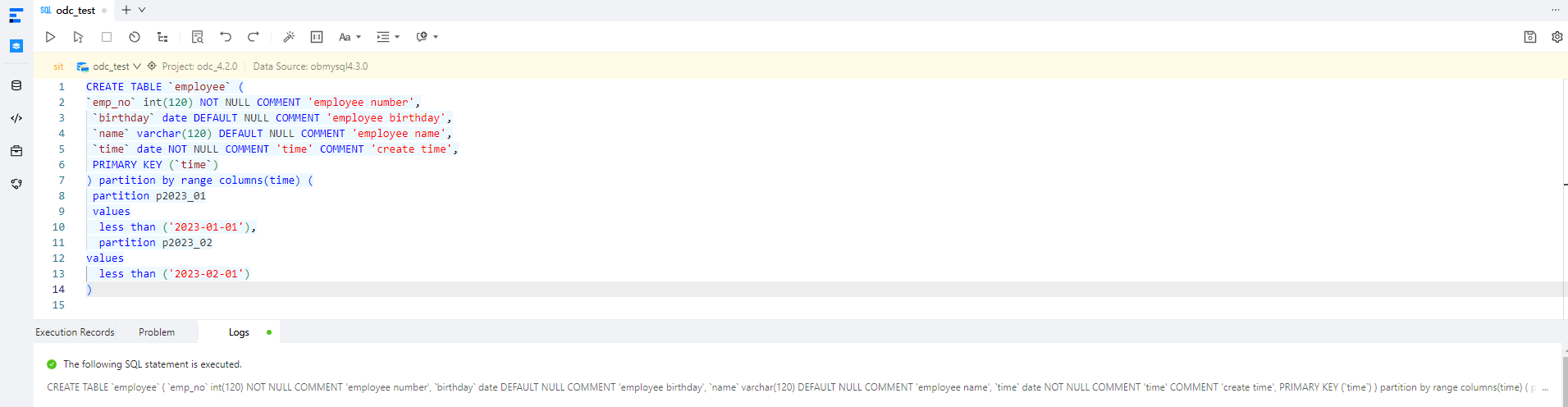
CREATE TABLE `employee` (
`emp_no` int(120) NOT NULL COMMENT 'employee number',
`birthday` date DEFAULT NULL COMMENT 'employee birthday',
`name` varchar(120) DEFAULT NULL COMMENT 'employee name',
`time` date NOT NULL COMMENT 'time' COMMENT 'create time',
PRIMARY KEY (`time`)
) partition by range columns(time) (
partition p2023_01
values
less than ('2023-01-01'),
 partition p2023_02
values
 less than ('2023-02-01')
);

CREATE TABLE `order` (
`time` date NOT NULL,
 `parti_key` int(11),
 `name` varchar(120) DEFAULT NULL,
 PRIMARY KEY (`time`, parti_key)
) partition by range columns(time, parti_key)
(partition p2023_01 values less than ('2023-01-01', 20230101),
partition p2023_02 values less than ('2023-02-01', 20230201));
Right-click the name of the source database and choose Scheduled Task > Data Archiving. You can also choose Ticket > Data Archiving > Create Ticket.
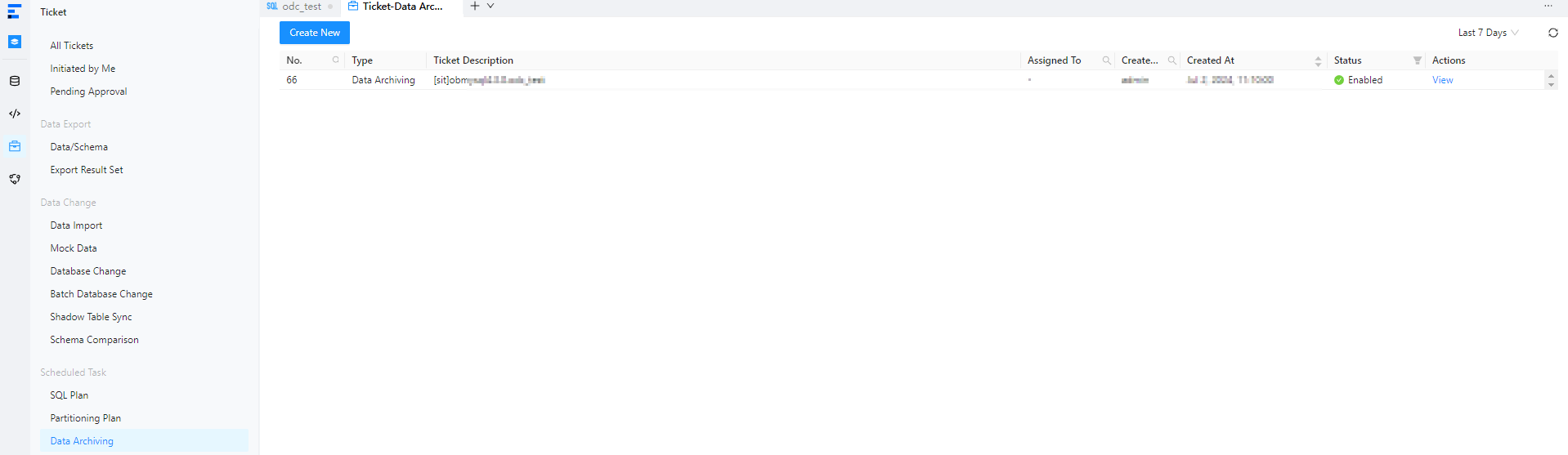
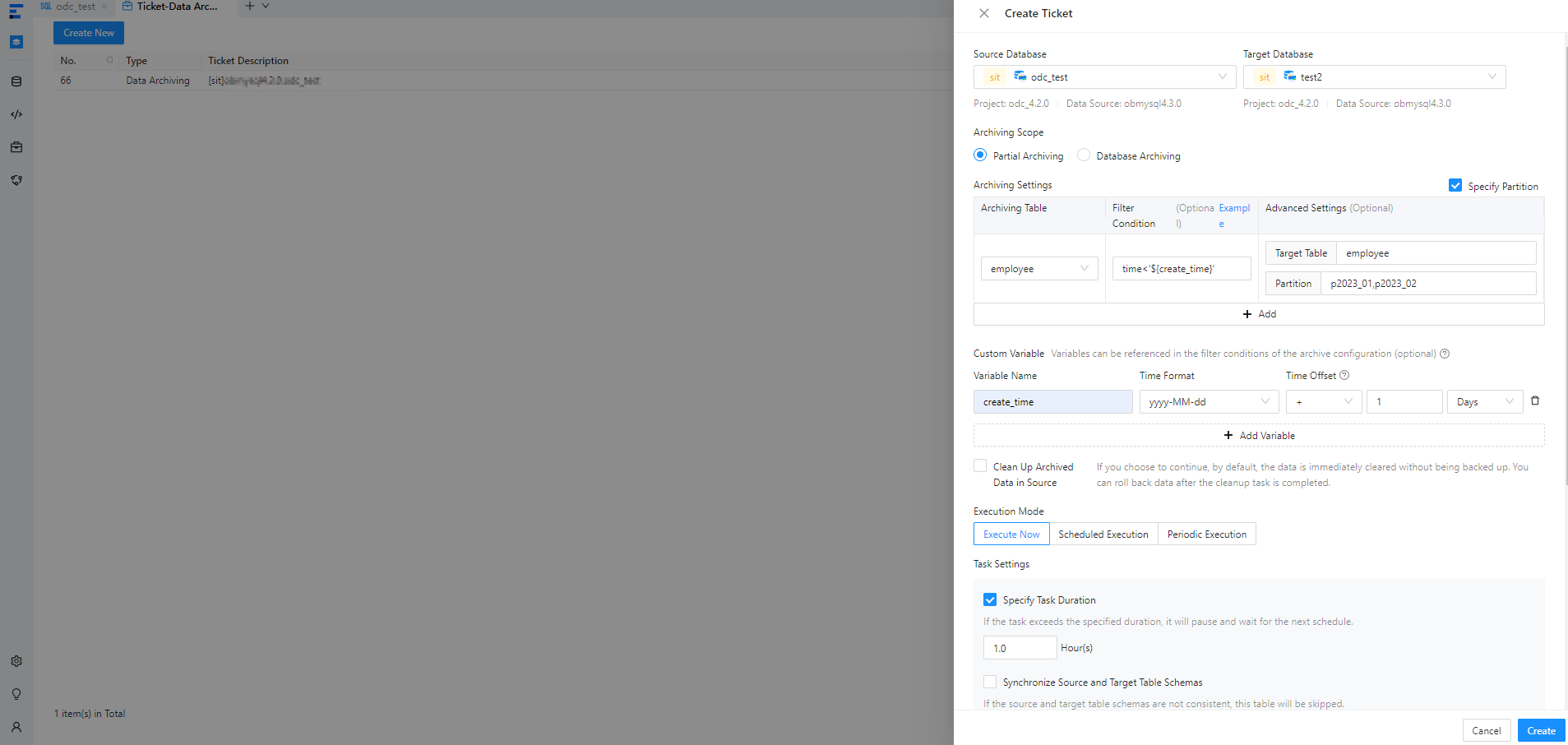
On the Create Ticket page, configure the following parameters.
 ParameterDescription
Source Database The database to which the source table belongs. Note
In ODC V4.2.2 and later, you can select a MySQL database to archive data from the MySQL database to the OceanBase database.
Destination Database The database to which the source table is archived. Note
In ODC V4.2.2 and later, you can select a MySQL database to archive data from the OceanBase database to the MySQL database.
Archiving Scope - Partial archiving: Archive data from specific tables in the source database based on filter conditions.
- You can set filter conditions by using constants or variables defined in the variable configuration. For example,
time<'${create_time}'. In this example,create_timeis the name of a variable defined in the variable configuration, andtimeis a column in the table to be archived.Note
You can set filter conditions for associated tables.
- If you want to archive data from specific partitions, select the Specify Partition check box.
- Click +Add to add a table to be archived and archive the table to the destination database.
- Click +Batch Add to add multiple tables to be archived and archive the tables to the destination database.
- You can set filter conditions by using constants or variables defined in the variable configuration. For example,
- Archive all tables in the source database.
Custom Variables Optional. Define variables and set time offsets to archive rows that meet the conditions. Execution Mode Select Execute Immediately, Execute On Schedule, or Cycle Execution to specify the task execution mode. Task Settings - Clean Up Archived Data in Source: If you select this option, data in the source is cleaned up based on the settings. By default, the data is immediately cleaned up and not backed up. You can roll back the cleanup task.
- Specify Task Duration: If the task is not completed after running for the specified duration, the scheduling is paused and resumed in the next schedule.
- Synchronize Source and Target Table Schemas: Before task scheduling, schema comparison is performed. If the schemas in the source and destination databases are inconsistent, the task is skipped for the source database.
- Insert Policy: When data archiving is executed, duplicate data is ignored or updated.
- Search strategy: Supports full-table scan and conditional matching.
- Set Limit: Configure row throttling and data size throttling.
Description You can enter up to 200 characters in the description field. - Partial archiving: Archive data from specific tables in the source database based on filter conditions.
Click Create. On the page that appears, click OK to confirm the archiving SQL statements.
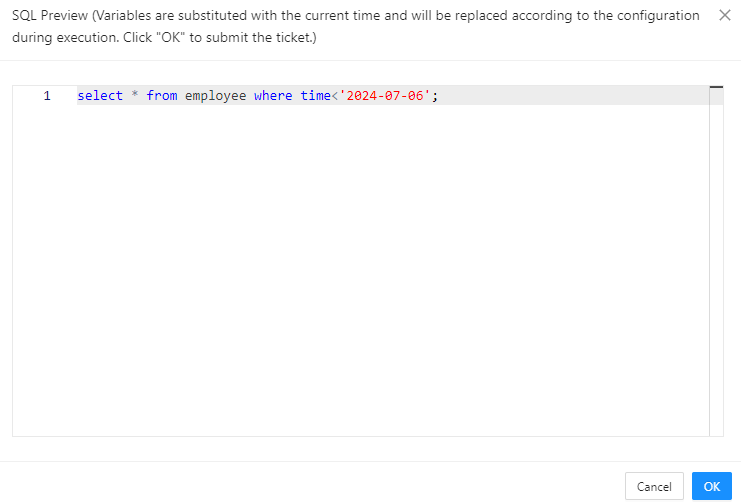
After the task is generated, you can view or delete the task in the Ticket > Data Archiving list.

View a data archiving task
Task information
On the data archiving list on the Ticket page, click View in the Actions column.
In the task details panel that appears, click the Basic Information tab to view the task type, source database, destination database, variable settings, archiving scope, and execution mode.
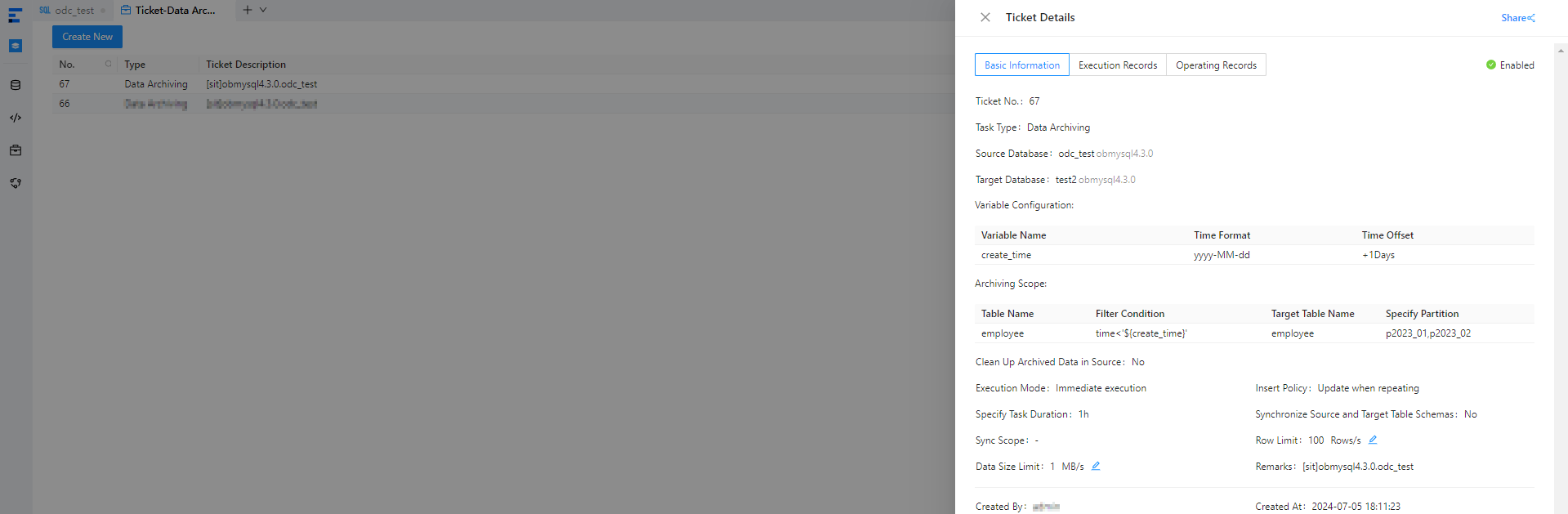
Click Initiate Again in the lower-right corner. The data archiving information is copied to the Create Ticket panel, allowing you to quickly create a data archiving task.
Execution records
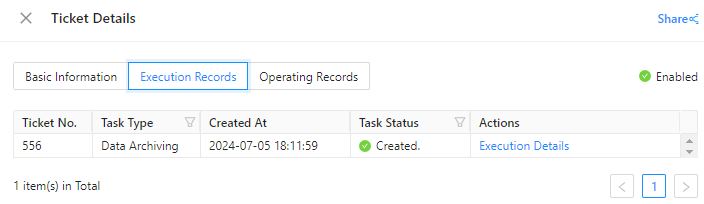
In the task details panel, click the Execution Records tab to view the task status and execution details.
Operation records
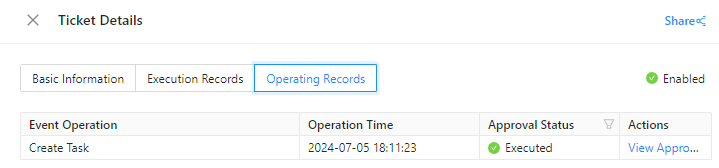
In the task details panel, click the Operation Records tab to view the approval status and change history of the task.