Background information
Typically, there is a significant disparity between the number of DBAs and developers in a company — one DBA may need to support hundreds or even thousands of developers, who often come from different business units. DBAs are deeply involved in database change processes across development, testing, and production stages, including table schema design, schema changes, and data modifications, etc. If this process relies solely on informal coordination ("who you know"), both DBAs and developers will face immense frustration, and the risk of production incidents will increase dramatically.
This scenario highlights two key challenges. One is DBA-developer collaboration: how to prevent DBAs from becoming "support staff" overwhelmed by hundreds of daily requests. And the other is change control: how to govern every database change to avoid catastrophic scenarios like unauthorized data deletion. In ODC V4.2.0, these challenges are addressed with project-centric collaboration and risk level-based control.
In ODC V4.2.0, the concept of "project" is introduced. All database operations performed on ODC must be done within a project. A project can represent an application, a development team, a development department, a business line, or any other relevant entity in your business. You can flexibly decide the correspondence based on the organizational structure of your company. ODC allows you to allocate relevant developers and databases to a project so that the members of the project can "self-manage" database operations, thereby improving collaboration efficiency.
In terms of risk control, ODC implements a granular permission control system based on the RBAC model and extends the model with the concept of project role, making it more applicable to real-world scenarios. Additionally, ODC allows you to host database account and password on the platform to avoid the security risks of account and password distribution. Furthermore, DBAs can set global control rules that apply to all projects, avoiding the need for tedious configuration for each project. These control rules include SQL development rules and risk levels.
This topic describes how ODC enhances collaboration and ensures data security with the core concepts mentioned above.
Build efficient collaboration units based on projects
ODC projects have three built-in project roles: Developer, DBA, and Owner. These roles correspond to different positions in the real world and have different permissions. For example, the project DBA can configure sensitive columns of the project's database to prevent data breaches and approve SQL change tickets submitted by developers through the ticket approval process. The project owner can manage the basic information of the project, including members and roles. After the DBA enters data sources at the global level, they can be assigned to the project. Then, project members can develop and collaborate on databases in the project.
Log in to Web ODC.
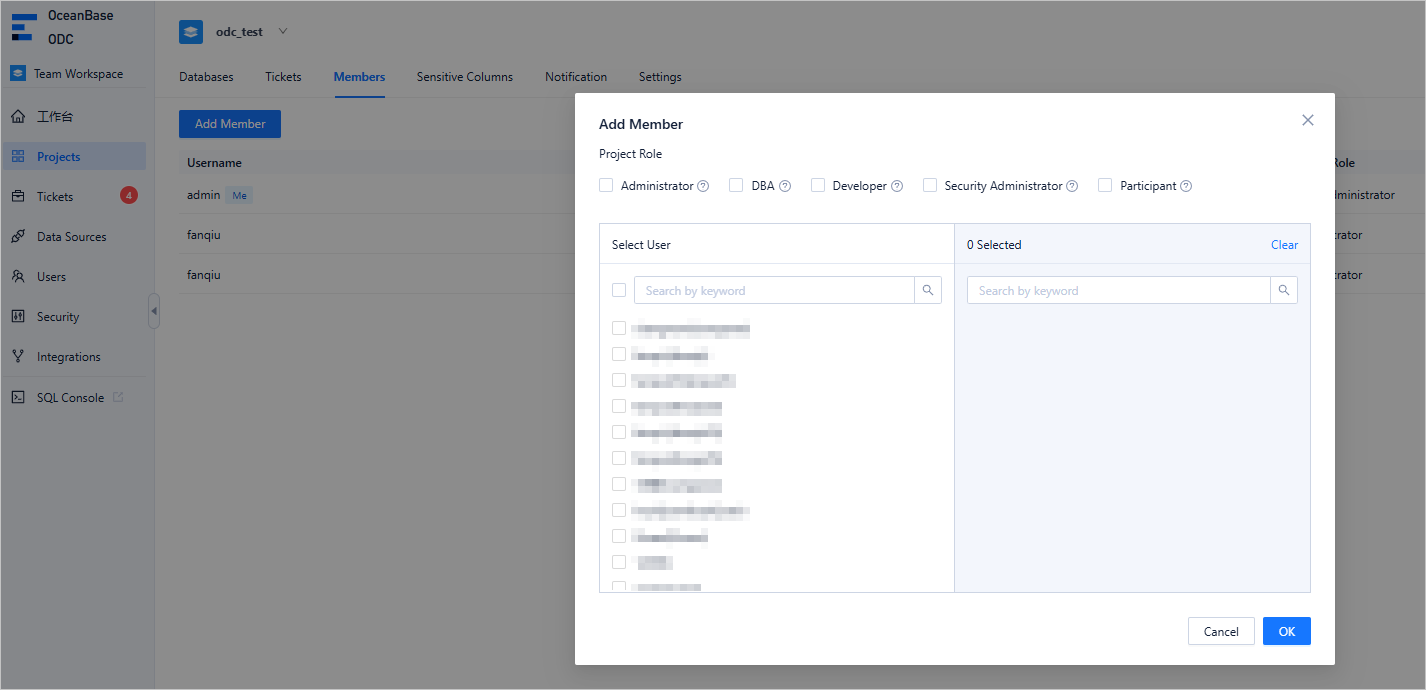
In the project list, find the target project and click Members > Add Member. Select the specified user and click OK.
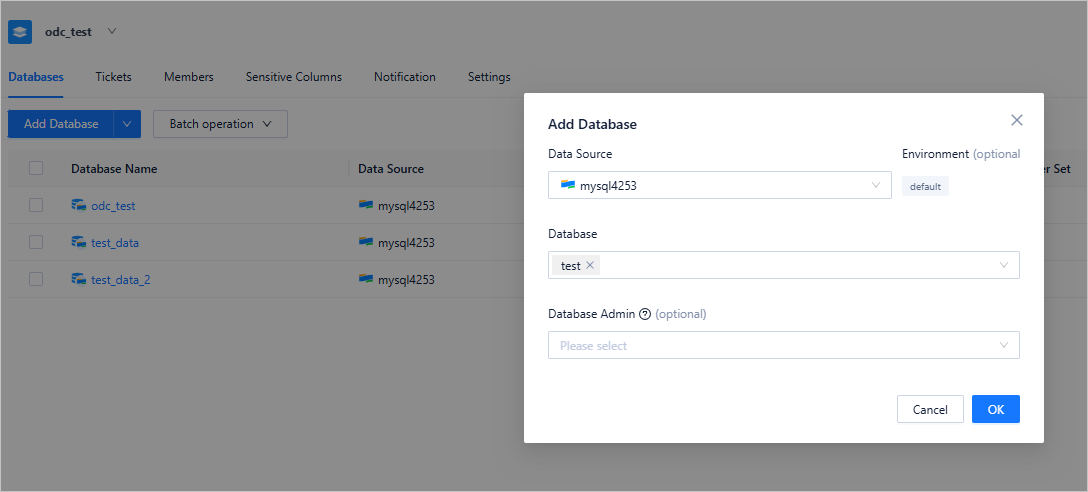
After adding the members, switch to the Database tab and click Add Database to add the target database to the current project.
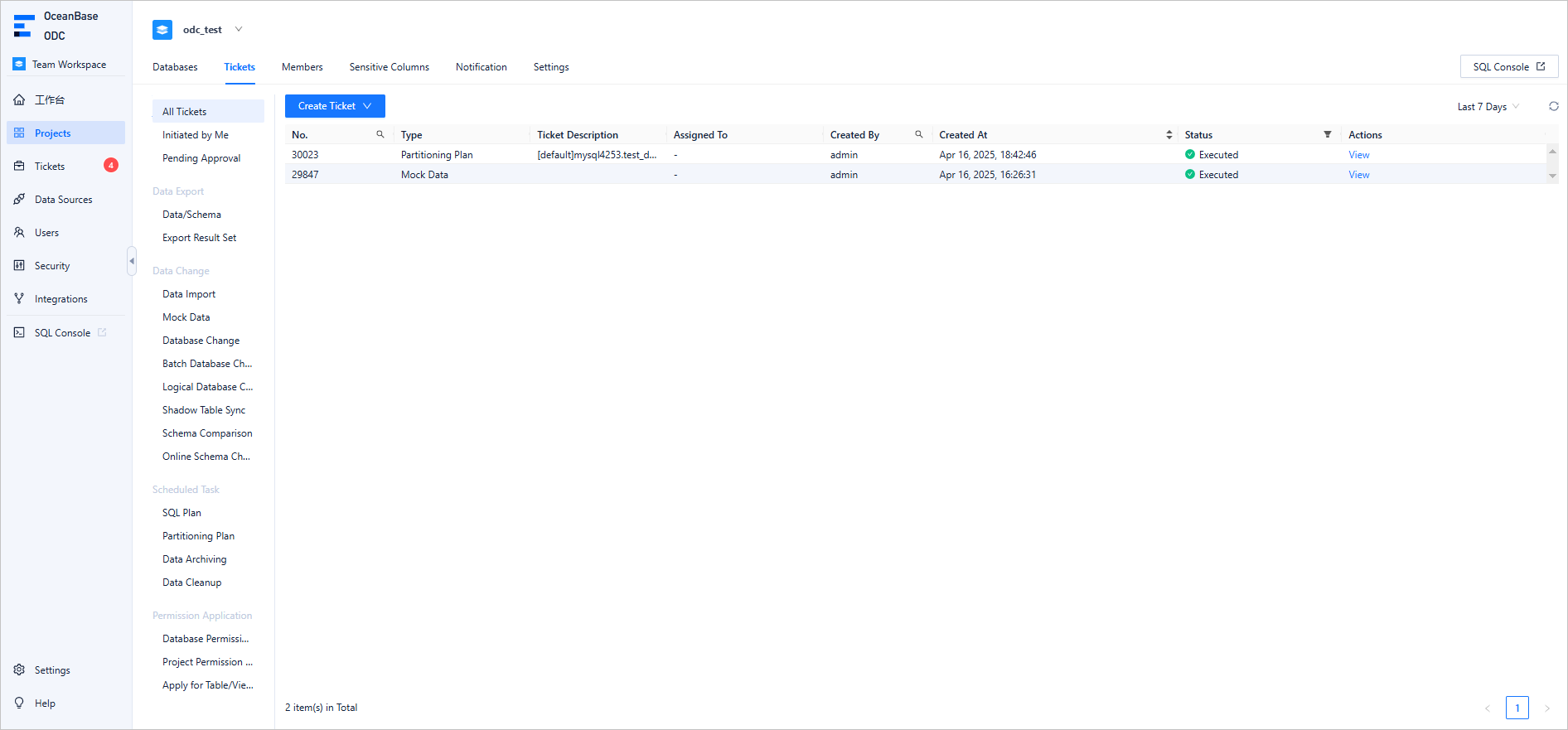
After the addition is completed, you can view the target database in the database list of the project.

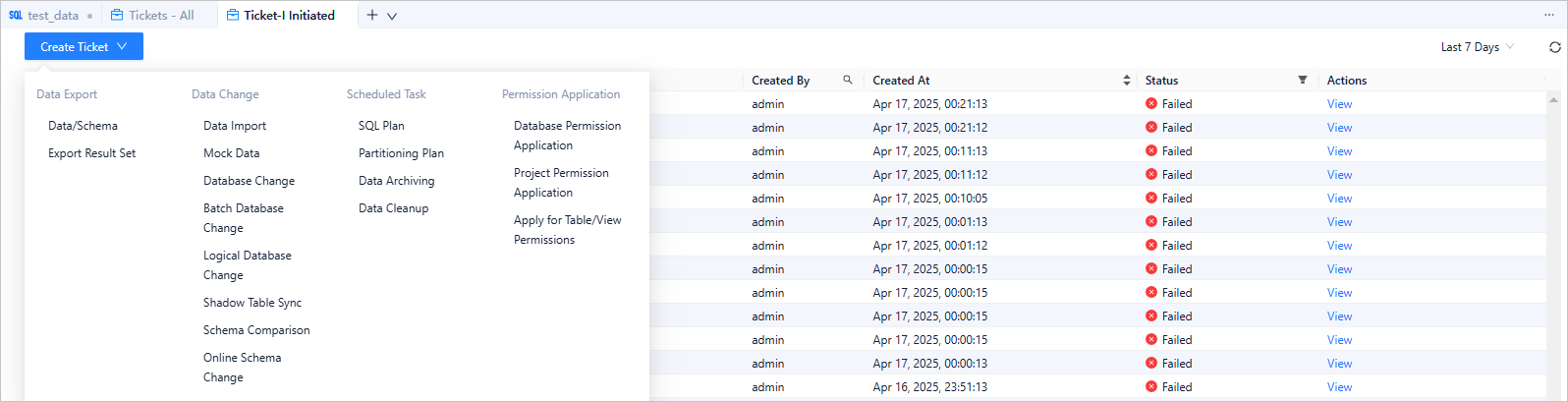
After the addition is completed, you can view the database change tickets initiated by each project member in the ticket list of the corresponding project.
Build a comprehensive security control system with multi-dimensional factors
Fine-grained permission control based on RBAC model
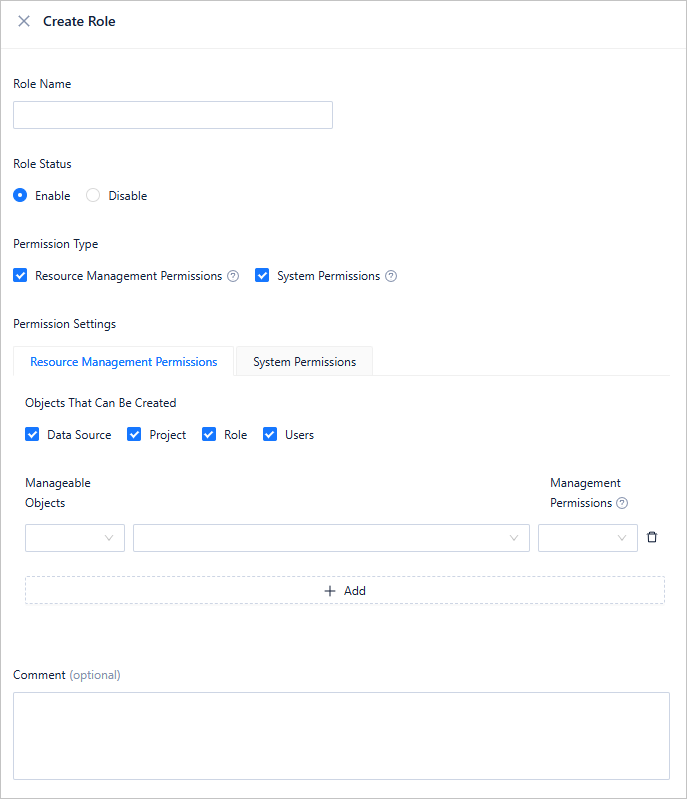
ODC has fully implemented fine-grained permission control based on the RBAC model: Administrators can customize roles and configure various permissions for each role in the User Permissions module. By assigning different roles to users, the system controls each user's permission scope. The procedure is as follows:
Log in to Web ODC.
In the left-side navigation pane, choose User Permissions > Role > Create Role.
On the Create Role page, configure the role. For more information, see Users and roles.
SQL development rules based on production experience
Before introducing SQL development rules, it is necessary to first explain another concept introduced in ODC V4.2.0: environments. Every database managed in ODC is associated with an environment, which currently supports three types: development, testing, and production. Each of these environments corresponds to a customizable set of SQL development rules. Any user making changes to a database in a specific environment will be governed by the SQL development rules of that environment.
For example, if a DBA determines that executing high-risk statements like DROP DATABASE in the SQL window should not be allowed in the production environment, they can set this rule in the SQL development rules for the production environment. This ensures that all databases in the production environment are protected from intentional or accidental deletion.
SQL development rules are divided into two categories: SQL check standards and SQL window standards.
SQL check standards
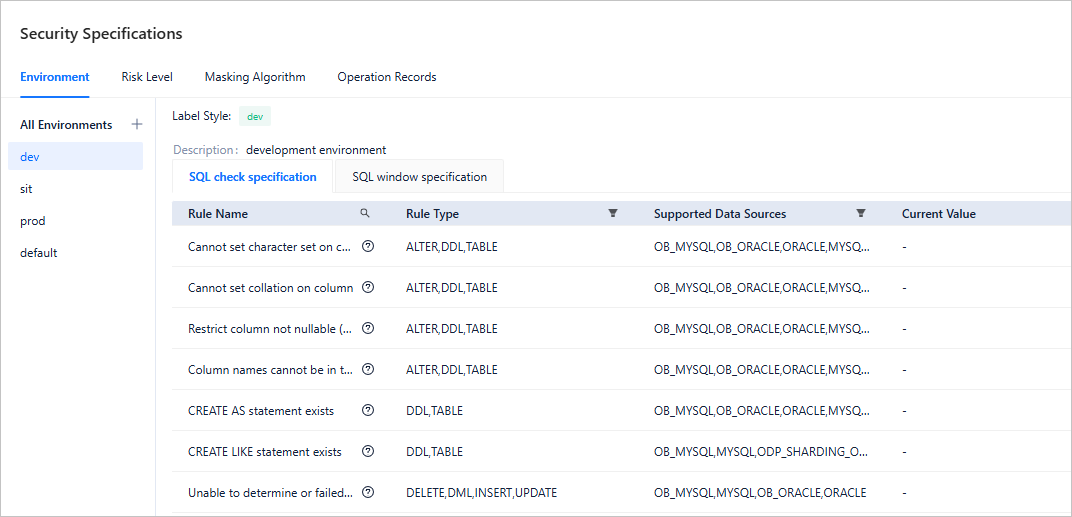
SQL check rules define the specifications of SQL statements. For example, the select * statement is generally not allowed to be executed in a production database because it might affect database performance. In this case, you can set the improvement level of this rule to "Must Improve" in the SQL check rules of the production environment. Then, no user can execute the select * statement on ODC, no matter what method they use. ODC provides three levels of improvement: No Need to Improve, Approval Required, and Must Improve.
Log in to Web ODC.
In the left-side navigation pane, choose Security Specifications > Environment > SQL check specification.
On the SQL check specification page, view all the SQL check specifications supported.
SQL window standards
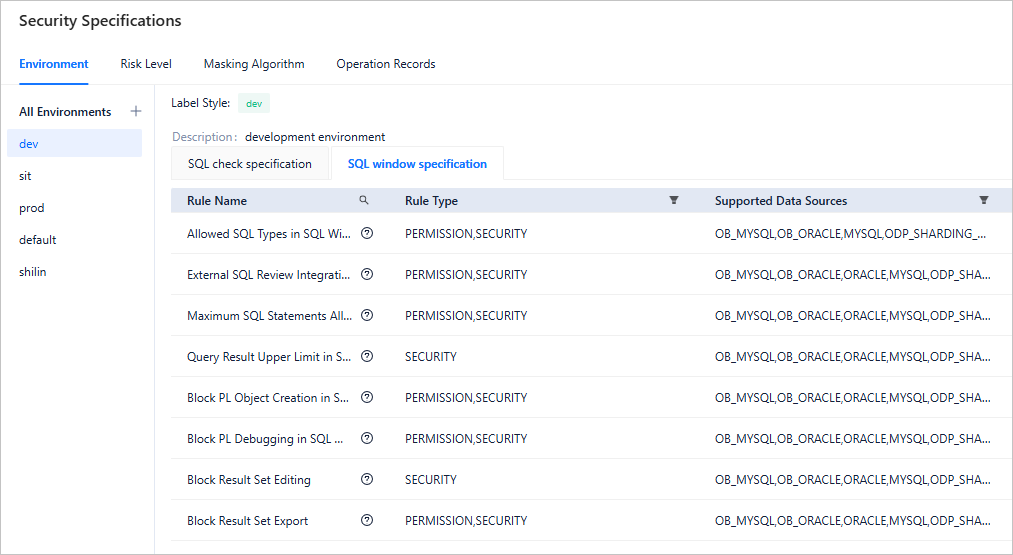
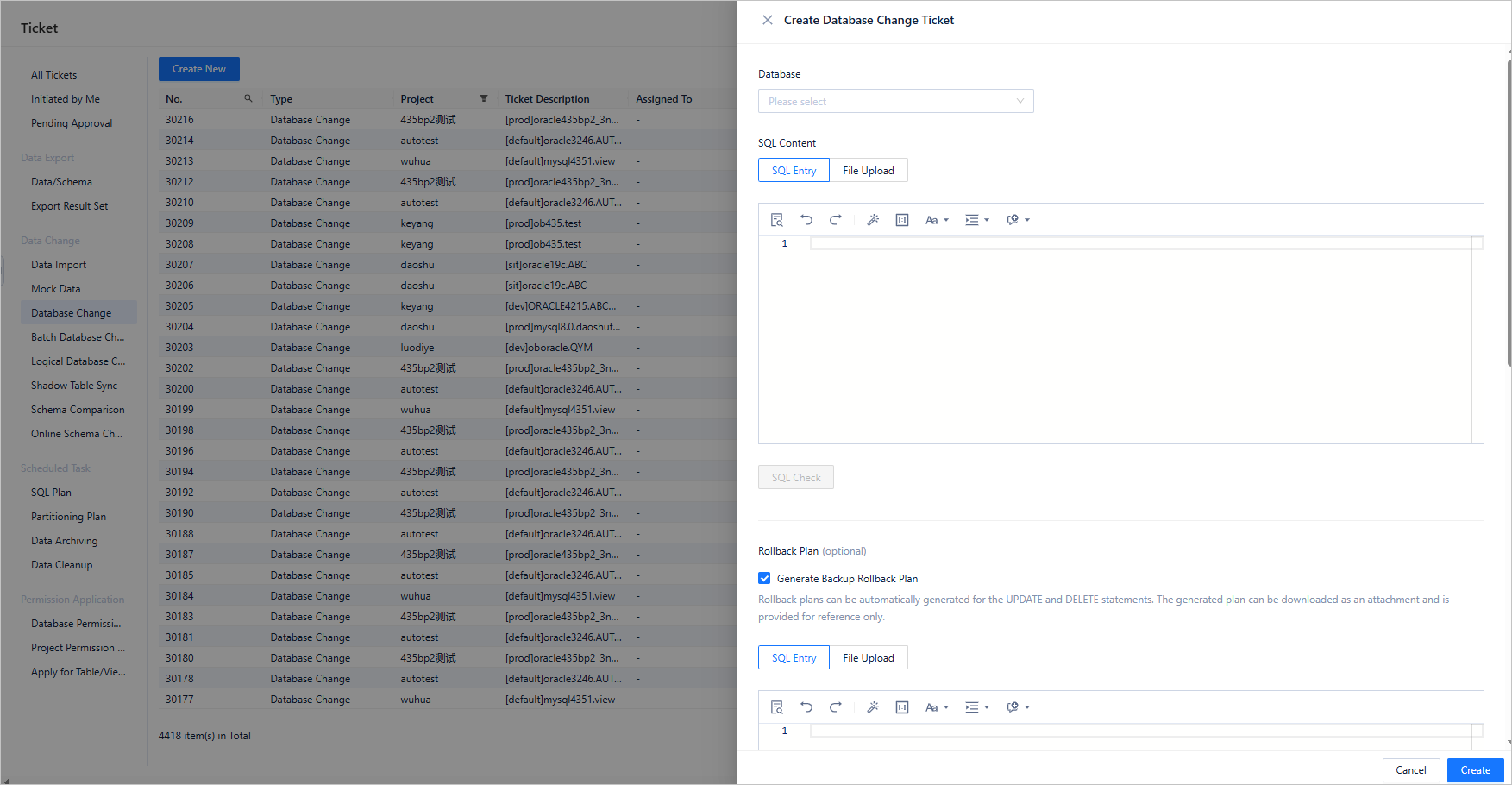
SQL window standards define what operations users can perform within the SQL window. For example, administrators can specify which types of SQL statements are permitted for execution in the SQL window. Any SQL statements not included in this allowlist will be blocked, and users must submit database change tickets for prohibited SQL types.
To view the SQL window standards, perform the following steps:
Log in to Web ODC.
In the left-side navigation pane, choose Security Specifications > Environment > SQL window specification.
On the SQL window specification page, you can view all the SQL window tandards supported.
To submit a database change ticket, access the project and choose Ticket > Create Ticket > Database Change.
Risk level configuration based on multiple conditions
In ODC V4.2.0, users can customize risk level identification rules. Different risk levels can be flexibly configured with different approval workflows to achieve granular global control. For example, data exports in production environments are considered high-risk operations, requiring approval from both the project DBA and project owner. Changes to databases with names starting with "dev_" are considered low-risk, where the approval workflow can be simpler, requiring only DBA approval or automatic approval. Using the "Rule Tree" interface, DBAs can easily and flexibly configure these risk identification rules.
Log in to Web ODC.
In the left-side navigation pane, choose Security Specifications > Risk Level > Create Rule.
Under the Risk Level tab, configure approval processes for different risks. For more information, see Risk levels, risk identification rules, and approval processes.
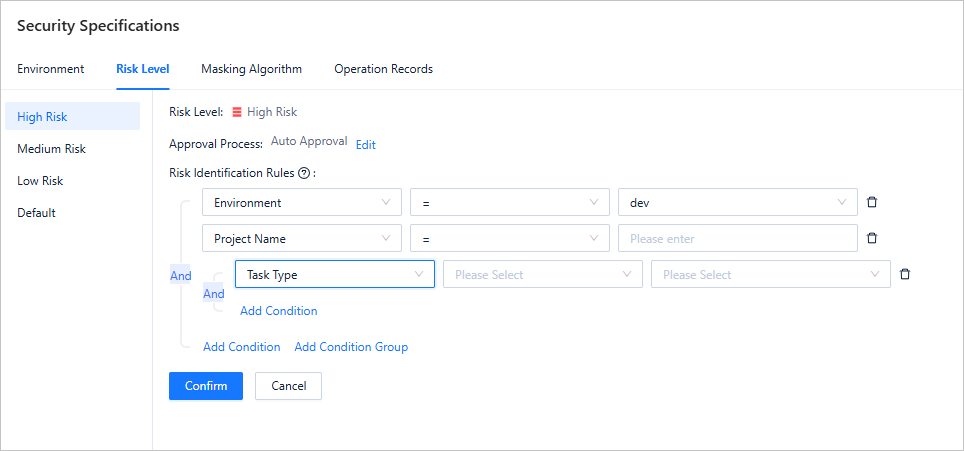
ODC has four built-in risk levels: default, low, medium, and high. You can configure specific risk identification rules and approval processes for each risk level. You can also configure approval nodes in an approval process, which can be a project DBA, project owner, project developer, or automatic approval.
Log in to Web ODC.
In the left-side navigation pane, choose Security Specifications > Risk Level. Then, on the right side of the approval process, click Edit and select Manage approval process from the drop-down list.
On the management approval process page, you can create an approval process or manage existing ones.
Stable changes
In addition to the preceding collaboration and governance features, ODC also offers powerful features such as data lifecycle management, partition management, SQL plan management, data change management, and online schema change management, to protect business operations in different scenarios.