







You can change the password for the root user of the SYS tenant in your cluster as needed.
Prerequisites
The logged-on user has the permission to manage the cluster.
Procedure
Log on to the OceanBase Cloud Platform (OCP) console.
The Clusters page automatically appears.
In the Clusters list, find the target cluster and click its name.
Click the More icon ( ... ) in the upper-right corner on the Overview page and choose Change Password .
In the Change Password dialog box, set and confirm the new password.
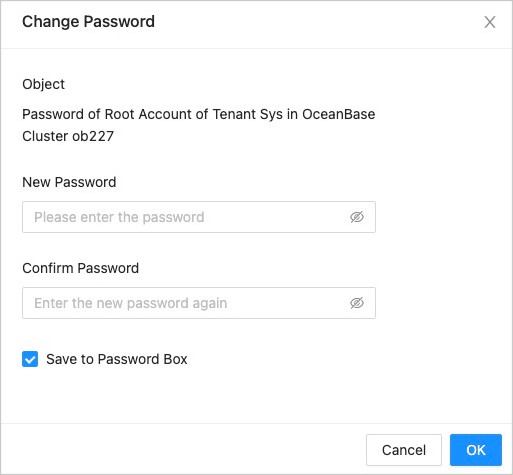
The password must be 8 to 32 characters in length, and contain at least two uppercase letters, two lowercase letters, two digits, and two special characters. The supported special characters are ~ ! @ # % ^ & * _ - + = ` | ( ) { } [ ] : ; ' , . ? /
Click OK .