







This page describes how to modify an inspection rule. You can modify the basic information of existing rules.
Prerequisite
You have inspection rules in OceanBase Cloud Platform (OCP) and you need to modify an existing rule.
Procedure
Log on to the OCP console. In the left-side navigation pane, choose System Management > Inspection .
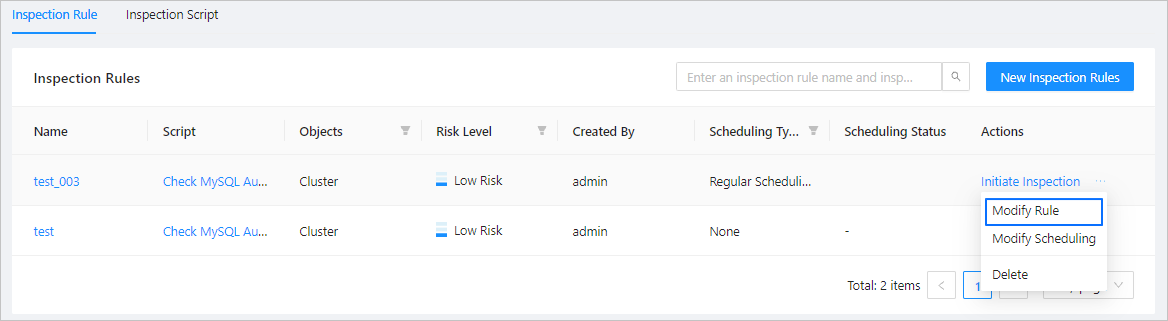
Click the More icon next to the rule to modify and select Modify Rule .
You can perform the following operations in the dialog box that appears on the right. For more information, see Create an inspection rule.
Change the inspection rule name.
Select another inspection script.
Select another inspection object.
Change the risk level.
Click OK . You can view the running status of the rules in the inspection rule list.