







This topic describes how to modify a role and its system privileges, and add objects.
Procedure
Log on to the OceanBase Cloud Platform (OCP) console. In the left-side navigation pane, click Tenants . The Tenant Overview page appears.
Find the target tenant in the Tenants list, and click the tenant name. The details page of the Oracle tenant appears.
In the left-side navigation pane, click User Management . On the page that appears, click the Roles tab.
Find the target role in the Roles list, and click the role name. The role details page appears.
Click Modify System Permissions . In the dialog box that appears, select privileges from the drop-down list or remove existing permissions.

Click Modify Role . In the dialog box that appears, select roles from the drop-down list.

Click Add Object . In the dialog box that appears, specify the following information:
ParameterDescriptionObject Type Available options: Table, View , and Storing Procedure . Object You can paste one or more objects into the field in the format of "username.object name", such as schemaname.tablename. Separate objects with commas (,). Grant Permission Select the privileges as needed. For more information, see System privileges. 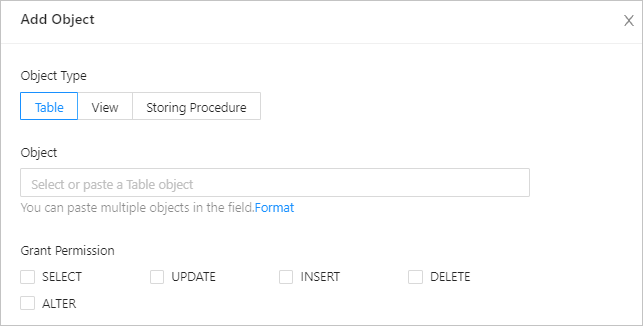
Click OK . You can view whether the modification succeeds in the Roles list.