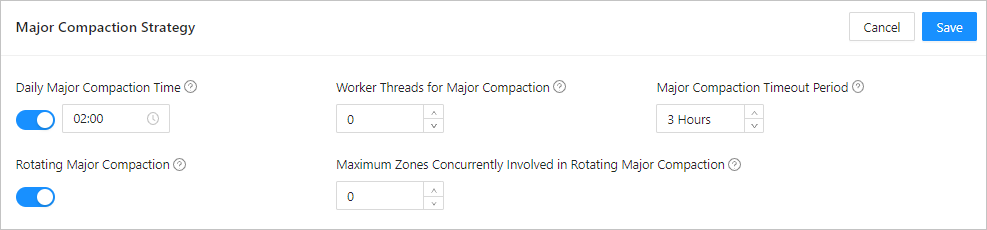
You can specify a point in time to trigger daily major compactions.
Trigger conditions
When the system time on a day reaches the specified point in time, a major compaction is automatically triggered. You can set the major_freeze_duty_time parameter to specify the point in time that triggers daily major compactions or modify the point in time in the OceanBase Cloud Platform (OCP) console. By default, a major compaction is triggered at 02:00 on each day.
For more information about the major_freeze_duty_time parameter and other major compaction parameters, see Modify major compaction settings.
Use an SQL statement to specify the point in time at which daily major compactions are triggered
Log on to the
systenant as therootuser.Execute the following statement to modify the point in time at which daily major compactions are triggered:
obclient> ALTER SYSTEM SET major_freeze_duty_time='01:00';
Specify the point in time that triggers daily major compactions in the OCP console
You can also specify the point in time that triggers daily major compaction in the OCP console.
Log on to the OCP console.
The Clusters page automatically appears.
In the Clusters list on the Clusters page, find the target cluster and click its name.
In the left-side navigation pane on the page that appears, click Compaction Management.
Click the Configuration for Major Compaction tab.
In the upper-right corner of the Major Compaction Strategy section, click Modify.
Set the daily major compaction time and click Save.