







You can create alert subscriptions in OceanBase Cloud Platform (OCP) after an alert channel is configured.
Background information
You can receive alert notifications only when the following two conditions are met:
An administrator has configured an alert channel.
You have subscribed to alerts.
To configure alert notification settings, perform the following steps:
Configure an alert channel. An administrator can configure alert channels.
Subscribe to alerts. You can subscribe to alerts based on your actual requirements.
Configure the settings for receiving alert notifications. You can specify whether to receive notifications and the reception limits.
View alert subscriptions
Log on to the OCP console, click Alert Subscription in the upper-right corner of the Alerts page. On the Subscriptions tab, you can filter alerts by applications that subscribe to alerts.
By default, the Subscriptions tab contains the following columns: Application, Cluster, Alert Item Group, Subscriber, and Subscription Time.
Create an alert subscription
Notice
You can only select a cluster on which you have the read permission when you create an alert subscription. If the read permissions on the cluster are revoked after the alert subscription is created, the user cannot receive alert notifications for the cluster even if the alert subscription configuration is still effective.
Log on to the OCP console.
In the left-side navigation pane, choose System Management > Alerts.
On the Alerts page, click Alert Subscription in the upper-right corner.
On the Subscriptions tab, click Create Subscription.
Configure the subscription on the Create Subscription page.
The following table describes the parameters used to configure the subscription.
ParameterDescriptionApplication The source of the alerts that you subscribe to. Valid values: OB, OBProxy, Backup and Recovery, OCP, OMS, and ODP. Subscribe to OceanBase Cluster If you specify OB for Application, this field appears for you to select and subscribe to an OceanBase cluster. Subscribe to OBProxy Cluster If you specify OBProxy for Application, this field appears for you to select and subscribe to an OceanBase Database Proxy (ODP) cluster. Alert Item Group Select an alert item group to subscribe to. Before you create an alert subscription, you can add an alert item to an alert item group as needed.
The system provides the following default alert item groups:- oas: alert items related to intelligent diagnostics.
- dba: alert items for database administrators (DBAs) to keep an eye on.
- dev: alert items for developers to keep an eye on.
- oms: alert items for OceanBase Migration Service (OMS) application administrators to keep an eye on.
- backup: alert items for backup and recovery administrators to keep an eye on.
- info: reminder information, such as the reminders of the results of O&M operations.
- ocp: alert items of basic modules in OCP, such as host alert items.
Alert Method The alert channel under an alert level. You must specify at least one alert level. 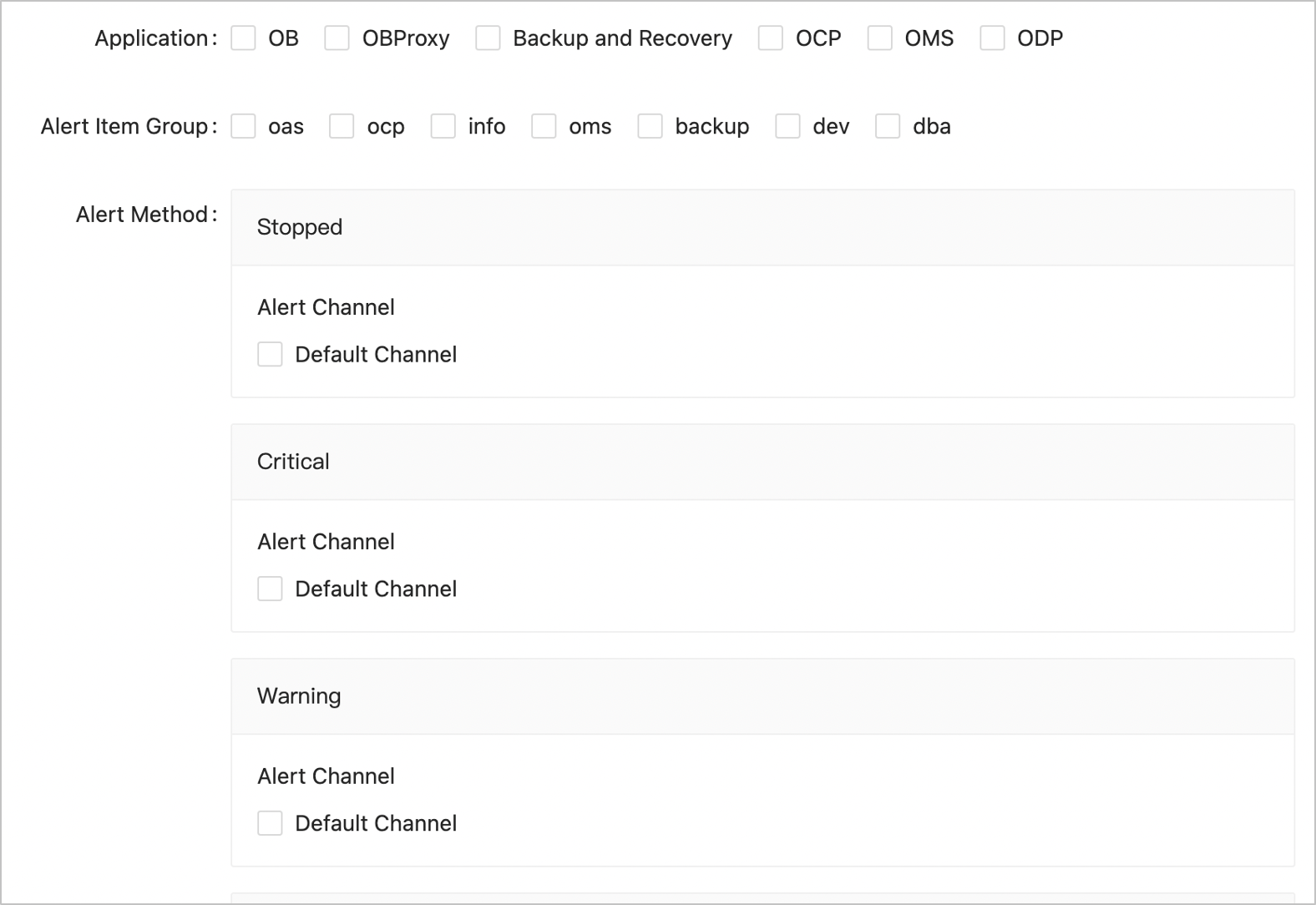
Click OK.
After the alert subscription is configured, you can view the details of, edit, or delete the subscription on the Subscriptions tab.
Configure the settings for receiving alert notifications
You can configure the settings for receiving alert notifications.
You can receive fault recovery notifications for alerts that you have subscribed to. Fault recovery notifications are not aggregated. To avoid receiving a large number of notifications, we recommend that you disable fault recovery notifications.
Log on to the OCP console.
In the left-side navigation pane, choose System Management > Alerts.
On the Alerts page, click Alert Subscription in the upper-right corner.
Click the Settings for Receiving Notifications tab and configure the settings based on your business needs.
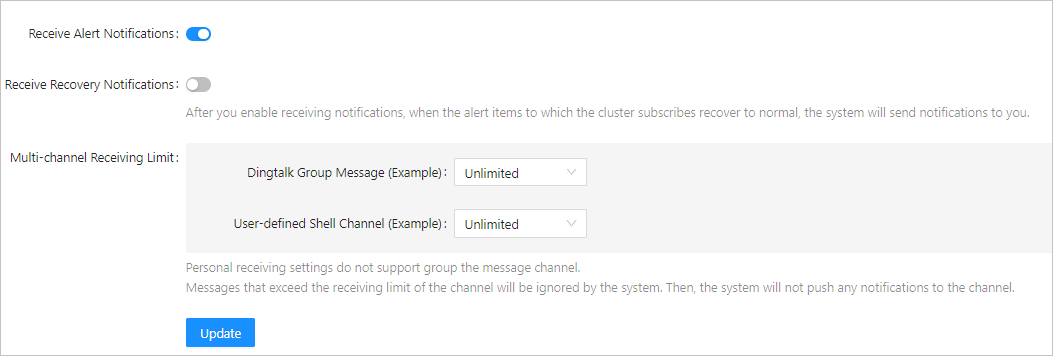
Click Update.