







After you deploy OceanBase Cloud Platform (OCP), you must configure an alert channel and subscribe to specific alerts so that you can receive alert notifications from the configured channel.
Prerequisites
The basic information of the recipients is configured.
The user logged on to the OCP console has administrator permissions.
Background information
Alerting is an independent feature. If you do not configure and subscribe to alert channels, you can view alerts only on the Alert Events page of the OCP console. To receive alert notifications, you must configure and subscribe to an alert channel.
The alert channel allows OCP to send notifications and supports the following channel types:
HTTP
Custom script
Note
You can configure the time variables for alert aggregation when you configure a channel. After an alert channel is updated, the channel restarts alert aggregation. If a valid alert item exists, you may receive alert notifications faster.
Default channels are automatically created in OCP for O&M tasks. They can only be used after they are configured. You cannot delete them.
Procedure
This topic describes how to configure an alert channel. For more information about the configuration samples, see the User Guide of the required OCP version.
Log on to the OCP console.
In the left-side navigation pane, choose System Management > Alerts.
On the Alert Channel Configuration tab, click Create Channel.
Configure the basic information of the channel as prompted.
If you set Group Message Channel to Yes, the system will push notifications even if no one subscribes to the channel.
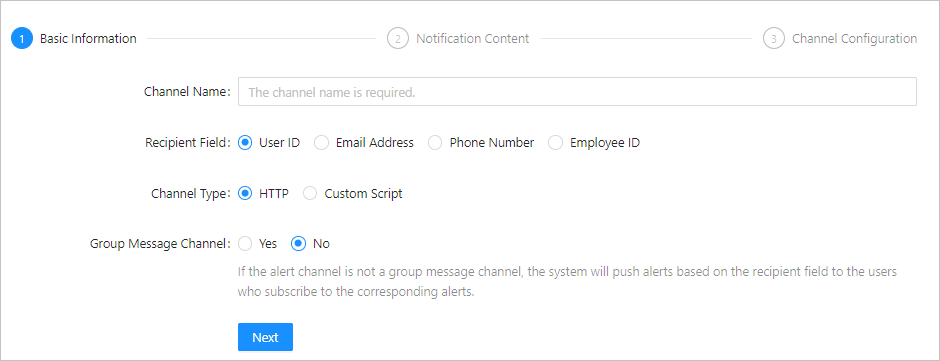
Click Next.
Specify Notification Content.
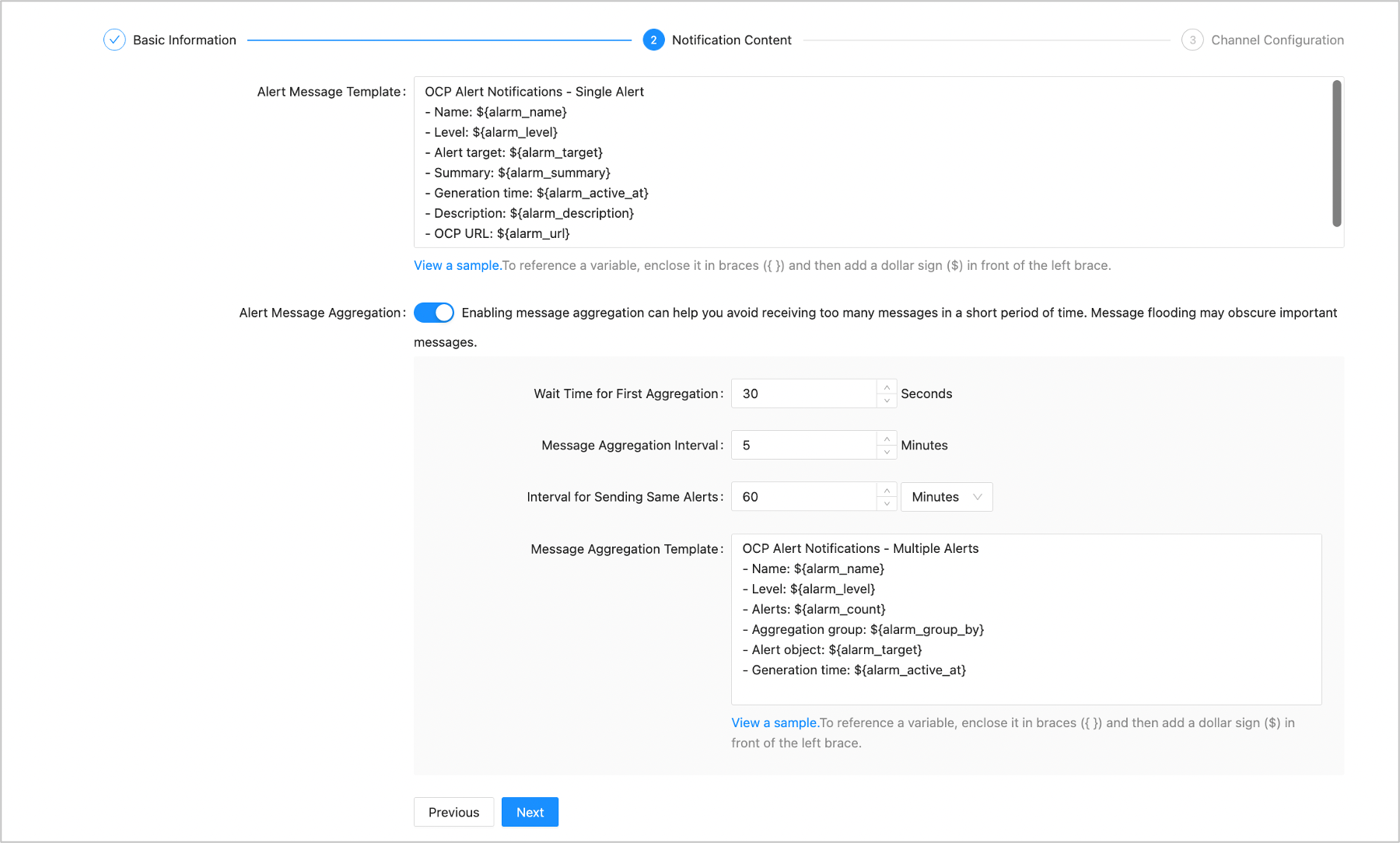
Complete the channel configuration as prompted. The parameters vary based on the channel type. In the following example, the channel type is HTTP.
ParameterDescriptionRequest Method Select the request method as needed. Proxy Enter the proxy information as prompted. URL Template Enter the URL for sending alert information. Header Template Enter the template for HTTP headers. Body Template Enter the template for the notification content. Response Verification Information Specify the response message that is sent after the alert is sent. OCP determines whether the alert is sent based on the response message. If you are not sure about the response of the channel, you can set the response message to {}. Then, OCP considers that the alert is always successfully sent.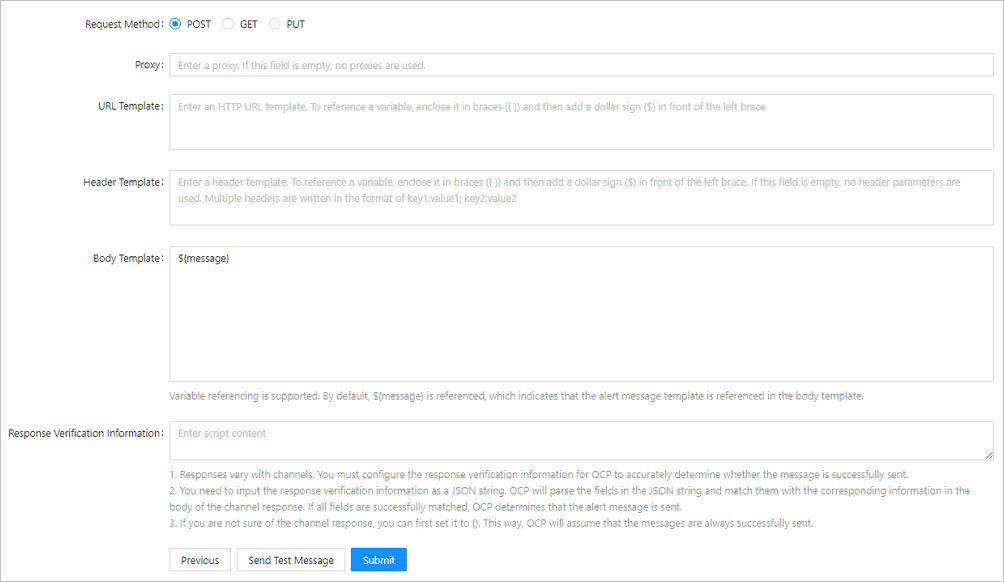
Click Send Test Message. If the message is sent, click Submit.
