When the OCP service experiences abnormality but port listening continues, users may see the OCP-Console logon page but are not able to log on after entering the user name and password. Therefore, OCP service health must be monitored to prevent F5 BIG-IP LTM from sending requests to abnormal OCP nodes.
Procedure
Choose Local Traffic > Monitors > Add and add a monitoring rule.
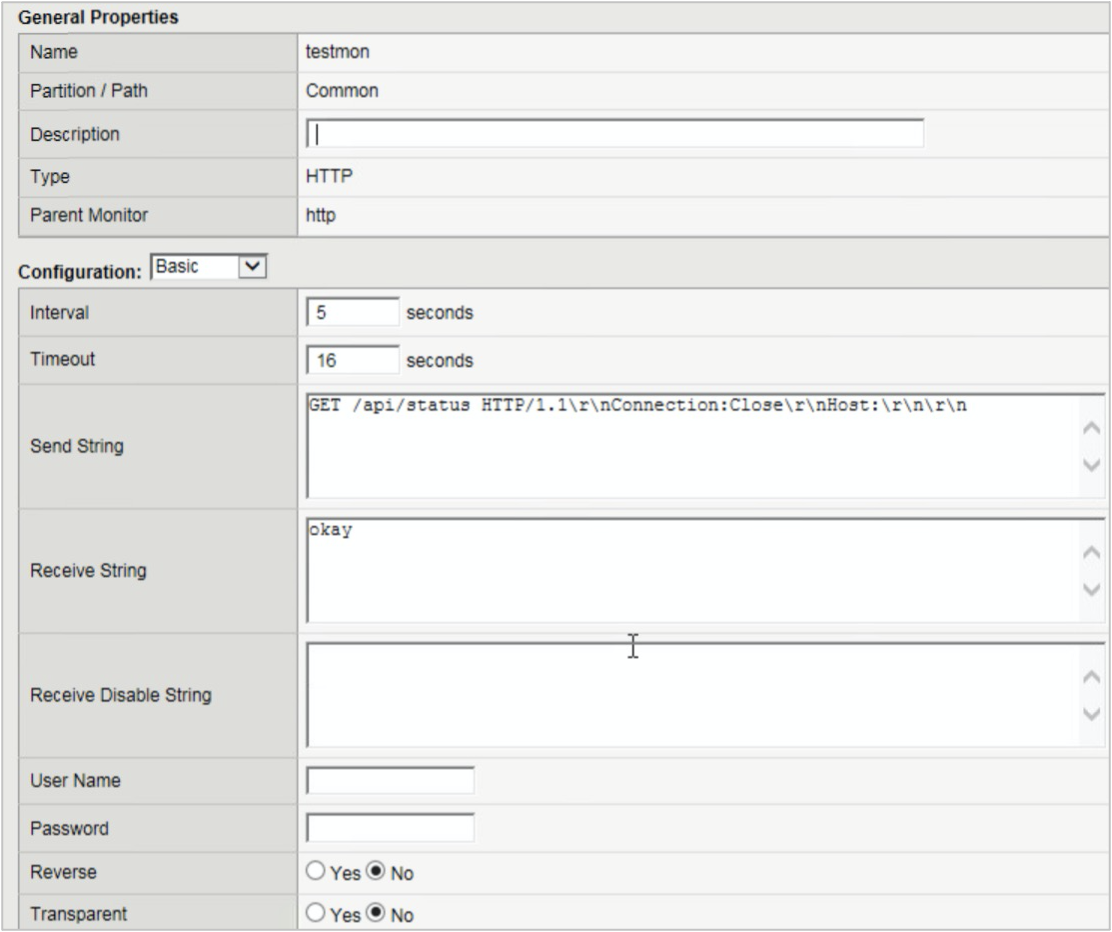
Choose Local Traffic > Monitors > monitoring rule created in step 2, click the Test tab, enter the OCP address and port, and click Test.
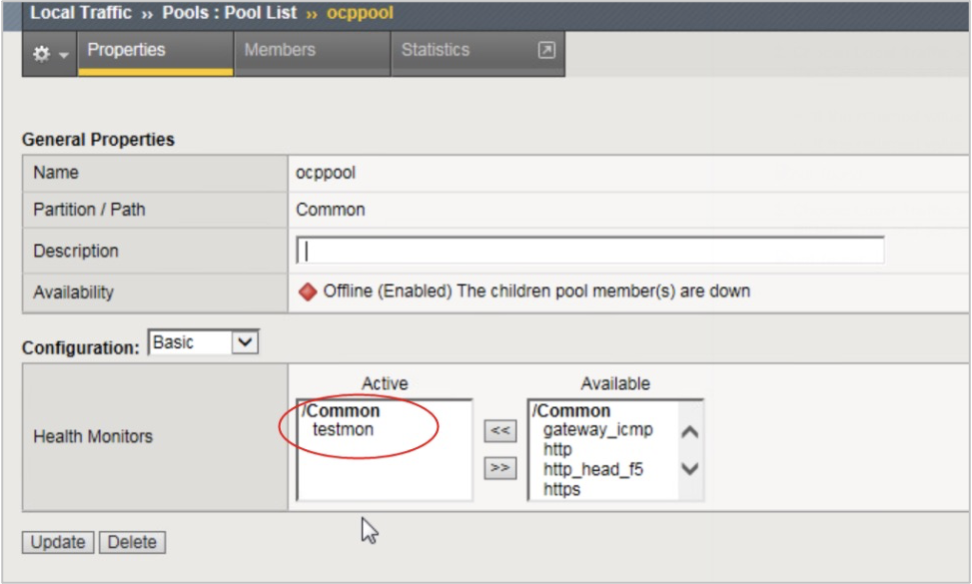
Choose Local Traffic > Pools , select the profile that is created in Connect OCP-Console to F5 Big-IP LTM, and set Health Monitors to the monitoring rule that is created in step 1.