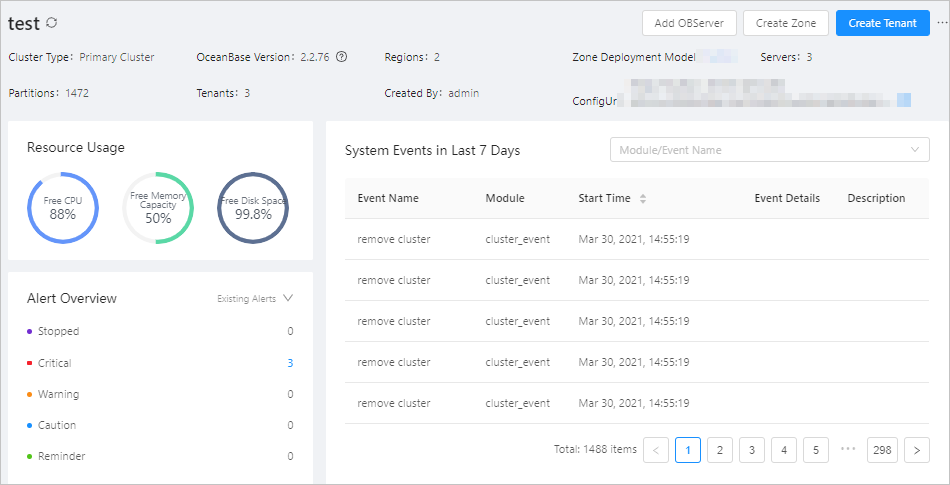
You can query tenant information in a system view or the OceanBase Cloud Platform (OCP) console.
Query tenant information in a view
You can obtain information about tenants in a cluster by querying the oceanbase.gv$tenant as the sys tenant. This view provides details such as the ID, name, zones, primary zone, and replica distribution for each tenant.
The procedure is as follows:
Log on to the
systenant of OceanBase Database as therootuser (root@sys).Query the system view
gv$tenantto obtain the information about tenants in the current cluster.Here is an example:
obclient> SELECT * FROM oceanbase.gv$tenant;
+-----------+-------------+-----------+--------------+----------------+---------------+-----------+---------------+
| tenant_id | tenant_name | zone_list | primary_zone | collation_type | info          | read_only | locality      |
+-----------+-------------+-----------+--------------+----------------+---------------+-----------+---------------+
|         1 | sys         | zone1     | zone1        |              0 | system tenant |         0 | FULL{1}@zone1 |
|      1001 | MySQL       | zone1     | zone1        |              0 |               |         0 | FULL{1}@zone1 |
|      1002 | Oracle      | zone1     | zone1        |              0 |               |         0 | FULL{1}@zone1 |
+-----------+-------------+-----------+--------------+----------------+---------------+-----------+---------------+
3 rows in set
Note
- A user tenant in MySQL mode can query only the information about the current tenant.
- A user tenant in Oracle mode cannot query the
gv$tenantview.
For more information about the fields in the
oceanbase.gv$tenantview, see gv$tenant.You can also execute the following statement to query the name of the current tenant:
obclient> SHOW TENANT;
Query tenant information in the OCP console
You can view the details of a specified tenant in the OCP console.
Query all tenants in all clusters
Log on to the OCP console.
In the left-side navigation pane, click Tenants.
In the tenant list, view the information about all tenants in all clusters.

Query all tenants in a specified cluster
Log on to the OCP console.
In the left-side navigation pane, click Clusters.
In the Clusters list on the Clusters page, click the name of the target cluster to go to the details page of the cluster.
In the left-side navigation pane, click Tenant Management. In the Tenants list, view the information about all tenants in the current cluster.