







oceanbasev10reader and oceanbasev10writer are respectively the reader and writer plug-ins for OceanBase Database.
Example of configuring the oceanbasev10reader plug-in
                "reader":{
                    "name":"oceanbasev10reader",
                    "parameter":{
                        "where":"",
                        "timeout":10000,
                        "readBatchSize":100000,
                        "readByPartition":"true",
                        "column": [
                            "Column 1","Column 2"
                        ],
                        "connection":[
                            {
                                "jdbcUrl":[
                                    "||_dsc_ob10_dsc_||Cluster name:Tenant name||_dsc_ob10_dsc_||jdbc:oceanbase://Connection IP:Connection port/Mode or database name"
                                ],
                                "table":[
                                    "Table name"
                                ]
                            }
                        ],
                        "username":"Username in the tenant.",
                        "password":"******"
                    }
                }
Example:
Export the ware table from OceanBase Database to a CSV file.
[admin@*** /home/admin/datax3]
$cat job/ob_tpcc_ware_2_csv.json
{
    "job":{
        "setting":{
            "speed":{
                "channel":10
            },
            "errorLimit":{
                "record":0, "percentage": 0.02
            }
        },
        "content":[
            {
                "reader":{
                    "name":"oceanbasev10reader",
                    "parameter":{
                        "where":"",
                        "timeout":10000,
                        "readBatchSize":100000,
                        "readByPartition":"true",
                        "column": [
                            "W_ID","W_YTD","W_TAX","W_NAME","W_STREET_1","W_STREET_2","W_CITY","W_STATE","W_ZIP"
                        ],
                        "connection":[
                            {
                                "jdbcUrl":["||_dsc_ob10_dsc_||obdemo:obbmsql||_dsc_ob10_dsc_||jdbc:oceanbase://127.1:2883/tpcc"],
                                "table":["ware"]
                            }
                        ],
                        "username":"tpcc",
                        "password":"******"
                    }
                },
                "writer":{
                    "name":"txtfilewriter",
                    "parameter":{
                        "path":"/home/admin/csvdata/",
                        "fileName":"ware",
                        "writeMode":"truncate",
                        "dateFormat":"yyyy-MM-dd",
                        "charset":"UTF-8",
                        "nullFormat":"",
                        "fileDelimiter":"||"
                    }
                }
            }
        ]
    }
}

[admin@*** /home/admin/datax3]
$bin/datax.py job/ob_tpcc_ware_2_csv.json
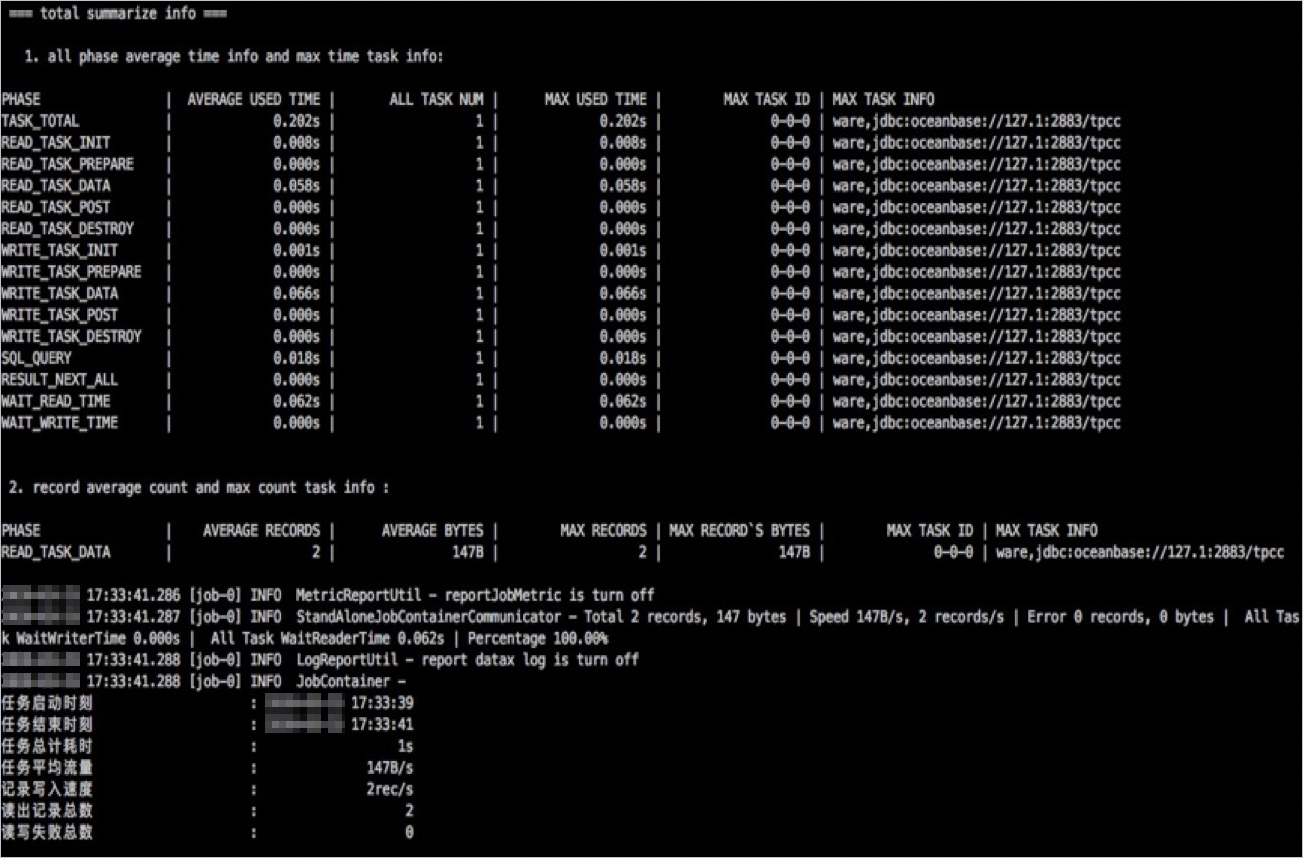
Result:
Example of configuring the oceanbasev10writer plug-in
When you use DataX to write data to OceanBase Database, control the writing speed to avoid using up all available incremental memory of OceanBase Database.
Note
We recommend that you set a writing speed limit in the DataX configuration file by using the keyword memstoreThreshold.
                "writer": {
                    "name": "oceanbasev10writer",
                    "parameter": {
                        "username": "Username in the tenant.",
                        "password": "******",
                        "writeMode": "insert",
                        "column": [
                            "Column 1","Column 2"
                        ],
                        "preSql": [
                            ""
                        ],
                        "connection": [
                            {
                                "jdbcUrl": "||_dsc_ob10_dsc_||Cluster name:Tenant name||_dsc_ob10_dsc_||jdbc:oceanbase://Connection IP:Connection port (Default value: 2883)/Mode or database name",
                                "table": [
                                    "Table name"
                                ]
                            }
                        ],
                        "batchSize": 1024,
                        "memstoreThreshold":"0.9"
                    }
                }
Example:
Import a CSV file to the ware table in the OceanBase Database.
[admin@*** /home/admin/datax3]
$cat job/csv_2_ob_tpcc_ware2.json
{
    "job":{
        "setting":{
            "speed":{
                "channel":32
            },
            "errorLimit":{
                "record":0, "percentage": 0.02
            }
        },
        "content":[
            {
                "reader":{
                    "name":"txtfilereader",
                    "parameter":{
                        "path":["/home/admin/csvdata/ware*"],
                        "encoding":"UTF-8",
                        "column":[
                            {    "index":0,    "type":"long"    }
                            ,{    "index":1,    "type":"long"    }
                            ,{    "index":2,    "type":"long"    }
                            ,{    "index":3,    "type":"string"    }
                            ,{    "index":4,    "type":"string"    }
                            ,{    "index":5,    "type":"string"    }
                            ,{    "index":6,    "type":"string"    }
                            ,{    "index":7,    "type":"string"    }
                            ,{    "index":8,    "type":"string"    }
                        ],
                        "fieldDelimiter":",",
                        "fileFormat":"text"
                    }
                },
                "writer":{
                    "name":"oceanbasev10writer",
                    "parameter":{
                        "writeMode":"insert",
                        "column":[
                            "W_ID","W_YTD","W_TAX","W_NAME","W_STREET_1","W_STREET_2","W_CITY","W_STATE","W_ZIP"
                        ],
                        "connection":[
                            {
                                "jdbcUrl":"||_dsc_ob10_dsc_||obdemo:obbmsql||_dsc_ob10_dsc_||jdbc:oceanbase://127.1:2883/tpcc",
                                "table":["WARE2"]
                            }
                        ],
                        "username":"tpcc",
                        "password":"******",
                        "batchSize":256,
                        "memstoreThreshold":"0.9"
                    }
                }
            }
        ]
    }
}


[admin@*** /home/admin/datax3]
$bin/datax.py job/csv_2_ob_tpcc_ware2.json
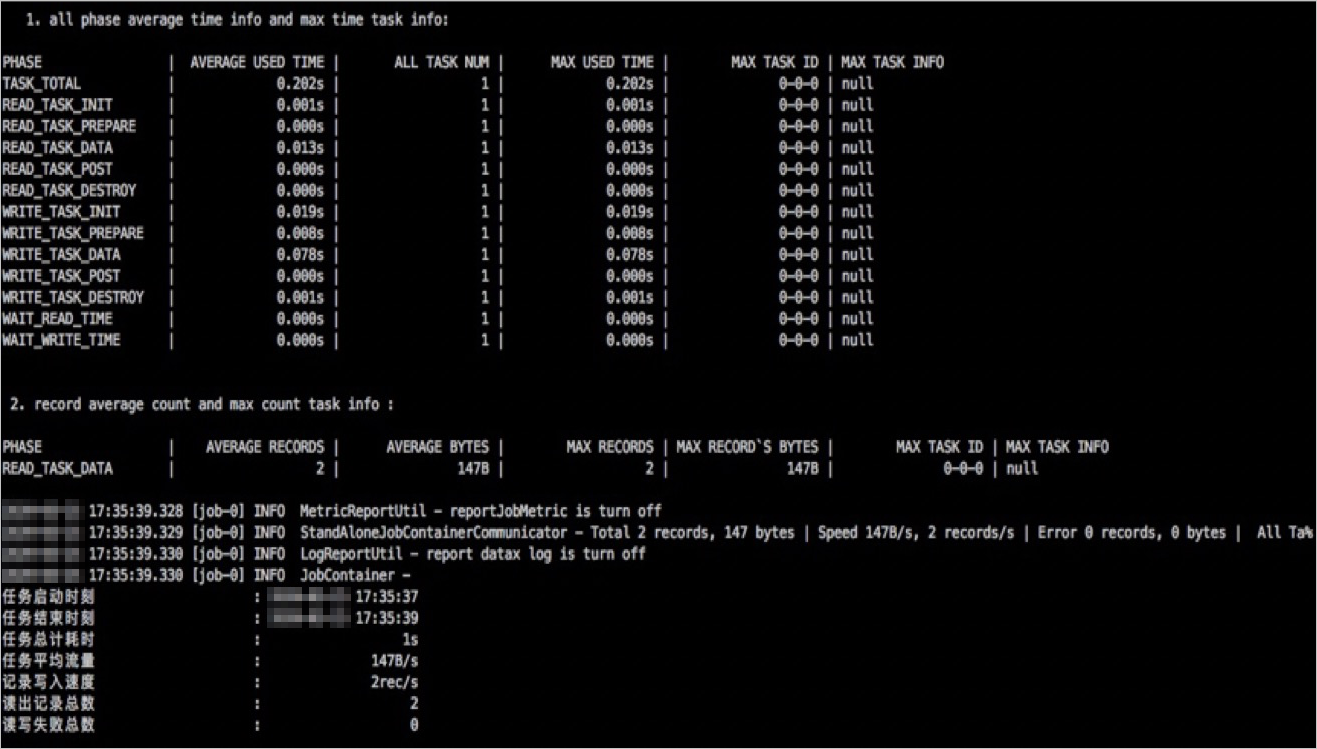
Result:
Parameters
Parameter |
Required |
Description |
|---|---|---|
| jdbcUrl | Yes | The JDBC URL of the database to which you want to connect. The value is a JSON array and multiple URLs can be entered for a database. You must enter at least one JDBC URL in the JSON array. For more information about the JDBC URL format, see the official documentation of the corresponding database. Notice The JDBC URL must be included in the connection section of the code. |
| username | Yes | The username for logging on to the database. |
| password | Yes | The password of the specified username for logging on to the database. |
| table | Yes | The table to be synchronized. The value is a JSON array and multiple tables can be specified at the same time. When you specify multiple tables, make sure that they use the same schema. Notice The table string must be included in the connection section of the code. |
| column | Yes | The set of names of columns to be synchronized in the configured table. The values are specified in a JSON array. You can use '*' to indicate all columns. Warning We recommend that you do not set column to '*'. Otherwise, if the schema is changed, the task may fail. Column pruning is supported. You can export only the specified columns. Column reordering is supported. You can export columns without following the column order in the schema. You can specify constants in the MySQL SQL format: ["id", "`table`", "1", "'abc.xyz'", "null", "to_char(a + 1)", "2.3" , "true"].
|
| where | No | The filter condition. The MySQL reader assembles the specified column, table, and WHERE clause into an SQL statement. Then, the MySQL reader extracts data based on this SQL statement. To synchronize data of the current day, you can specify the WHERE clause asgmt_create > $bizdate. Notice You cannot set the WHERE clause to limit 10, because limit is not a valid WHERE clause of an SQL statement. A WHERE clause allows you to orderly synchronize the incremental business data. If you do not specify the WHERE clause or do not specify the key or value of the WHERE clause, DataX performs full synchronization. |
Use DataX to migrate data from a MySQL database to OceanBase Database
If the source and destination databases cannot connect to the DataX server at the same time, you can export the MySQL data as CSV files and then import the CSV files into OceanBase Database. If the source and destination databases can connect to the DataX server at the same time, you can use DataX to migrate the MySQL data to the OceanBase database. The following example shows the content of the configuration file:
{
    "job": {
        "setting": {
            "speed": {
                "channel": 4
            },
            "errorLimit": {
                "record": 0,
                "percentage": 0.1
            }
        },
        "content": [
            {
                "reader": {
                    "name": "mysqlreader",
                    "parameter": {
                        "username": "tpcc",
                        "password": "********",
                        "column": [
                            "Column 1","Column 2"
                        ],
                        "connection": [
                            {
                                "table": [
                                    "bmsql_oorder"
                                ],
                                "jdbcUrl": ["jdbc:mysql://127.0.0.1:3306/tpccdb?useUnicode=true&characterEncoding=utf8"]
                            }
                        ]
                    }
                },

                "writer": {
                    "name": "oceanbasev10writer",
                    "parameter": {
                        "obWriteMode": "insert",
                        "column": [
                            "Column 1","Column 2"
                        ],
                        "preSql": [
                            "truncate table bmsql_oorder"
                        ],
                        "connection": [
                            {
                                "jdbcUrl": "||_dsc_ob10_dsc_||obdemo:oboracle||_dsc_ob10_dsc_||jdbc:oceanbase://127.0.0.1:2883/tpcc?useLocalSessionState=true&allowBatch=true&allowMultiQueries=true&rewriteBatchedStatements=true",
                                "table": [
                                    "bmsql_oorder"
                                ]
                            }
                        ],
                        "username": "tpcc",
                        "password":"********",
                        "writerThreadCount":10,
                        "batchSize": 1000,
                        "memstoreThreshold":"0.9"
                    }
                }
            }
        ]
    }
}
Use DataX to migrate data from OceanBase Database to a MySQL or an Oracle database
Synchronize data from an OceanBase database to a MySQL database
The following example shows the content of the configuration file:
{
    "job": {
        "setting": {
            "speed": {
                "channel": 16
            },
            "errorLimit": {
                "record": 0,
                "percentage": 0.1
            }
        },
        "content": [
            {
                "reader": {
                    "name": "oceanbasev10reader",
                    "parameter": {
                        "where": "",
                        "readBatchSize": 10000,
                        "column": [
                            "Column 1","Column 2"
                        ],
                        "connection": [
                            {
                                "jdbcUrl": ["||_dsc_ob10_dsc_||obdemo:oboracle||_dsc_ob10_dsc_||jdbc:oceanbase://127.0.0.1:2883/tpcc"],
                                "table": [
                                    "bmsql_oorder"
                                ]
                            }
                        ],
                        "username": "tpcc",
                        "password":"********"
                    }
                },
                "writer": {
                    "name": "mysqlwriter",
                    "parameter": {
                        "writeMode": "replace",
                        "username": "tpcc",
                        "password": "******",
                        "column": [
                            "Column 1","Column 2"
                        ],
                        "session": [
                         "set session sql_mode='ANSI'"
                        ],
                        "preSql": [
                            "truncate table bmsql_oorder"
                        ],
                        "batchSize": 512,
                        "connection": [
                            {
                                "jdbcUrl": "jdbc:mysql://127.0.0.1:3306/tpccdb?useUnicode=true&characterEncoding=utf8",
                                "table": [
                                    "bmsql_oorder"
                                ]
                            }
                        ]
                    }
                }
            }
        ]
    }
}
Synchronize data of an OceanBase database to an Oracle database
The following example shows the content of the configuration file:
{
    "job": {
        "setting": {
            "speed": {
                "channel": 16
            },
            "errorLimit": {
                "record": 0,
                "percentage": 0.1
            }
        },
        "content": [
            {
                "reader": {
                    "name": "oceanbasev10reader",
                    "parameter": {
                        "where": "",
                        "readBatchSize": 10000,
                        "column": [
                            "Column 1","Column 2"
                        ],
                        "connection": [
                            {
                                "jdbcUrl": ["||_dsc_ob10_dsc_||obdemo:oboracle||_dsc_ob10_dsc_||jdbc:oceanbase://127.0.0.1:2883/tpcc"],
                                "table": [
                                    "bmsql_oorder"
                                ]
                            }
                        ],
                        "username": "tpcc",
                        "password":"********"
                    }
                },
                "writer": {
                    "name": "oraclewriter",
                    "parameter": {
                        "username": "tpcc",
                        "password": "********",
                        "column": [
                            "Column 1","Column 2"
                        ],
                        "preSql": [
                            "truncate table bmsql_oorder"
                        ],
                        "batchSize": 512,
                        "connection": [
                            {
                                "jdbcUrl": "jdbc:oracle:thin:@127.0.0.1:1521:helowin",
                                "table": [
                                    "bmsql_oorder"
                                ]
                            }
                        ]
                    }
                }
            }
        ]
    }
}