DataX is an offline data synchronization tool/platform widely used within Alibaba Group. It enables efficient data synchronization between various heterogeneous data sources such as MySQL, Oracle, HDFS, Hive, OceanBase Database, HBase, OTS, and ODPS.
Introduction
As a data synchronization framework, DataX abstracts the synchronization between different data sources into a Reader plug-in that reads the data from the data source and a Writer plug-in that writes the data to the destination. DataX theoretically supports the synchronization between all types of data sources. The DataX plug-ins form an ecosystem. A new data source can communicate with an existing data source immediately after the new data source joins the ecosystem.
This topic describes how to migrate data across OceanBase databases and clusters and heterogeneous databases by using the reader and writer plug-ins of OceanBase Database based on the synchronization mechanism of DataX.
For information about how to install and use DataX, see DataX-userGuid. DataX is now an open-sourced project on GitHub. For more information, see Alibaba-datax. DataX also has a commercial version, DataWorks. DataWorks is a comprehensive professional platform for big data development and management that features high efficiency, security, and reliability.
DataX framework

DataX is an offline data synchronization framework that is designed based on the framework + plug-in architecture. Data source reads and writes are abstracted as the reader and writer plug-ins and are integrated into the entire framework.
The reader plug-in is a data collection module that collects data from a data source and sends the data to the framework.
The writer plug-in is a data write module that retrieves data from the framework and writes the data to the destination.
The framework builds a data transmission channel to connect the reader and the writer and processes core technical issues such as caching, throttling, concurrency, and data conversion.
Examples of using DataX
By default, DataX is installed in the /home/admin/datax3 directory. The directory contains a job folder. In the folder, you can check the job.json file to verify whether DataX is installed.
The parameter file for each task is in JSON format and includes a reader and a writer. The following is the sample file job.json for task configuration:
[admin /home/admin/datax3/job]
$cat job.json
{
    "job": {
        "setting": {
            "speed": {
                "byte":10485760
            },
            "errorLimit": {
                "record": 0,
                "percentage": 0.02
            }
        },
        "content": [
            {
                "reader": {
                    "name": "streamreader",
                    "parameter": {
                        "column" : [
                            {
                                "value": "DataX",
                                "type": "string"
                            },
                            {
                                "value": 19700604,
                                "type": "long"
                            },
                            {
                                "value": "1970-06-04 00:00:00",
                                "type": "date"
                            },
                            {
                                "value": true,
                                "type": "bool"
                            },
                            {
                                "value": "test",
                                "type": "bytes"
                            }
                        ],
                        "sliceRecordCount": 100000
                    }
                },
                "writer": {
                    "name": "streamwriter",
                    "parameter": {
                        "print": false,
                        "encoding": "UTF-8"
                    }
                }
            }
        ]
    }
}
The reader and writer for this task are Stream Reader and Stream Writer. This task checks whether DataX is properly installed.
Notice
Before you execute the task, ensure that JDK 1.8 and Python 2.7 are installed.
[admin@**** /home/admin/datax3]
$bin/datax.py job/job.json
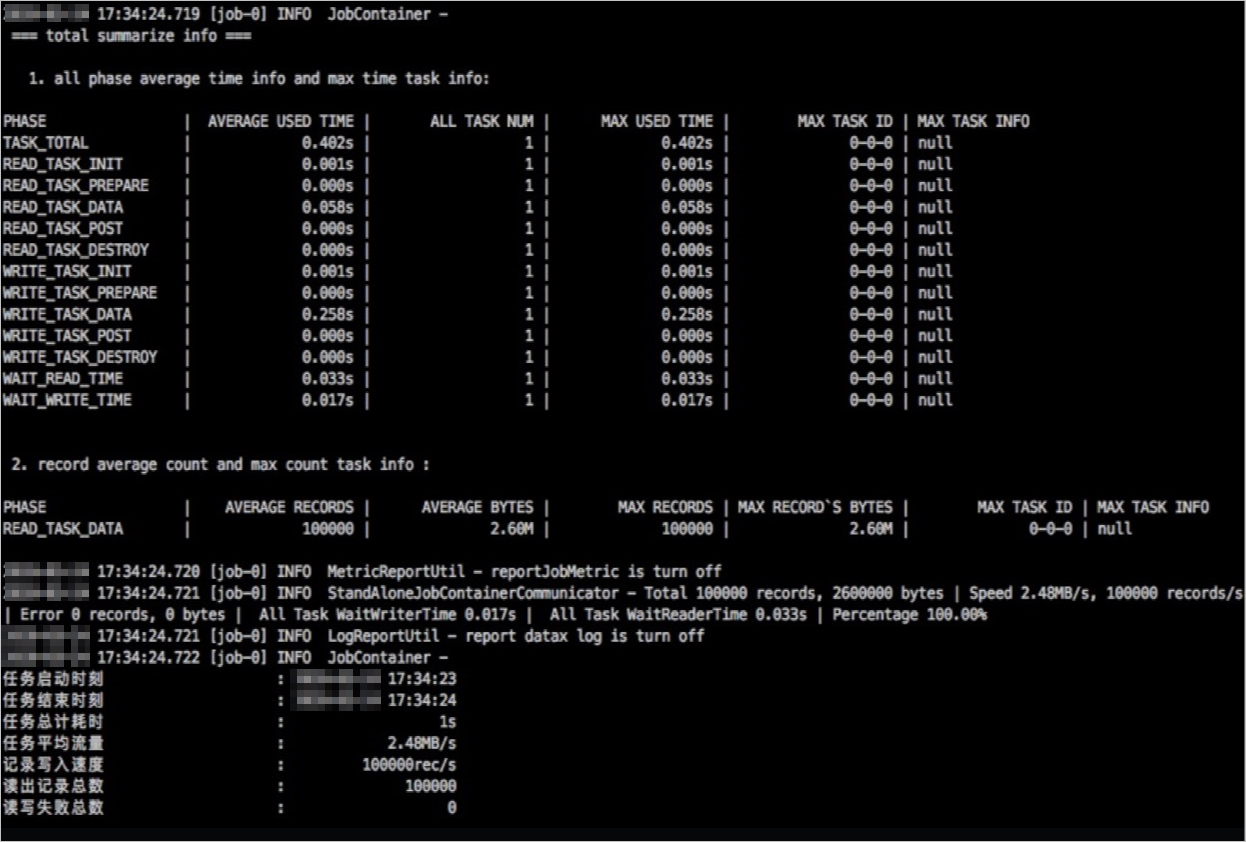
Execution results:
Note
No output is displayed because the default task parameter disables data output.