







This topic describes how to upgrade OceanBase Cloud Platform (OCP) Community Edition. You can upgrade OCP by using the command-line interface (CLI) tool or a browser.
Note
- Only OCP V3.3.0-BP1 and later can be upgraded by using a browser.
- Pages in the browser can be displayed only in English.
Upgrade OCP by using the CLI tool
Prerequisites
The OCP Docker container has been installed on the central control server. For more information about how to install a Docker container, see Install Docker.
You have decompressed the
ocp-4.0.0-ce.tar.gzsoftware package to a directory on the central control server. For more information, see Prepare for installation. The package contains the following files:ocp_installer.sh: the OCP installation script.ocp.tar.gz: the OCP image file.ocp-installer.tar.gz: the OCP installer image file.config.yaml: the OCP configuration file.
You have modified the OCP configuration file based on your actual deployment environment. For more information, see Modify the configuration file.
Procedure
Log on to the central control server as the root user and go to the directory where the
ocp_installer.shfile is located.Optional. Call the
ocp_installer.shfile to view the OCP upgrade method.#./ocp_installer.sh help Usage: ./ocp_installer.sh COMMAND -c config_file -i installer_image_file [-o ocp_image_file] [-k ssh_key_file] [-v] [-h] Description: OCP installer Commands: install install OCP uninstall delete OCP and metadb(if configured) upgrade upgrade OCP replace replace OCP container, used for upgrade to the bp version, or just restart Options: -c required, path to config file -i installer image file -o ocp image file -k ssh_key_file -v show verbose messages -h show this help mesagesRun the following code to upgrade OCP. OCP supports full upgrade and container replacement upgrade.
The full upgrade mode is suitable for general OCP version upgrades.
# Use password for Secure Shell (SSH) authentication.
./ocp_installer.sh upgrade -c config.yaml -i ./ocp-installer.tar.gz -o ./ocp.tar.gz
# Use key for SSH authentication.
./ocp_installer.sh upgrade -c config.yaml -k /root/.ssh/id_rsa -i ./ocp-installer.tar.gz -o ./ocp.tar.gz
The container replacement upgrade mode is suitable for minor version upgrades, where the MetaDB is not updated.
# Use password for SSH authentication.
./ocp_installer.sh replace -c config.yaml -i ./ocp-installer.tar.gz -o ./ocp.tar.gz
# Use key for SSH authentication.
./ocp_installer.sh replace -c config.yaml -k /root/.ssh/id_rsa -i ./ocp-installer.tar.gz -o ./ocp.tar.gz
Upgrade OCP by using a browser
Prerequisites
The OCP Docker container has been installed on the central control server. For more information about how to install a Docker container, see Install Docker.
You have decompressed the
ocp-4.0.0-ce.tar.gzsoftware package to a directory on the central control server. For more information, see Prepare for installation. The package contains the following files:ocp_installer.sh: the OCP installation script.ocp.tar.gz: the OCP image file.ocp-installer.tar.gz: the OCP installer image file.config.yaml: the OCP configuration file.
Procedure
Log on to the central control server as the root user and go to the directory where the
ocp_installer.shfile is located.Optional. Call the
ocp_installer.shfile to view the OCP upgrade method.#./ocp_installer.sh help Usage: ./ocp_installer.sh COMMAND -c config_file -i installer_image_file [-o ocp_image_file] [-k ssh_key_file] [-v] [-h] Description: OCP installer Commands: launch launch installer install install OCP uninstall delete OCP and metadb(if configured) upgrade upgrade OCP replace replace OCP container, used for upgrade to the bp version, or just restart Options: -c required, path to config file -i installer image file -o ocp image file -k ssh_key_file -v show verbose messages -p expose port of installer container -h show this help mesagesRun the following command to start the ocp_installer:
# To use the default parameters, run the following command. In this case, the image file in the current directory, id_rsa file of the current user, and Port 3000 are used.
./ocp_installer.sh launch
# To use custom parameters, run the following command and specify the image file, key file, and port number.
./ocp_installer.sh launch -i ocp-installer.tar.gz -o ocp.tar.gz -k /root/.ssh/id_rsa -p 3000
Use the corresponding IP address and port in the
IP:portformat to access the deployment page in a browser. On the page that appears, click Upgrade.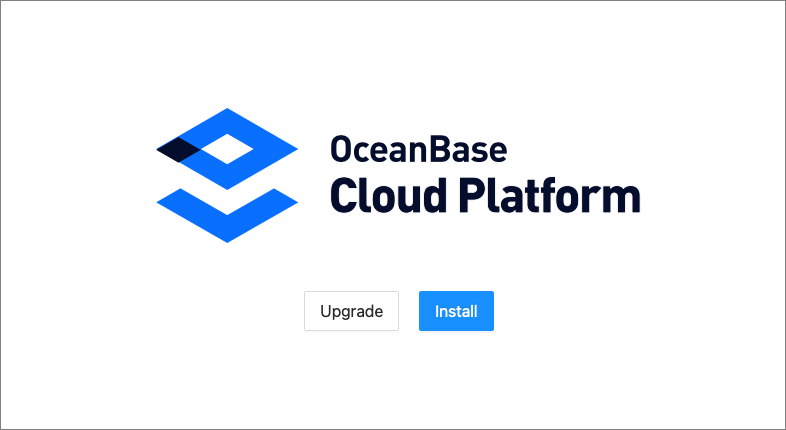
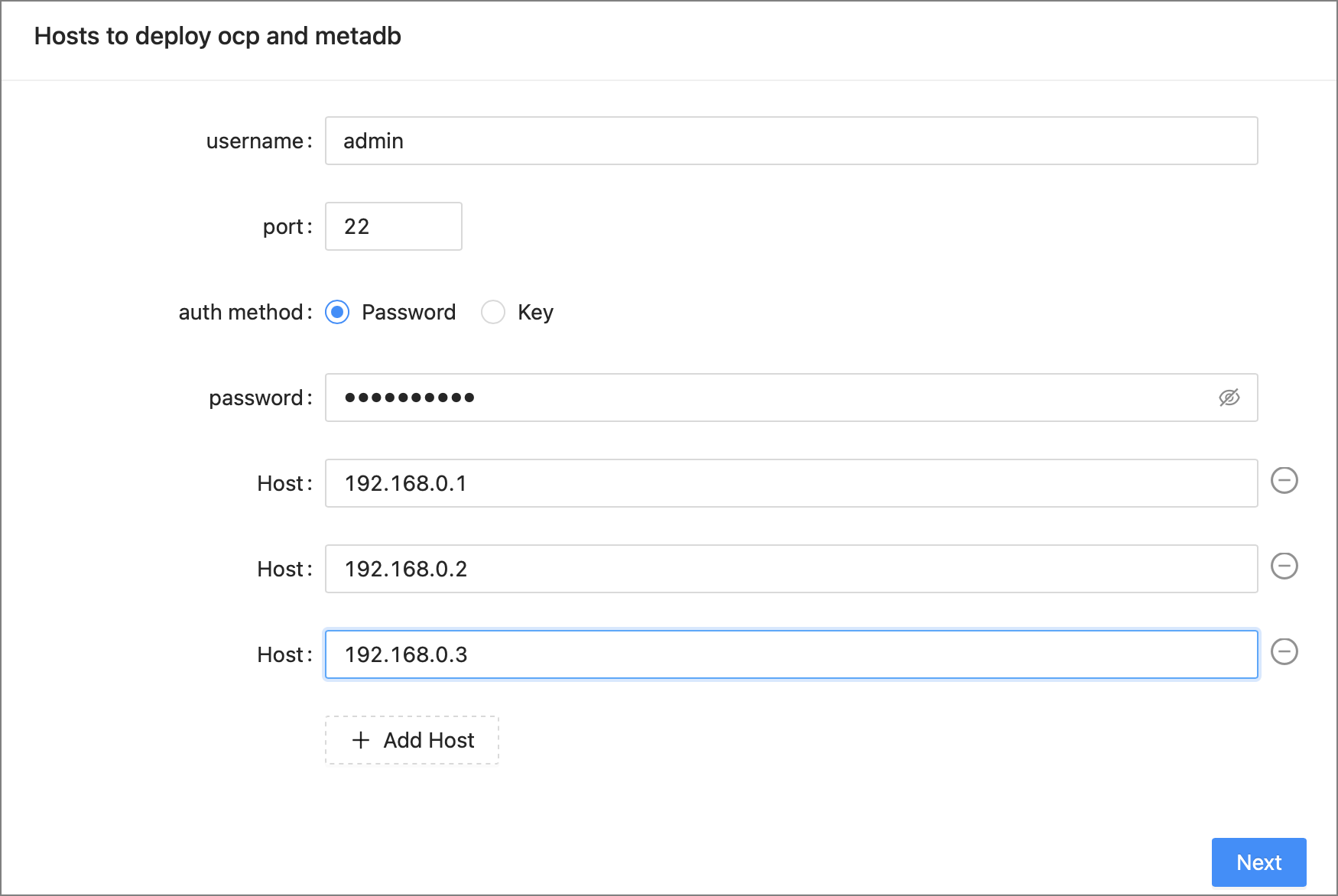
Specify parameters of the hosts where OCP is deployed and the authentication method.
After you specify the parameters, click Next.
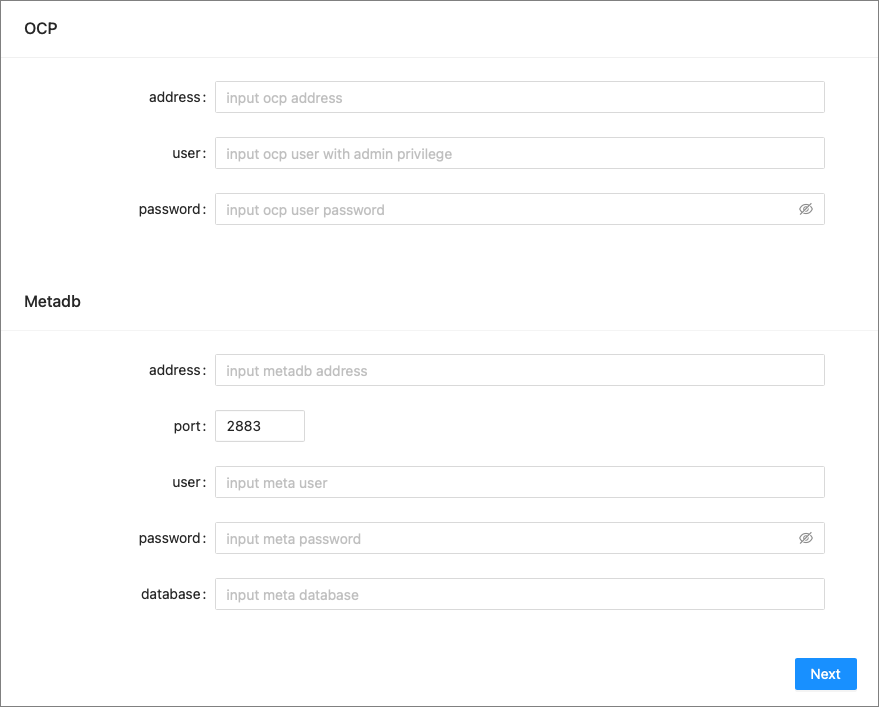
Specify parameters of the MetaDB and click Next. Parameters of the MetaDB include
- Information of the current OCP version, including the OCP URL and the username and password of a user with administrator privileges
- Parameters required to connect to the OCP MetaDB
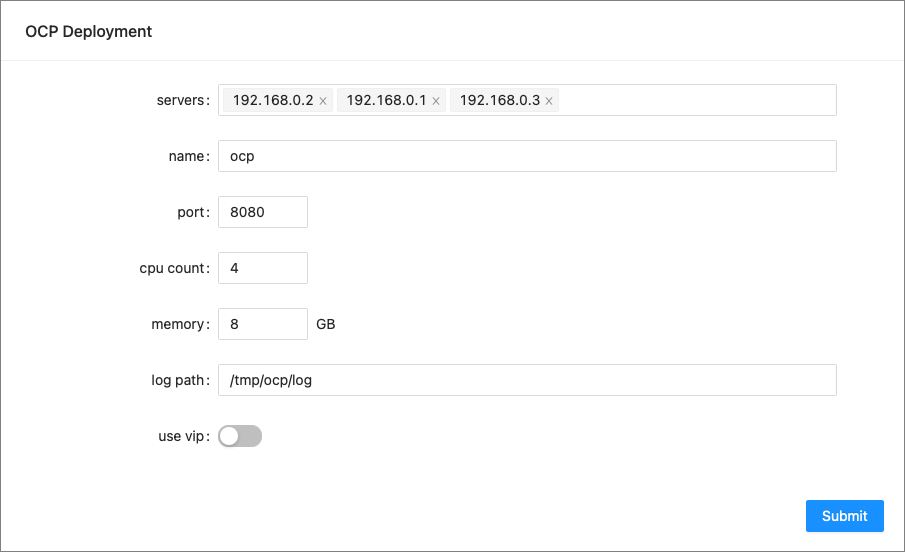
Specify parameters in the OCP Deployment section and click Submit.
Notice
- You must specify the IP addresses of all OCP hosts in the servers field.
- You cannot change the container name.
- The resource specifications, port, and log path that you specify on this page will take effect after the upgrade.
After you click Submit, the Task page appears. You can view task logs on this page. Note that the process of MetaDB upgrade takes a while to complete.
After the task is completed, click Finish to exit the installer. Before you exit the installer, make sure that the ocp-installer container on the host is in the installation completed state.
