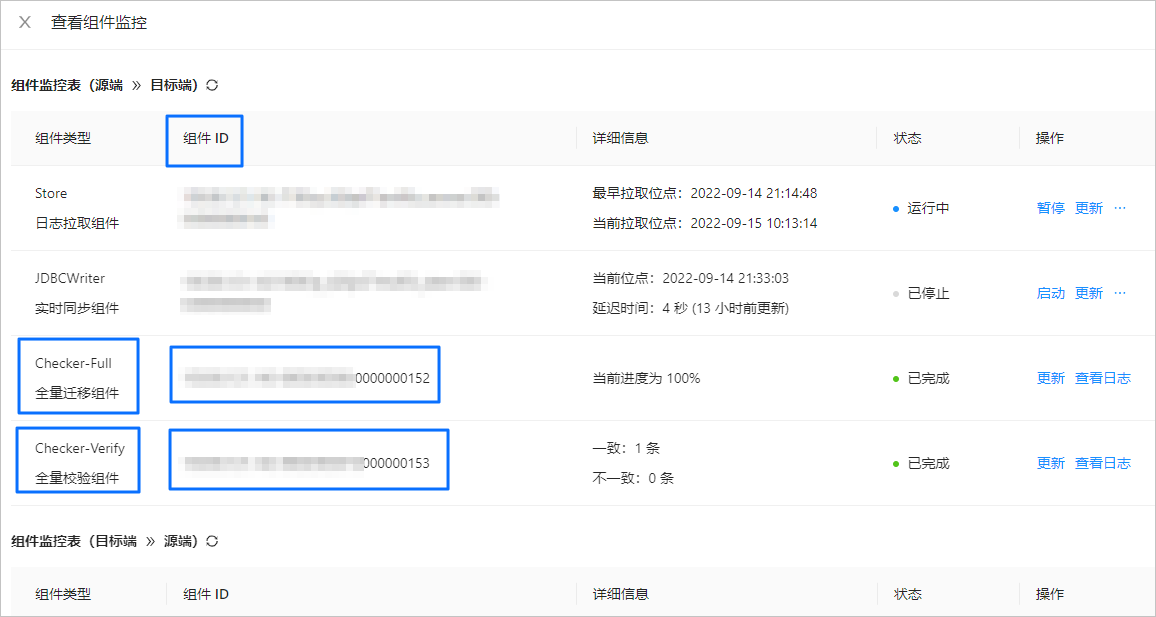
This topic describes how to use a data migration task on OceanBase Migration Service (OMS) to query the ID of a checker.
Log in to the OMS console.
In the left-side navigation pane, click Data Migration.
On the Data Migration page, click the name of the target data migration task to go to its details page.
Click View Component Monitoring in the upper-right corner.
In the View Component Monitoring dialog box, check the component ID of a checker.