







This topic describes how to modify a database in MySQL mode.
Modify a database by using an SQL statement
You can execute the ALTER DATABASE statement to modify the attributes of a database in a MySQL tenant.
Example:
Change the character set of the database test2 to UTF8MB4, set the database collation to UTF8MB4_BIN, and set the database read/write attribute to READ WRITE.
obclient> ALTER DATABASE test2 DEFAULT CHARACTER SET UTF8MB4;

obclient> ALTER DATABASE test2 DEFAULT COLLATE UTF8MB4_BIN;

obclient> ALTER DATABASE test2 READ WRITE;
For more information about the syntax of the ALTER DATABASE statement, see ALTER DATABASE.
Modify a database in OCP
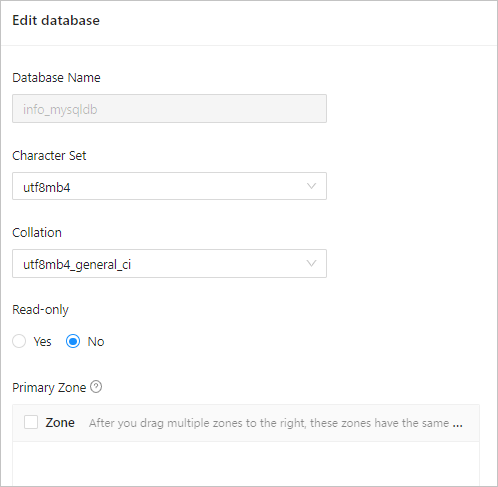
You can also modify the attributes of a database under a MySQL tenant in OceanBase Cloud Platform (OCP).
Before you start, make sure that the password box of the current OCP user contains the root password of the tenant. Otherwise, the modification fails. To modify a database in OCP, perform the following steps:
Log on to the OCP console.
In the left-side navigation pane, click Tenants to go to the Tenants page.
In the tenant list, find the required tenant and click the tenant name. The Overview page appears.
In the left-side navigation pane, click Database Management. The Database Management page appears.
In the database list, find the required database and click Edit in the Actions column.
In the dialog box that appears, modify the database attributes, such as the character set, collation, read/write attribute, and zone priorities.
Click Submit.