







This topic describes how to deploy OceanBase Migration Service (OMS) Community Edition on multiple nodes in multiple regions by using the deployment tool.
Background information
As more users apply OMS Community Edition in data migration, OMS Community Edition must adapt to increasingly diverse scenarios. In addition to single-region data migration and big data synchronization, OMS Community Edition supports data synchronization across regions, as well as data migration and active-active data synchronization across cities.
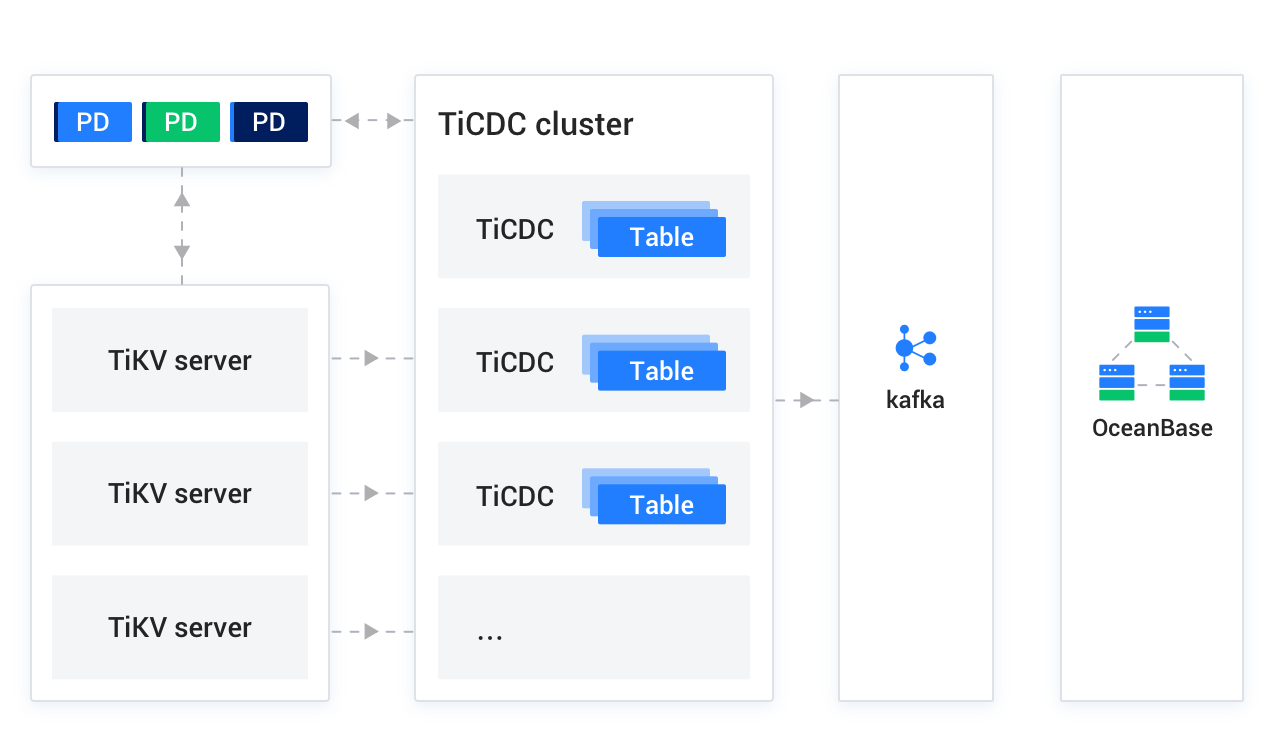
You can deploy OMS Community Edition on one or more nodes in each region. OMS Community Edition can be deployed on multiple nodes in a region to build an environment with high availability. OMS Community Edition can start components on appropriate nodes based on the tasks.
For example, if you want to synchronize data from the Hangzhou region to the Heilongjiang region, OMS Community Edition starts the Score component on a node in the Hangzhou region to collect incremental logs and starts the Incr-Sync component on a node in the Heilongjiang region to synchronize incremental data.
Observe the following notes on multi-node deployment:
You can deploy OMS Community Edition on a single node first and then scale out to multiple nodes. For more information, see Scale out OMS Community Edition.
To deploy OMS Community Edition on multiple nodes across multiple regions, you must apply for a virtual IP address (VIP) for each region and use it as the mount point for the console of OMS Community Edition. In addition, you must configure the mapping rules for Ports 8088 and 8089 in the VIP-based network strategy.
You can use the VIP to access the console of OMS Community Edition even if a node of OMS Community Edition fails.
Prerequisites
The installation environment meets the system and network requirements. For more information, see System and network requirements.
You have created a MetaDB cluster for OMS Community Edition.
The server to deploy OMS Community Edition can connect to all other servers.
All servers involved in the multi-node deployment can connect to each other and you can obtain root permissions on a node by using its username and password.
You have obtained the installation package of OMS Community Edition, which is generally a
tar.gzfile whose name starts withoms. You can download the installation package from OceanBase Download Center.You have downloaded the installation package of OMS Community Edition and loaded it to the local image repository of the Docker container on each server node.
docker load -i <Installation package of OMS Community Edition>You have prepared a directory for mounting the container of OMS Community Edition. In the mount directory, OMS Community Edition will create the
/home/admin/logs,/home/ds/store, and/home/ds/rundirectories for storing the component information and logs generated during the running of OMS Community Edition.(Optional) You have prepared a time-series database for storing performance monitoring data and DDL/DML statistics of OMS Community Edition.
Terms
You need to replace variable names in some commands and prompts. A variable name is enclosed with angle brackets (<>).
Mount directory of the container of OMS Community Edition: the directory to which the container of OMS Community Edition is mounted.
IP address of the server: the IP address of the host that executes the script.
OMS_IMAGE: the unique identifier of the loaded image. After you load the installation package of OMS Community Edition by using Docker, run the
docker imagescommand to obtain the [IMAGE ID] or [REPOSITORY:TAG] of the loaded image. The obtained value is the unique identifier of the loaded image. Here is an example:$sudo docker images REPOSITORY TAG IMAGE ID work.oceanbase-dev.com/obartifact-store/oms feature_4.0.0-ce 2786e8a6eccdIn this example,
<OMS_IMAGE>can bework.oceanbase-dev.com/obartifact-store/oms:feature_4.0.0-ceor2786e8a6eccd. Replace the value of<OMS_IMAGE>in related commands with the preceding value.Directory of the
config.yamlfile: If you want to deploy OMS Community Edition based on an existingconfig.yamlconfiguration file, this directory is the one where the configuration file is located.
Deployment procedure without a configuration file
If no configuration file of OMS Community Edition exists, we recommend that you follow the procedure in this section to generate a configuration file for deployment. If the configuration file exists, we recommend that you follow the deployment procedure in the next section.
Log in to the server where OMS Community Edition is to be deployed.
(Optional) Deploy a time-series database.
If you need to collect and display the monitoring data of OMS Community Edition, deploy a time-series database. Otherwise, you can skip this step. For more information, see Deploy a time-series database.
Run the following command to obtain the deployment script
docker_remote_deploy.shfrom the loaded image:sudo docker run -d --name oms-config-tool <OMS_IMAGE> bash && sudo docker cp oms-config-tool:/root/docker_remote_deploy.sh . && sudo docker rm -f oms-config-toolHere is an example:
sudo docker run -d --net host --name oms-config-tool work.oceanbase-dev.com/obartifact-store/oms:feature_4.0.0-ce bash && sudo docker cp oms-config-tool:/root/docker_remote_deploy.sh . && sudo docker rm -f oms-config-toolUse the deployment script to start the deployment tool.
bash docker_remote_deploy.sh -o <Mount directory of the OMS Community Edition container> -i <IP address of the server> -d <OMS_IMAGE>The deployment tool of OMS Community Edition automatically verifies the CPU, memory, and disk resources. If any resource item does not meet the requirement, the deployment tool will display a message prompting that insufficient resources will affect the data migration speed.
Complete the deployment as prompted. After you set each parameter, press Enter to move on to the next parameter.
Select a deployment mode.
Select Multiple Regions.
Select a task.
Select No Configuration File. Deploy OMS Starting from Configuration File Generation.
Enter the configuration information of the MetaDB cluster as follows:
Enter the IP address, port, username, and password of the MetaDB cluster.
Set a prefix for names of databases in the MetaDB cluster.
For example, when the prefix is set to
oms, the databases in the MetaDB cluster are namedoms_rm,oms_cm, andoms_cm_hb.Confirm your settings.
If the settings are correct, enter
yand press Enter to proceed. Otherwise, enternand press Enter to modify the settings.
If the system displays The specified database names already exist in the MetaDB. Are you sure that you want to continue?, it indicates that the database names you specified already exist in the MetaDB cluster. This may be caused by repeated deployment or upgrade of OMS Community Edition. You can enter
yand press Enter to proceed, or enternand press Enter to re-specify the settings.If you enter
yand press Enter, the message The specified database names already exist in the MetaDB. Do you want to reinitialize the MetaDB? is displayed. You can enteryand press Enter to reinitialize the MetaDB cluster.Enter the cluster configuration information for OMS Community Edition as follows:
Enter the region ID, for example, cn-hangzhou.
Enter the region name in Chinese, for example, cn-hangzhou.
Set whether to define component ports and configure related parameters.
You can enter
yand press Enter to configure custom ports for components. Enter the ports of the Nginx, GHANA, CM, Supervisor, and sshd services as prompted.Specify the URL of the CM service, which is the VIP or domain name to which all CM servers in the region are mounted. The original parameter is
cm-url.Enter the VIP or domain name as the URL of the CM service. You can enter the IP address and port number in the URL in sequence, or use a colon (:) to join the IP address and port number in the <IP address>:<port number> format.
Note
The
http://prefix in the URL is optional.Enter the IP addresses of all servers in the region. Separate them with commas (,).
Set a region ID for the current region (Region name in Chinese). Value range: [0, 127].
An ID uniquely identifies a region.
Specify whether to preferentially access the current region.
In multi-region deployment mode, this parameter can be set to
trueonly for one region. If yes, enteryand press Enter. If no, enternand press Enter.Confirm whether the displayed settings of OMS Community Edition cluster are correct.
If yes, enter
yand press Enter to proceed. Otherwise, enternand press Enter to modify the settings.
Determine whether to monitor historical data of OMS Community Edition.
If you have deployed a time-series database in Step 2, enter
yand press Enter to go to the step of configuring the time-series database and enable monitoring of historical data for OMS Community Edition.If you chose not to deploy a time-series database in Step 2, enter
nand press Enter to go to the step of determining whether to enable the audit log feature and configure Simple Log Service (SLS) parameters. In this case, OMS Community Edition does not monitor the historical data after deployment.
Configure the time-series database.
Perform the following operations:
Confirm whether you have deployed a time-series database.
Enter the value based on the actual situation. If yes, enter
yand press Enter. If no, enternand press Enter to go to the step of "determining whether to enable the audit log feature and setting SLS parameters".Set the type of the time-series database to
INFLUXDB.Notice
At present, only INFLUXDB is supported.
Enter the URL, username, and password of the time-series database. For more information, see Deploy a time-series database.
Confirm whether the displayed settings are correct.
If yes, enter
yand press Enter to proceed. Otherwise, enternand press Enter to modify the settings.
Determine whether to enable the audit log feature and write the audit logs to SLS.
To enable the audit log feature, enter
yand press Enter to go to the next step to specify the SLS parameters.Otherwise, enter
nand press Enter to start the deployment. In this case, OMS Community Edition does not audit the logs after deployment.Specify the SLS parameters.
Set the SLS parameters as prompted.
Confirm whether the displayed settings are correct.
If yes, enter
yand press Enter to proceed. Otherwise, enternand press Enter to modify the settings.If the configuration file passes the check, all the settings are displayed. If the settings are correct, enter
nand press Enter to proceed. Otherwise, enteryand press Enter to modify the settings.If the configuration file fails the check, modify the settings as prompted.
Complete deployment settings on each node as follows:
Specify the directory to which OMS Community Edition is mounted on the node.
Specify a directory with a large capacity.
Confirm whether the image file of OMS Community Edition can be named
<OMS_IMAGE>.If yes, enter
yand press Enter to proceed. Otherwise, enternand press Enter to modify the settings.Determine whether to mount an SSL certificate to the container of OMS Community Edition.
If yes, enter
y, press Enter, and specify thehttps_keyandhttps_crtdirectories as prompted. Otherwise, enternand press Enter.If the current node is a remote node, the system finds that the IP address of the deployment mode is inconsistent with the IP address of the server where the deployment tool resides, and asks you whether to remotely execute the script. This requires that the remote node support SSH connection and you have the
sudoprivilege on the remote node.If you enter
y, check whether the port of the node can be connected through an SSH connection. If SSH connection is supported, enter the username and password for logging in to the remote node as prompted.If you leave the password empty, the system will prompt that the password is an empty string and ask you whether to use trusted login. If you enter
y, enter the password of thesudouser again. If no password is required, directly press Enter.Confirm whether the path to which the
config.yamlconfiguration file will be written is correct.If yes, enter
yand press Enter to proceed. Otherwise, enternand press Enter to modify the settings.
Determine whether to deploy OMS Community Edition in a new region.
After the deployment is completed, the system displays "OMS has been deployed in Regions [<Region ID 1>,<Region ID 2>…]. Do you want to deploy OMS in a new region?"
If yes, enter
yand press Enter to proceed. If no, enternand press Enter to end the deployment process.Perform the following operations to configure the OMS Community Edition cluster settings:
Enter the region ID, for example, cn-hangzhou.
Enter the region name in Chinese, for example, cn-hangzhou.
Set a region ID for the current region (Region name in Chinese). Value range: [0, 127].
An ID uniquely identifies a region.
A message is displayed, showing the names and IDs of existing regions, to help you avoid using an existing name or ID for a new region.
Repeat the deployment steps on each node in the region.
If the deployment fails, you can log in to the container of OMS Community Edition and view logs in the
.logfiles prefixed withdocker_initin the/home/admin/logsdirectory. If the container of OMS Community Edition fails to be started, you cannot obtain logs.
Deployment procedure with a configuration file
Log in to the server where OMS Community Edition is to be deployed.
(Optional) Deploy a time-series database.
If you need to collect and display the monitoring data of OMS Community Edition, deploy a time-series database. Otherwise, you can skip this step. For more information, see Deploy a time-series database.
Run the following command to obtain the deployment script
docker_remote_deploy.shfrom the loaded image:sudo docker run -d --name oms-config-tool <OMS_IMAGE> bash && sudo docker cp oms-config-tool:/root/docker_remote_deploy.sh . && sudo docker rm -f oms-config-toolUse the deployment script to start the deployment tool.
bash docker_remote_deploy.sh -o <Mount directory of the OMS Community Edition container> -c <Directory of the existing config.yaml file> -i <IP address of the server> -d <OMS_IMAGE>The deployment tool of OMS Community Edition automatically verifies the CPU, memory, and disk resources. If any resource item does not meet the requirement, the deployment tool will display a message prompting that insufficient resources will affect the data migration speed.
Note
- The value of the
-coption must be the absolute path of theconfig.yamlconfiguration file. - For more information about settings of the
config.yamlfile, see the "Template and example of a configuration file" section.
- The value of the
Complete the deployment as prompted. After you set each parameter, press Enter to move on to the next parameter.
Select a deployment mode.
Select Multiple Regions.
Select a task.
Select Use Configuration File Uploaded with Script Option [-c].
If the system displays The specified database names already exist in the MetaDB. Are you sure that you want to continue?, it indicates that the database names you specified already exist in the MetaDB cluster in the original configuration file. This may be caused by repeated deployment or upgrade of OMS Community Edition. You can enter
yand press Enter to proceed, or enternand press Enter to re-specify the settings.If the configuration file passes the check, all the settings are displayed. If the settings are correct, enter
nand press Enter to proceed. Otherwise, enteryand press Enter to modify the settings.If the configuration file fails the check, modify the settings as prompted.
Start the deployment on each node one after another.
Specify the directory to which OMS Community Edition is mounted on the node.
Specify a directory with a large capacity.
Confirm whether the image file of OMS Community Edition can be named
<OMS_IMAGE>.If yes, enter
yand press Enter to proceed. Otherwise, enternand press Enter to modify the settings.Determine whether to mount an SSL certificate to the container of OMS Community Edition.
If yes, enter
y, press Enter, and specify thehttps_keyandhttps_crtdirectories as prompted. Otherwise, enternand press Enter.If the current node is a remote node, the system finds that the IP address of the deployment mode is inconsistent with the IP address of the server where the deployment tool resides, and asks you whether to remotely execute the script. This requires that the remote node support SSH connection and you have the
sudoprivilege on the remote node.If you enter
y, check whether the port of the node can be connected through an SSH connection. If SSH connection is supported, enter the username and password for logging in to the remote node as prompted.If you leave the password empty, the system will prompt that the password is an empty string and ask you whether to use trusted login. If you enter
y, enter the password of thesudouser again. If no password is required, directly press Enter.Confirm whether the path to which the
config.yamlconfiguration file will be written is correct.If yes, enter
yand press Enter to proceed. Otherwise, enternand press Enter to modify the settings.
Determine whether to deploy OMS Community Edition in a new region.
After the deployment is completed, the system displays "OMS has been deployed in Regions [<Region ID 1>,<Region ID 2>…]. Do you want to deploy OMS in a new region?"
If yes, enter
yand press Enter to proceed. If no, enternand press Enter to end the deployment process.Perform the following operations to configure the OMS Community Edition cluster settings:
Enter the region ID, for example, cn-hangzhou.
Enter the region name in Chinese, for example, cn-hangzhou.
Set a region ID for the current region (Region name in Chinese). Value range: [0, 127].
An ID uniquely identifies a region.
A message is displayed, showing the names and IDs of existing regions, to help you avoid using an existing name or ID for a new region.
Repeat the deployment steps on each node in the region.
If the deployment fails, you can log in to the container of OMS Community Edition and view logs in the
.logfiles prefixed withdocker_initin the/home/admin/logsdirectory. If the container of OMS Community Edition fails to be started, you cannot obtain logs.
To modify the configuration after deployment, perform the following steps:
Notice
If you deploy OMS Community Edition on multiple nodes in multiple regions, you must manually modify the configuration of each node.
Log in to the container of OMS Community Edition.
Modify the
config.yamlfile in the/home/admin/conf/directory based on business needs.Run the
python -m omsflow.scripts.units.oms_init_manager --init-config-filecommand.Run the
supervisorctl restart oms_console oms_drc_supervisorcommand.
Template and example of a configuration file
Configuration file template
Notice
When multiple regions exist, you must set the
cm_is_defaultparameter totruefor only one region, and set it tofalsefor all other regions. In addition, you must sequentially run commands in each region.To deploy multiple nodes in the Hangzhou region, specify the IP addresses of all nodes for the
cm_nodesparameter.You must replace the sample values of required parameters based on your actual deployment environment. Both the required and optional parameters are described in the following table. You can specify the optional parameters as needed.
In the
config.yamlfile, you must specify the parameters in thekey: valueformat, with a space after the colon (:).
In the following examples of the config.yaml file for the multi-node multi-region deployment mode, OMS Community Edition is deployed on two nodes in the Hangzhou and Heilongjiang regions.
Here is a sample template of the
config.yamlfile for you to deploy OMS Community Edition in the Hangzhou region:# Information about the MetaDB cluster for OMS Community Edition oms_meta_host: ${oms_meta_host} oms_meta_port: ${oms_meta_port} oms_meta_user: ${oms_meta_user} oms_meta_password: ${oms_meta_password} # You can define the names of the following three databases, which are created in the MetaDB cluster during the deployment of OMS Community Edition. drc_rm_db: ${drc_rm_db} drc_cm_db: ${drc_cm_db} drc_cm_heartbeat_db: ${drc_cm_heartbeat_db} # Configure the OMS Community Edition cluster in the Hangzhou region. # To deploy OMS Community Edition on multiple nodes in multiple regions, you must set the cm_url parameter to a VIP or domain name to which all CM servers in the region are mounted. cm_url: ${cm_url} cm_location: ${cm_location} cm_region: ${cm_region} cm_region_cn: ${cm_region_cn} cm_is_default: true cm_nodes: - ${host_ip1} - ${host_ip2} # Configurations of the time-series database # The default value of `tsdb_enabled`, which specifies whether to configure a time-series database, is `false`. To enable metric reporting, set the parameter to `true`. # tsdb_enabled: false # If the `tsdb_enabled` parameter is set to `true`, delete comments for the following parameters and specify the values based on your actual configurations. # tsdb_service: 'INFLUXDB' # tsdb_url: '${tsdb_url}' # tsdb_username: ${tsdb_user} # tsdb_password: ${tsdb_password} # Custom component ports # Specify the port number for the GHANA service. ghana_server_port: xxxxx # Specify the port number for the Nginx service. nginx_server_port: xxxxx # Specify the port number for the CM service. cm_server_port: xxxxx # Specify the port number for the Supervisor service. supervisor_server_port: xxxxx # Specify the port number for the sshd service. sshd_server_port: xxxxxParameterDescriptionRequiredoms_meta_host The IP address of the MetaDB cluster, which can be that of a MySQL database or a MySQL tenant of OceanBase Database Community Edition. Yes oms_meta_port The port number of the MetaDB cluster. Yes oms_meta_user The username used for accessing the MetaDB cluster. Yes oms_meta_password The user password used for accessing the MetaDB cluster. Yes drc_rm_db The name of the database for the console of OMS Community Edition. Yes drc_cm_db The name of the database for the CM service. Yes drc_cm_heartbeat_db The name of the heartbeat database for the CM service. Yes cm_url The URL of the CM service of OMS Community Edition, for example, http://VIP:8088.
Note
To deploy OMS Community Edition on multiple nodes in multiple regions, you must set thecm_urlparameter to a VIP or domain name to which all CM servers in the current region are mounted. We recommend that you do not set it tohttp://127.0.0.1:8088.
The access URL of the console of OMS Community Edition is in the following format:IP address of the server where OMS Community Edition is deployed:8089, for example,http://xxx.xxx.xxx.1:8089orhttps://xxx.xxx.xxx.1:8089. Port 8088 is used for program calls, and Port 8089 is used for web page access.Yes cm_location The code of the region. Value range: [0, 127]. You can select one number for each region. Yes cm_region The name of the region, for example, cn-hangzhou.
Notice
If you use OMS Community Edition with the Alibaba Cloud Multi-Site High Availability (MSHA) service in an active-active disaster recovery scenario, use the region configured for the Alibaba Cloud service.Yes cm_region_cn The region name in Chinese, for example, cn-hangzhou. Yes cm_nodes The IP addresses of servers on which the CM service of OMS Community Edition is deployed. In multi-node deployment mode, you must specify multiple IP addresses for the parameter. Yes cm_is_default Specifies whether the CM service is enabled for OMS Community Edition by default. No. Default value: true.tsdb_service The type of the time-series database. Valid values: INFLUXDBandCERESDB.No. Default value: INFLUXDB.tsdb_enabled Specifies whether metric reporting is enabled for monitoring. Valid values: trueandfalse.No. Default value: false.tsdb_url The IP address of the server where InfluxDB is deployed. You need to modify this parameter based on the actual environment if you set the tsdb_enabledparameter totrue. After the time-series database is deployed, it maps to OMS Community Edition deployed for the whole cluster. This means that although OMS Community Edition is deployed in multiple regions, all regions map to the same time-series database.No tsdb_username The username used for accessing the time-series database. You need to modify this parameter based on the actual environment if you set the tsdb_enabledparameter totrue. After you deploy a time-series database, manually create a user and specify the username and password.No tsdb_password The password used for accessing the time-series database. You need to modify this parameter based on the actual environment if you set the tsdb_enabledparameter totrue.No ghana_server_port The port number of the GHANA service. If this parameter is not specified, the default port number 8090 is used. No nginx_server_port The port number of the Nginx service. If this parameter is not specified, the default port number 8089 is used. No cm_server_port The port number of the CM service. If this parameter is not specified, the default port number 8088 is used. No supervisor_server_port The port number of the Supervisor service. If this parameter is not specified, the default port number 9000 is used. No sshd_server_port The port number of the sshd service. If this parameter is not specified, the default port number 2023 is used. No Here is a sample template of the
config.yamlfile for you to deploy OMS Community Edition in the Heilongjiang region:The operations are the same as those for deploying OMS Community Edition in the Hangzhou region, except that you must modify the following parameters in the
config.yamlfile:drc_cm_heartbeat_db,cm_url,cm_location,cm_region,cm_region_cn,cm_is_default, andcm_nodes.Notice
When multiple regions exist, you must set the
cm_is_defaultparameter totruefor only one region, and set it tofalsefor all other regions.To deploy multiple nodes in the Heilongjiang region, specify the IP addresses of all nodes for the
cm_nodesparameter.You must execute the
docker_init.shscript on at least one node in each region.
# Information about the MetaDB cluster for OMS Community Edition
oms_meta_host: ${meta_ip}
oms_meta_port: ${meta_port}
oms_meta_user: ${meta_user}
oms_meta_password: ${meta_password}

# You can define the names of the following three databases, which are created in the MetaDB cluster during the deployment of OMS Community Edition.
drc_rm_db: ${drc_rm_db}
drc_cm_db: ${drc_cm_db}
drc_cm_heartbeat_db: ${drc_cm_heartbeat_db}

# Configure the OMS Community Edition cluster in the Heilongjiang region.
# To deploy OMS Community Edition on multiple nodes in multiple regions, you must set the cm_url parameter to a VIP or domain name to which all CM servers in the region are mounted.
cm_url: ${cm_url}
cm_location: ${cm_location}
cm_region: ${cm_region}
cm_region_cn: ${cm_region_cn}
cm_is_default: false
cm_nodes:
 - ${host_ip1}
 - ${host_ip2}

# Configurations of the time-series database
# tsdb_service: 'INFLUXDB'
# Default value: false. Set the value based on your actual configuration.
# tsdb_enabled: false

# The IP address of the server where InfluxDB is deployed.
# You need to modify the following parameters based on the actual environment if you set the tsdb_enabled parameter to true.
# tsdb_url: ${tsdb_url}
# tsdb_username: ${tsdb_user}
# tsdb_password: ${tsdb_password}

# Custom component ports
# Specify the port number for the GHANA service.
ghana_server_port: xxxxx
# Specify the port number for the Nginx service.
nginx_server_port: xxxxx
# Specify the port number for the CM service.
cm_server_port: xxxxx
# Specify the port number for the Supervisor service.
supervisor_server_port: xxxxx
# Specify the port number for the sshd service.
sshd_server_port: xxxxx
Sample configuration file
Here is a sample
config.yamlfile for you to deploy OMS Community Edition in the Hangzhou region:oms_meta_host: xxx.xxx.xxx.1 oms_meta_port: 2883 oms_meta_user: oms_meta_user oms_meta_password: ******* drc_rm_db: oms_rm drc_cm_db: oms_cm drc_cm_heartbeat_db: oms_cm_heartbeat cm_url: http://VIP:8088 cm_location: 1 cm_region: cn-hangzhou cm_region_cn: cn-hangzhou cm_is_default: true cm_nodes: - xxx.xxx.xxx.2 - xxx.xxx.xxx.3 tsdb_service: 'INFLUXDB' tsdb_enabled: true tsdb_url: 'xxx.xxx.xxx.5:8086' tsdb_username: username tsdb_password: ******** ghana_server_port: xxxxx nginx_server_port: xxxxx cm_server_port: xxxxx supervisor_server_port: xxxxx sshd_server_port: xxxxxHere is a sample
config.yamlfile for you to deploy OMS Community Edition in the Heilongjiang region:oms_meta_host: xxx.xxx.xxx.1 oms_meta_port: 2883 oms_meta_user: oms_meta_user oms_meta_password: ********* drc_rm_db: oms_rm drc_cm_db: oms_cm drc_cm_heartbeat_db: oms_cm_heartbeat_1 cm_url: http://xxx.xxx.xxx.6:8088 cm_location: 2 cm_region: cn-heilongjiang cm_region_cn: cn-heilongjiang cm_is_default: false cm_nodes: - xxx.xxx.xxx.6 - xxx.xxx.xxx.7 tsdb_service: 'INFLUXDB' tsdb_enabled: true tsdb_url: 'xxx.xxx.xxx.5:8086' tsdb_username: username tsdb_password: ******** ghana_server_port: xxxxx nginx_server_port: xxxxx cm_server_port: xxxxx supervisor_server_port: xxxxx sshd_server_port: xxxxx