







Symptom
When an SQL statement is executed for a period, ODC reports a disconnection.
Possible causes
The proxy server has timed out. You can check the response to the
sql-executerequest in the browser in debugging mode.Error message example: The
504 Gateway Time-outerror is returned for the request.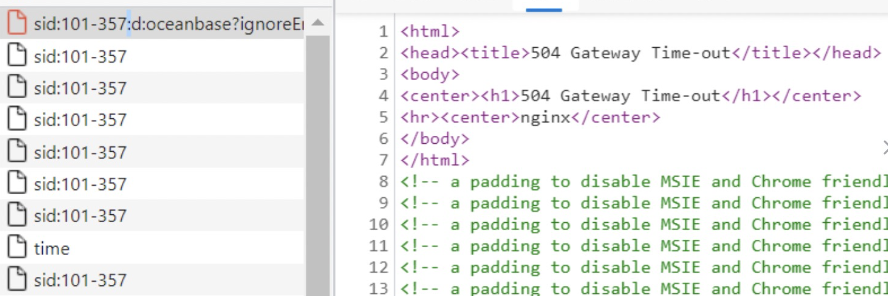
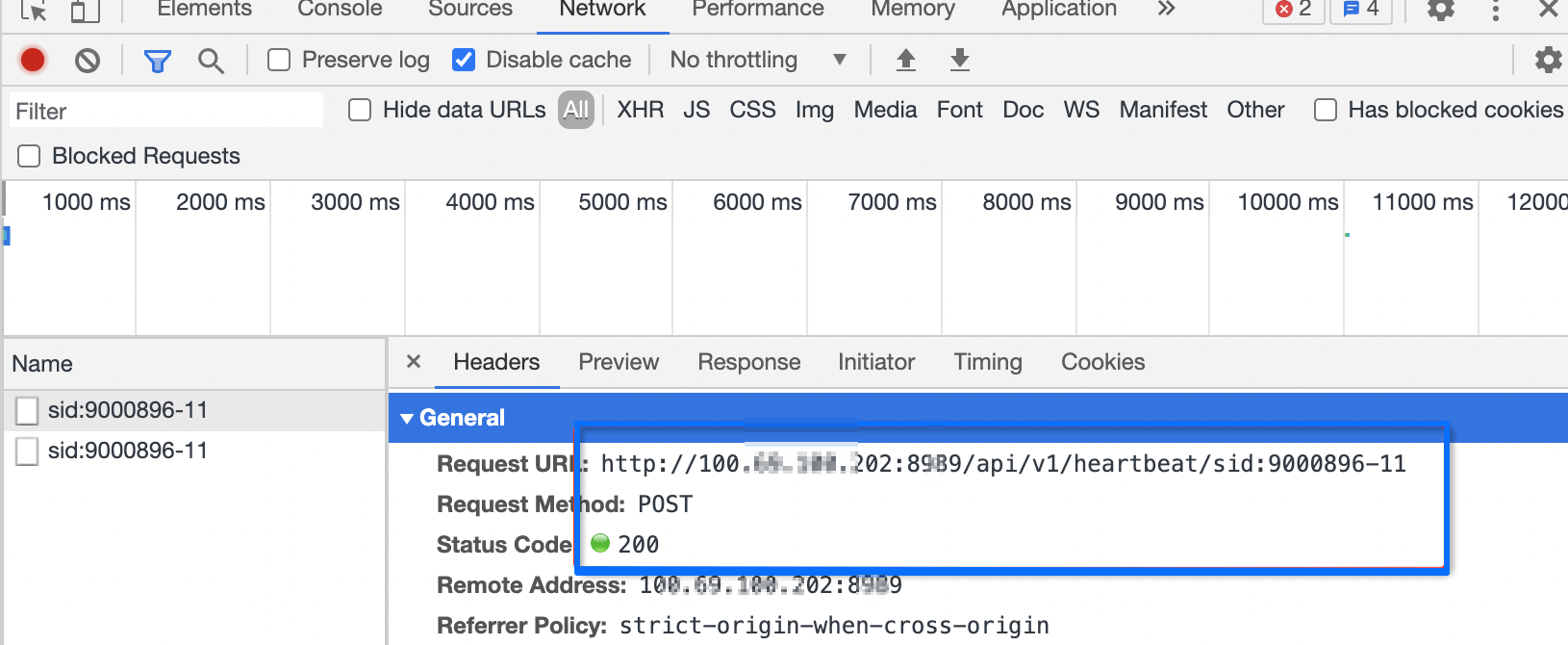
The browser running in the background did not send a heartbeat packet to ODC. ODC, therefore, determines that the connection is no longer in use and disconnects it.
Check whether the browser supports heartbeat requests in debugging mode:
Solutions
Proxy server configuration issues
You can modify the proxy server configuration to ensure that the timeout period is long enough.
Modify the NGINX configuration.
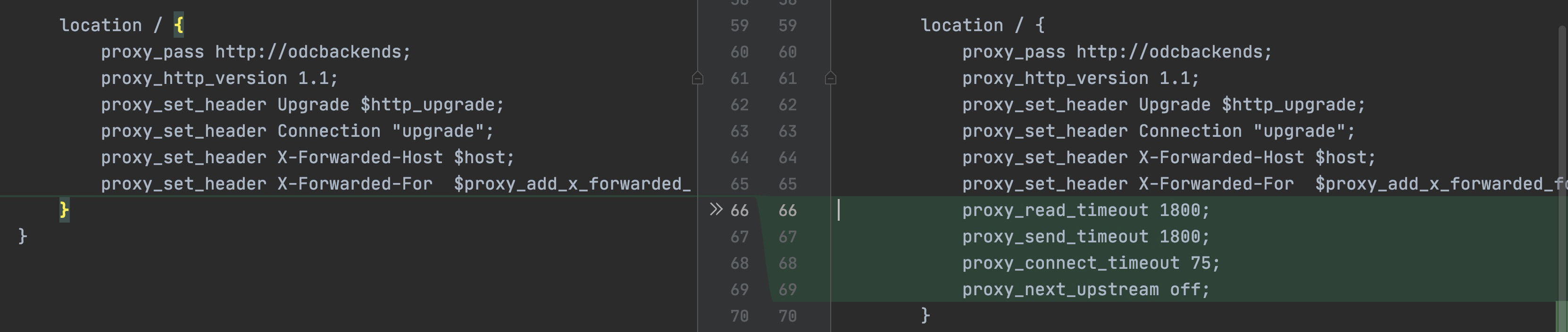
Add the following proxy configuration.
proxy_read_timeout 1800;
proxy_send_timeout 1800;
proxy_connect_timeout 75;
proxy_next_upstream off;
Notice
- We recommend that you set
proxy_connect_timeoutto a value no greater than 75 seconds. For more information, see proxy_connect_timeout time. proxy_next_upstream offprohibits NGINX from forwarding requests to the next ODC node. As a result, you must log on to the ODC node again and some file upload and download features of ODC are unavailable. These features include database change tasks and file download/upload-related features such as the download of result sets.
- We recommend that you set
After the modification, restart the NGINX proxy.
Browser running in the background
If the browser does not send heartbeat requests in the background, you must perform some operations on the ODC page when executing long and time-consuming SQL statements. This ensures that the frontend always sends heartbeat requests. In most operating systems, a browser does not send heartbeat requests and no CPU resource is allocated to the browser when it is running in the background. As a result, if you do not perform operations on the ODC page for a long time, the connection is interrupted.