







This topic provides information on querying sessions.
Background information
A session is a connection between an application and a database. On the Session Management page of ODC, you can view details about all sessions of a database under the current data source. ODC provides a visual interface that allows you to query session variables supported by the current database on the Session Management page.
Query sessions
Assume that you want to query all sessions of the odc_test database under the data source mysql420 in the SQL development window.
Parameter |
Example |
|---|---|
| Data Source | mysql420 |
| Database Name | odc_test |
In the left-side navigation pane, choose O&M Management > Session Management.

Select the data source
mysql420and click OK.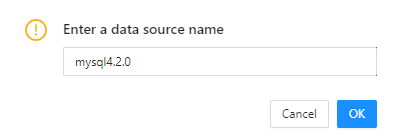
On the Session Management page, you can query all sessions under the data source
mysql420. ParameterDescription
Session ID The ID that uniquely identifies the current session. User The username used to log on to the database in the current session. Source The address from which the session is initiated. Database Name The name of the database accessed in the session. Status The status of the session. Valid values: SLEEP and ACTIVE. Command The type of the command being executed in the session. Execution Duration (s) The time in seconds spent on executing the current SQL query. SQL The actual SQL query being executed in the session. ODP The address of the proxy used for the session. Search for the odc_test database in the search field to query all sessions established with the database.

Select a session. Then, you may close the session or close the query.

Close Session: closes the current session. You must recreate the connection before you can execute a statement.
Close Query: closes the current query for the target session. You can continue to execute other statements.
Click Refresh to refresh the list of sessions.