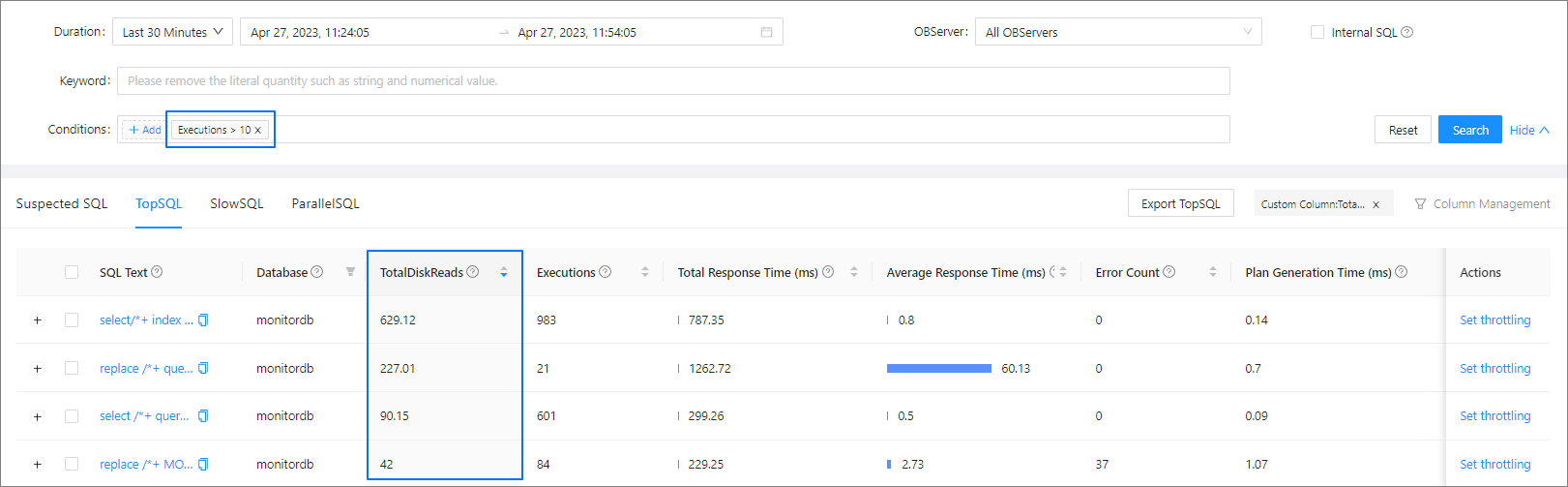
If the default columns defined in SQL diagnostics cannot cover all the search semantics of your business, you can add custom columns. Custom columns are defined based on TopSQL metrics and support the following operators: +, -, *, and /. After a custom column is added, the SQL statements on the TopSQL tab are automatically sorted by the custom column.
Assume that the disk bandwidth of an OBServer node is full, and that the SQL statements with high disk I/O must be located. Therefore, you must determine the total disk reads during execution of each SQL statement. To do this, perform the following operations.
Click Custom Column. In the dialog box that appears, set Column Expression to @avgDiskReads * @executions, and set Column Name to TotalDiskReads.

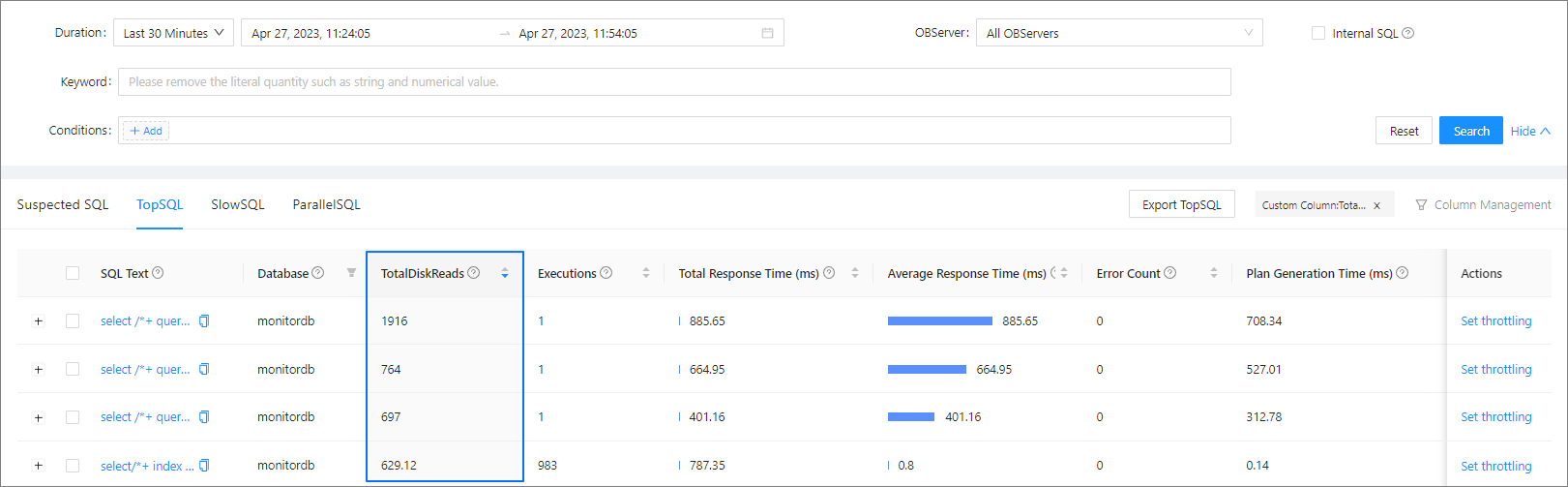
The SQL statements on the tab are automatically sorted by the TotalDiskReads column.
You can use the custom column with conditions, for example, to view the total disk reads of SQL statements with Executions greater than 10.