







You can add zones to a cluster that you manage.
Procedure
Log on to the OceanBase Cloud Platform (OCP) console. The Cluster Overview page automatically appears.
In the Clusters list, find the target cluster and click its name.
In the upper-right corner of the Overview page, click Create Zone .
In the dialog box that appears, set the zone information.
By default, only one zone is added at a time.To add more zones, click Add .
Note
The hardware architecture of the hosts in the zone must be the same as that of the cluster.
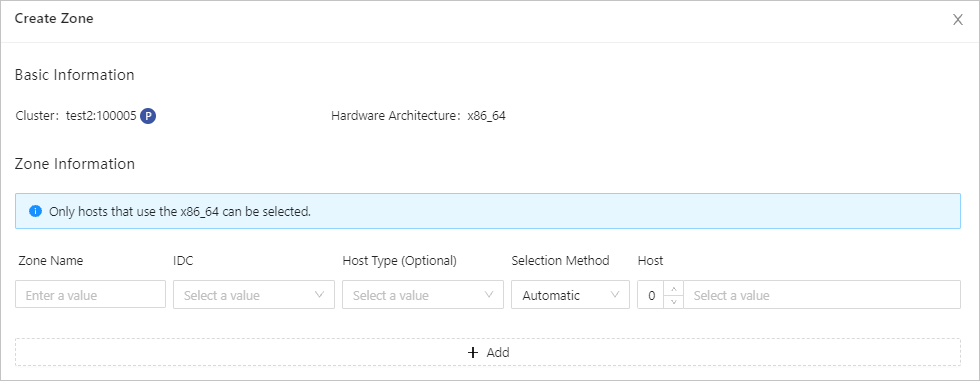
The following table describes the parameters required for setting the zone information.
Field |
Description |
|---|---|
| Zone Name | Specifies the name of the zone. |
| IDC | Specifies the IDC where the zone is located. |
| Host Type | Optional. If you select a host type, the host list is filtered based on the host type. |
| Selection Method | Choose Automatic or Manual . |
| Host | You can select multiple IP addresses. If Selection Method is set to Automatic , you only need to enter the number of hosts, and OCP automatically selects the specified number of hosts from the available hosts. If Selection Method is set to Manual , you need to manually select the IP addresses from the list. |
- Click OK .