







This topic describes how to create a role under an Oracle tenant.
Applicability
This topic applies only to OceanBase Cloud Platform Enterprise Edition. OceanBase Cloud Platform Community Edition provides only the MySQL tenants.
Prerequisites
- Make sure that you have the following permissions:
- Resource Permissions: Cluster Maintenance or Tenant Maintenance permission
- Menu Permissions: Permission on the User Management menu of Tenants
- Only the primary tenant has the permission to create a role under an Oracle tenant.
Procedure
Log on to the OceanBase Cloud Platform (OCP) console. In the left-side navigation pane, click Tenants . The Tenant Overview page appears.
In the Tenants section, find the target tenant and click its name.The details page of the Oracle tenant appears.
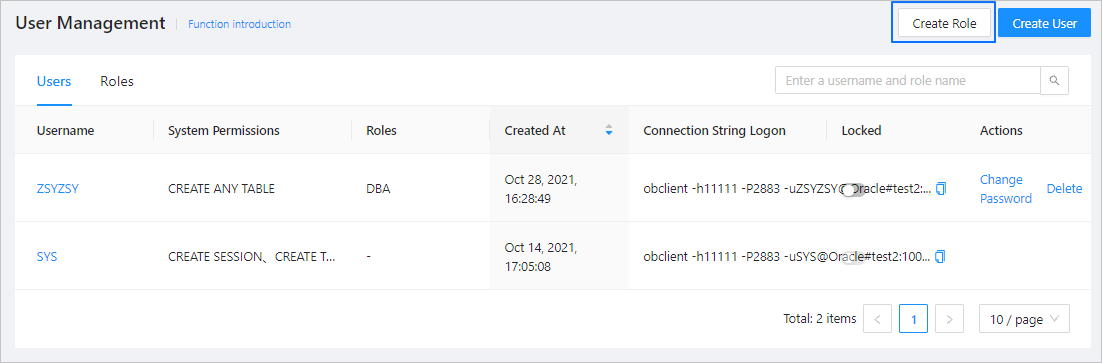
In the left-side navigation pane, click User Management .
Click Create Role in the upper-right corner.
In the dialog box that appears, specify the following parameters.
ParameterDescriptionRole Name A user-defined name that must be 2 to 30 characters in length and begin with a letter, and can contain uppercase letters, lowercase letters, digits, and underscores (_). By default, lowercase letters are automatically converted to uppercase letters. System Permissions Optional. For more information, see System privileges. Roles Optional. Click Submit . You can view whether the modification succeeds in the Roles list.